
MacBook Prices in Kenya: New vs Used Buying Guide

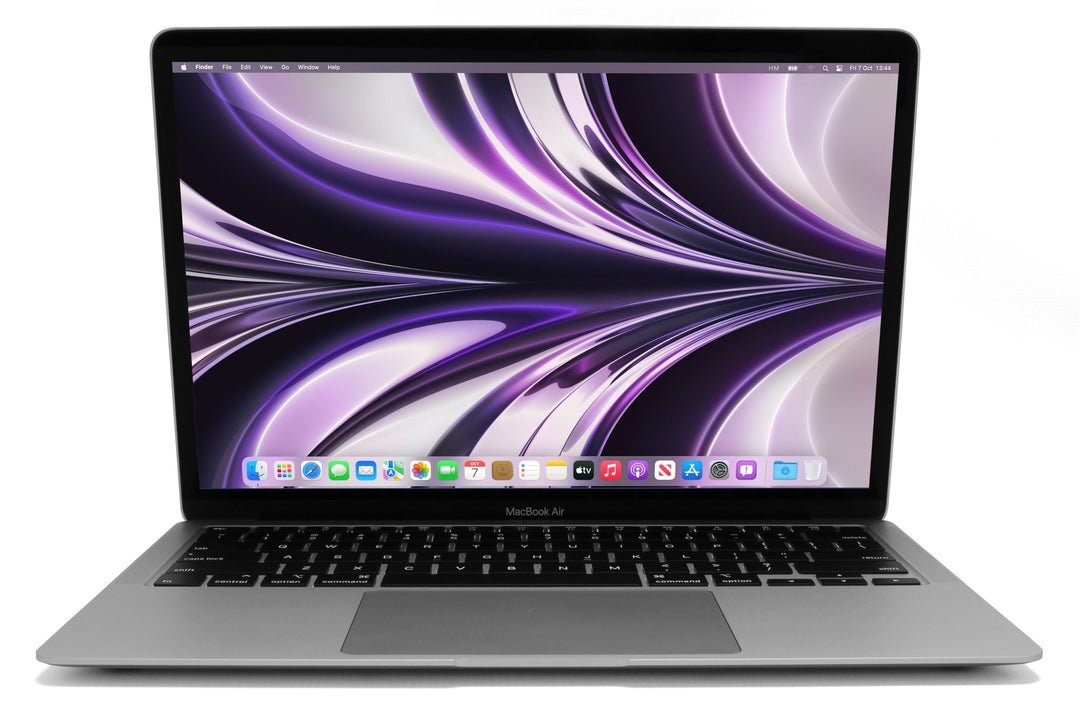
MacBook prices in Kenya should be compared by model year, chip, memory, SSD and condition. A low-cost older Intel MacBook and a current Apple silicon machine can be very different long-term purchases even when both open the same document today. This guide uses real Infinite Tech catalogue offers and explains how to compare a new or used Mac without treating the cheapest price as the complete answer.
Catalogue and references checked: 20 October 2026. Prices below are Infinite Tech catalogue asking prices for the stated configuration. Confirm the actual unit, availability, accessories and written warranty before payment.
The refurbished laptop buying guide explains condition and warranty questions. Compare used Intel MacBooks and Apple Silicon before treating every low-priced MacBook as an equivalent purchase.
Use the university laptop guide to establish your workload. The MacBook Air vs Pro comparison helps decide whether the higher-cost family addresses a specific requirement.
Compare new and used MacBook offers
| Choice | What to compare | Buying implication |
|---|---|---|
| Older Intel offer | Exact year, supported macOS and required applications | A low price needs a clear software-support check |
| Apple silicon offer | Chip generation and fixed memory/storage configuration | Choose the capacity and display arrangement you need |
| New or used condition | Actual unit, included charger and warranty | Condition must be stated, not inferred from the family name |
Keep the model year and chip beside the price
Air and Pro names have existed across many generations. The year and exact chip are therefore essential. An older Intel Air should not be compared with an M-series Air as if only the exterior colour changed. Ask for the model identifier and verify it using Apple’s identification guidance.
The table below includes different generations and configurations, not a controlled value ranking. Some used offers have different memory and storage from newer ones. Keep those differences visible when comparing prices, and confirm the actual condition in writing. A photograph of a clean laptop or an expensive catalogue price does not prove that the unit being offered is brand-new.
Compare the complete ownership cost
Include a suitable charger and cable, any required monitor adapter, backup storage and software licences. If a used battery needs replacement soon, add that cost before judging affordability. Ask whether the quoted warranty includes the specific parts and service process you expect.
For Apple silicon models, choose the installed unified memory and SSD for the intended work rather than assuming an ordinary later RAM upgrade will be available. An external SSD can help with file storage but does not increase internal memory. Spending slightly more for the right initial capacity may be more sensible than buying a configuration that cannot handle the required applications.
Check supported software before choosing an older bargain
Look up Apple’s supported macOS releases for the exact model and the current requirements of the applications you need. A Mac can still start and run older programs without being a good choice for your present university, employer or security requirements. Do not assume every Intel Mac has the same support position.
If a Windows-only application is essential, check its legitimate supported route on the proposed Mac before payment. Native macOS software, virtualised Windows and remote access are different arrangements. Include any licence and compatibility limitations in the budget. A low purchase price should not hide an unsupported workflow that will require another computer.
Inspect a used Mac and complete the legitimate transfer
Check battery condition and cycle information, display, keyboard, trackpad, ports, webcam, wireless and charging. Cycle count alone is not a full battery-health assessment. Test a real document or call and confirm the actual memory and storage through system information.
Activation Lock and organisation management are separate ownership checks. Ask the legitimate seller to complete the required transfer, including release from organisational systems where applicable, and demonstrate normal personal setup. Do not accept an unresolved lock or a promise of a later bypass as part of an ordinary purchase. Keep the exact model, condition, accessories and written warranty on the invoice.
Real Infinite Tech catalogue examples
These links lead to individual listings, not a promise that every model in the wider family is available. Compare the complete configuration rather than the processor badge alone.
| Exact listing | Listed price | Next check |
|---|---|---|
| Apple MacBook Air 2015 Core i5 8GB RAM 256GB SSD | KSh 28,500 | Confirm unit condition, exact components and what is included |
| Apple MacBook Air M1 2020 16GB Unified Memory 256GB SSD | KSh 77,500 | Confirm unit condition, exact components and what is included |
| Apple MacBook Air M4 Chip 16/256GB | KSh 175,000 | Confirm unit condition, exact components and what is included |
| Apple MacBook Air 13-inch M5 16GB Unified Memory 512GB SSD Midnight | KSh 192,500 | Confirm unit condition, exact components and what is included |
A practical buying decision
Choose a MacBook after checking supported software, capacity, battery condition and legitimate setup, then compare the complete price. Use the linked offers as real catalogue examples rather than assuming a lower or higher generation is automatically the best value.
Frequently asked questions
Does MacBook Pro always mean a newer machine than MacBook Air?
No. Check the year, exact model and chip.
Can I judge a used Mac from cycle count alone?
No. Also inspect battery health, charging and realistic unplugged behaviour.
Is a newer catalogue listing automatically new stock?
No. Have the actual unit condition confirmed in writing.
Are Activation Lock and organisation management the same check?
No. Confirm legitimate ownership transfer and normal setup for both where relevant.
Related Infinite Tech buying pages
- Laptop Knowledge Centre
- Compare all laptops
- Browse MacBook listings
- Best Laptops for University Students in Kenya 2026: Course & Budget Guide
More MacBook buying guides
- MacBook Air vs MacBook Pro for Students and Professionals
- Used Intel MacBook vs Apple Silicon: Which Purchase Makes Sense?
- MacBook Air M1 vs M2 vs M3 vs M4: Comparing the Upgrade Options
- 8GB vs 16GB vs 24GB MacBook Memory: What Does Your Work Require?
- 13-Inch vs 15-Inch MacBook Air: Portability or More Screen Space?
- Used MacBook Checklist: Battery Health, Activation Lock and Device Management
- MacBook for Accounting, Engineering and Windows Software: What to Check First
Compare other brands: HP, Lenovo, Dell, ASUS, Microsoft Surface, Acer.
Manufacturer references and research method
This is a research-based buying guide, not a hands-on test or a benchmark report. Manufacturer references describe supported options; the linked catalogue identifies the configuration being offered. Model-specific details should be matched to the full product code or service tag.
- Apple: identify your MacBook Air
- Apple: Activation Lock for Mac
- Apple: battery cycle counts
- Apple: release organisation-owned devices
- Apple MacBook Air M5 specifications
Confirm your laptop with Infinite Tech
Contact Infinite Tech at Rehema House, Nairobi, on 0720450148. Ask for the full model code, a written specification and the applicable warranty. Read warranty information, delivery information and contact Infinite Tech before placing an order.
6 thoughts on “MacBook Prices in Kenya: New vs Used Buying Guide”
Comments are closed.