
512GB vs 1TB SSD for Developers and Business Professionals in Kenya

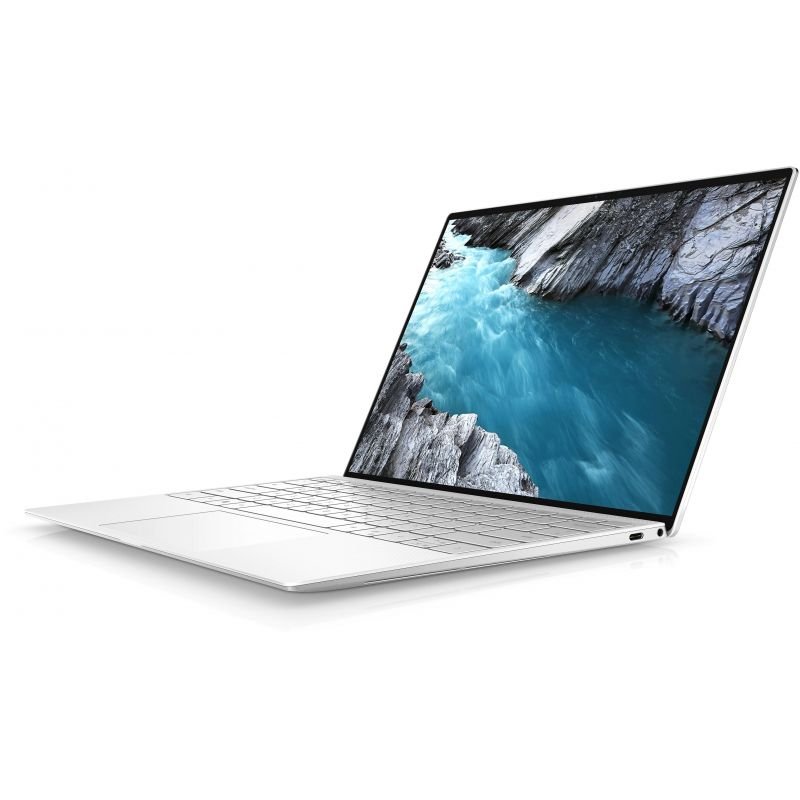
Quick answer: Choose 512GB when your applications, active projects and files fit with room for updates and growth. Consider 1TB when local VMs, container images, datasets or media take substantial space. A larger SSD gives more capacity; it is not automatically faster, and it does not replace a backup.
Capacity, memory and speed are separate decisions
SSD capacity determines how much persistent data the laptop can hold. RAM is the temporary working memory used by active applications. Replacing a 512GB SSD with a 1TB SSD does not turn 16GB RAM into 32GB. If you are unsure which component is limiting your work, inspect memory pressure and available storage separately.
SSD speed depends on the drive model, interface, controller, workload and available space. Capacity alone does not establish performance. A higher-capacity version of a particular drive can have different characteristics, but that does not support a blanket claim that every 1TB SSD is faster than every 512GB SSD.
Estimate your actual local storage needs
Start with the used space on your current laptop. Separate operating system and applications, business documents, active projects, local databases, VM disks and media. Add expected growth over the period you plan to keep the laptop, then leave practical working space for updates, caches and temporary files.
As an illustration, 100GB for the system and tools, 60GB for repositories and build output, two 80GB VM disks and 50GB of business files total 370GB. These are planning assumptions, not application minimums. On a 512GB-labelled drive, partitions, formatting, unit conventions and system files affect what is available, so do not treat the nominal number as entirely free project space.
For developers: watch images, VMs and duplicated environments
Source code can occupy less space than the environment around it. Build caches, package stores, container images, database copies and virtual disks can accumulate. Several projects with separate local services can use more storage than a simple editor-and-browser workflow. Check what your toolchain actually keeps locally.
512GB can work well with a controlled number of active projects and deliberate archive management. Consider 1TB when you routinely keep several substantial environments or datasets available offline. The developer RAM guide addresses the separate memory requirement, and Developer Pro provides current laptop configurations to compare.
For finance and corporate work: separate live files from archives
Documents and routine business files may fit comfortably on 512GB, but local reporting datasets, scanned records and copied archives can change the calculation. Review your organisation’s retention and access arrangements. Do not move sensitive files into an unapproved cloud service just to save space.
A cloud or network archive can reduce local capacity needs only if your workflow, permissions and connection make it practical. Offline copies and synchronisation caches still use space. For larger analytical work, use the Power BI and Excel guide to consider RAM and processor needs alongside storage, rather than assuming 1TB alone solves a slow refresh.
What the current linked laptops actually include
| Exact configuration | Listed price |
|---|---|
| ThinkPad T14s i7 10th Gen, 32GB/512GB, Touch | KSh 53,500 |
| Dell XPS 13 9310 i7 11th Gen, 32GB/512GB, Non-Touch | KSh 59,000 |
| HP EliteBook 840 G9 i7 12th Gen, 32GB/512GB | KSh 70,000 |
Website price snapshot checked 21 October 2026. These pages were marked in stock at the check; confirm the available unit and current price before ordering.
Each of these exact offers specifies a 512GB SSD. None of these links promises an included 1TB drive or a free upgrade. If 1TB is necessary, request a quotation for the exact compatible drive, installation and any agreed migration work before ordering.
The 32GB Core i7 shortlist compares memory-focused options, while the Infinite Pro collection includes 16GB alternatives. A laptop can be a good candidate for your work even when storage needs a separately verified change; include that cost in the comparison from the start.
Verify the upgrade against the exact model
Manufacturer documentation distinguishes drive sizes and interfaces. Dell’s XPS 13 9310 reference describes one M.2 2230 or M.2 2280 SSD slot. Lenovo’s Intel T14s Gen 1 reference also describes a single storage drive with supported configurations. A bigger drive in a one-drive setup generally replaces the existing drive rather than adding a second internal SSD.
Confirm machine identity, connector, supported form factor, interface, mounting hardware and any thermal requirements. A similarly named laptop can have a different layout. Discuss the effect of opening the machine on the seller’s written support terms. Have installation performed appropriately and verify the new drive after the work.
Plan migration, recovery and backup before replacement
Before changing a drive, keep a verified backup and the recovery information required by any device encryption. Decide whether the job involves a fresh operating-system installation or migration, and confirm application licences, sign-ins and business data will remain accessible. Do not assume the price of a loose SSD includes installation or data transfer.
A 1TB internal drive is not an independent backup of the data stored on it. Accidental deletion, device loss and drive failure still require a separate recovery plan. Use backup storage and processes appropriate to your business, and verify that a representative file can actually be restored.
A practical rule for choosing capacity
Choose 512GB when the measured current workload and planned growth leave comfortable working room. Choose 1TB when your routine local footprint is already substantial, you need multiple offline environments or you prefer more space before another hardware change. Ask for the total configured price so that a storage upgrade does not crowd out RAM, display quality or support you also need.
For team purchasing, document storage capacity in the corporate procurement checklist and check it on every received laptop. Capacity is easy to market and straightforward to verify; its value comes from how well it fits your actual working files.
Separate 16GB laptops that already list a 1TB SSD
If you prefer a machine listed with 1TB already installed, compare these separate catalogue offers. Both have 16GB RAM; they are not verified 32GB/1TB versions of the three 32GB products above.
| Offer | RAM / SSD | Price checked |
|---|---|---|
| HP ENVY x360 15 Core i7 12th Gen | 16GB / 1TB SSD | KSh 72,995 |
| HP ENVY x360 14-es0033dx Core i7 13th Gen | 16GB / 1TB SSD | KSh 138,000 |
Prices were checked on 21 October 2026. Follow each link for the current price and confirm the full CPU, screen, condition, accessories and availability. These are different models and generations, so a price difference is not an SSD-upgrade charge. If you need both 32GB and 1TB, request an exact configuration and written quote.
The existing programming laptop guide helps balance RAM and storage against the rest of your development environment.
Frequently asked questions
Is 512GB enough for programming?
It can be, depending on tools, active projects, local databases and VM or container storage. Measure your footprint.
When is 1TB worth considering?
When several local environments, large datasets, media or offline archives need more space and planned growth.
Does 1TB make the laptop twice as fast?
No. Capacity is not a direct measure of processing or SSD speed.
Will an SSD upgrade add more RAM?
No. Storage and RAM are different components and solve different constraints.
Do the three 32GB shortlist links include 1TB?
No. These exact listings specify 512GB SSDs. Request a separate verified 1TB quotation if needed.
Can I add a second SSD to every laptop?
No. Slot counts and supported drive types vary. The two manufacturer examples discussed use one storage-drive slot.
Does every M.2 SSD fit every M.2 laptop?
No. Check the supported physical size, interface, mounting arrangement and model documentation.
Why is available space lower than the drive label?
Unit conventions, partitions, formatting and installed system files affect the displayed usable capacity.
Is an internal 1TB drive a backup?
No. A separate tested backup is needed to recover from loss, deletion or a failed device.
Is data migration included with an upgrade?
Only if the quotation explicitly includes it. Agree installation, migration, licences and recovery arrangements first.
Related professional laptop guides
- Developer Pro collection
- 16GB versus 32GB RAM
- 32GB laptop shortlist under KSh 75,000
- Corporate laptop buying checklist
Manufacturer and software references
This guide compares listed configurations and published model references; it does not report hands-on benchmarks or certify individual units. Read our laptop review methodology.
Compare your shortlist in Nairobi
Visit Infinite Tech, Rehema House, Nairobi, or call 0720450148. Share your software, budget and travel needs for a quotation covering the exact configuration. We are open Monday–Saturday, 8:30 AM–7:30 PM. Check the warranty terms and delivery information before ordering.
3 thoughts on “512GB vs 1TB SSD for Developers and Business Professionals in Kenya”
Comments are closed.