
HP ZBook Graphics Explained: Choosing the Right GPU for Your Work

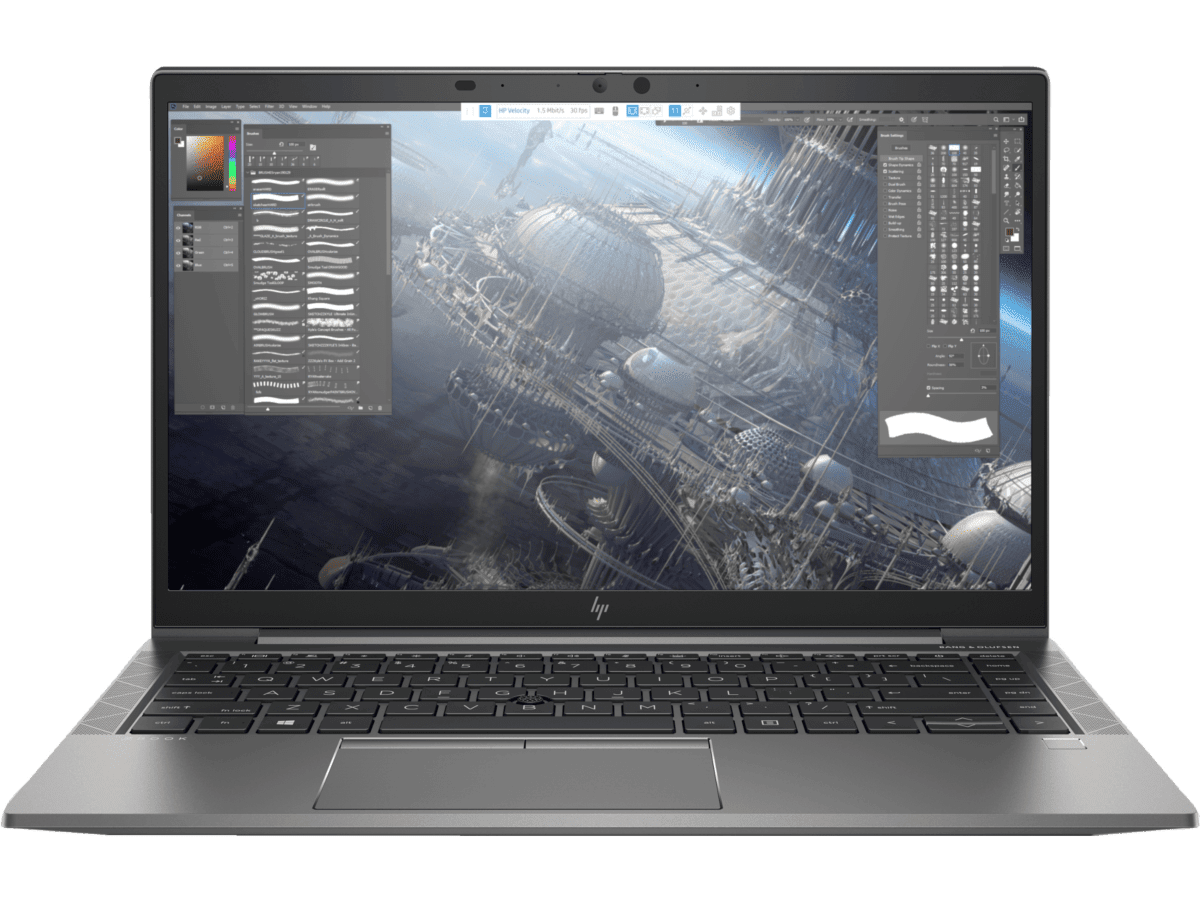
HP ZBook graphics should be identified by the exact adapter model and configuration, not just a claim such as 4GB graphics. Integrated graphics, dedicated graphics memory and workstation certification are different details. For engineering and creative buyers in Kenya, the right GPU depends on the application version and project, while CPU, RAM and cooling remain part of the same decision.
Catalogue and references checked: 20 October 2026. Prices below are Infinite Tech catalogue asking prices for the stated configuration. Confirm the actual unit, availability, accessories and written warranty before payment.
Start with the HP ZBook price index for the wider workstation buying path. The Dell Precision vs Latitude guide provides a useful comparison when a business laptop is being offered as an alternative.
Match the graphics adapter to the AutoCAD, Civil 3D and Revit laptop requirements. The OmniBook Intel vs Snapdragon guide explains a separate compatibility check for newer non-workstation options.
HP ZBook graphics: identify the actual GPU
| Choice | What to compare | Buying implication |
|---|---|---|
| Integrated graphics | Identify the actual processor graphics and shared-memory design | Do not read shared system memory as dedicated GPU memory |
| Discrete graphics | Request the full adapter name and dedicated VRAM | Capacity alone does not establish performance |
| Professional application | Check the relevant certified hardware and driver list | A ZBook name is not proof for every app and version |
Ask for the GPU name before comparing graphics capacity
A listing that states 4GB NVIDIA graphics still needs the full adapter identifier. Different GPUs can have the same memory capacity while offering different architecture, driver support and performance. Ask to see the installed adapter information on the actual unit and have it recorded on the quote.
An operating-system screen may show both dedicated and shared memory. Those figures should not be combined into a new advertised dedicated-GPU capacity. If the laptop uses integrated graphics, describe that accurately. The point is not that one memory arrangement is automatically unsuitable; it is that a buyer needs the correct hardware identity before comparing it with the software requirements.
Match the configuration to the application and project
Consult the publisher’s requirements for the exact CAD, modelling, editing or analysis program and release. Where certification matters, check the relevant hardware and driver combination. A family-level workstation label should not be presented as certification for every configuration, version or plugin.
Also distinguish light coursework from complex professional projects. A laptop that opens a small file may not provide a comfortable experience with large assemblies, point clouds, textures or long render jobs. Use a representative legitimate project where possible. This guide makes no measured frame-rate or render-time claim for the catalogue units and does not infer a benchmark from a GPU’s memory capacity.
Balance graphics with processor, RAM and storage
A suitable GPU cannot compensate for insufficient memory or a processor that does not meet the application needs. Check the complete configuration and leave working space for software, project files and caches. More SSD capacity is useful for storage, but it does not replace RAM or dedicated graphics memory.
For a used ZBook, inspect cooling condition and test the intended task under the appropriate power setup. Ask about fan behaviour and any known service work. Check supported RAM and drive changes against the exact maintenance documentation before including them in an upgrade plan. A compact Firefly and a larger workstation design should not be treated as the same thermal or carrying arrangement.
Choose a workstation premium only when it provides useful value
The linked Firefly offers are real catalogue paths, but their advertised capacities and prices do not identify every internal component. Resolve any unnamed GPU before ordering. The EliteBook alternative is included as a general-work comparison, not as an equivalent workstation or a substitute for unsupported graphics requirements.
Include the suitable power adapter, software licences, display needs, backup storage and any immediate service work in the budget. Inspect battery health, screen, ports and normal personal setup, then obtain written warranty terms. If the workload is ordinary office work, a suitable business laptop may be enough. If professional graphics are essential, buy the verified configuration rather than the cheapest family badge.
Real Infinite Tech catalogue examples
These links lead to individual listings, not a promise that every model in the wider family is available. Compare the complete configuration rather than the processor badge alone.
| Exact listing | Listed price | Next check |
|---|---|---|
| HP ZBook Firefly 14 G8 Core i7 11th Gen 16GB RAM 512GB SSD Non-Touch 4GB NVIDIA Graphics | KSh 61,500 | Confirm unit condition, exact components and what is included |
| HP ZBook Firefly 15 G7 Mobile Workstation 8GB Ram 256 GB SSD Storage | KSh 34,500 | Confirm unit condition, exact components and what is included |
| HP EliteBook 840 G8 Core i5 11th Gen 8GB RAM 256GB SSD Touchscreen | KSh 38,500 | Confirm unit condition, exact components and what is included |
A practical buying decision
Require the exact GPU name, dedicated memory and relevant driver or certification information before selecting a ZBook for professional graphics. Then check the rest of the configuration and a realistic project. A clear specification is more useful than a large but ambiguous graphics-memory number.
Frequently asked questions
Does 4GB graphics identify a specific GPU?
No. Ask for the full adapter model and dedicated memory.
Can shared system memory be advertised as dedicated VRAM?
They are different specifications and should be described separately.
Is every ZBook certified for every CAD application?
No. Verify the exact hardware and driver combination for the application and release.
Is a workstation necessary for ordinary office work?
Not automatically. Compare a suitable business configuration with the actual workload before paying for professional graphics.
Related Infinite Tech buying pages
- Laptop Knowledge Centre
- Compare all laptops
- ZBook price index
- HP engineering comparison
- Best Laptops for Engineering Students in Kenya 2026/2027
More HP buying guides
- HP Laptop Prices in Kenya: New vs Refurbished Buying Guide
- HP EliteBook vs ProBook: Which Should You Buy?
- HP OmniBook Intel vs Snapdragon: Software Compatibility Before Buying
- Dell Precision vs Latitude for Engineering and CAD
Manufacturer references and research method
This is a research-based buying guide, not a hands-on test or a benchmark report. Manufacturer references describe supported options; the linked catalogue identifies the configuration being offered. Model-specific details should be matched to the full product code or service tag.
- HP ZBook workstation configurations
- HP ZBook Fury G11 graphics specification example
- Autodesk AutoCAD system requirements
- Autodesk AutoCAD certified graphics hardware
Confirm your laptop with Infinite Tech
Contact Infinite Tech at Rehema House, Nairobi, on 0720450148. Ask for the full model code, a written specification and the applicable warranty. Read warranty information, delivery information and contact Infinite Tech before placing an order.
3 thoughts on “HP ZBook Graphics Explained: Choosing the Right GPU for Your Work”
Comments are closed.