
ASUS Laptop Prices in Kenya: VivoBook, ZenBook, TUF and ROG

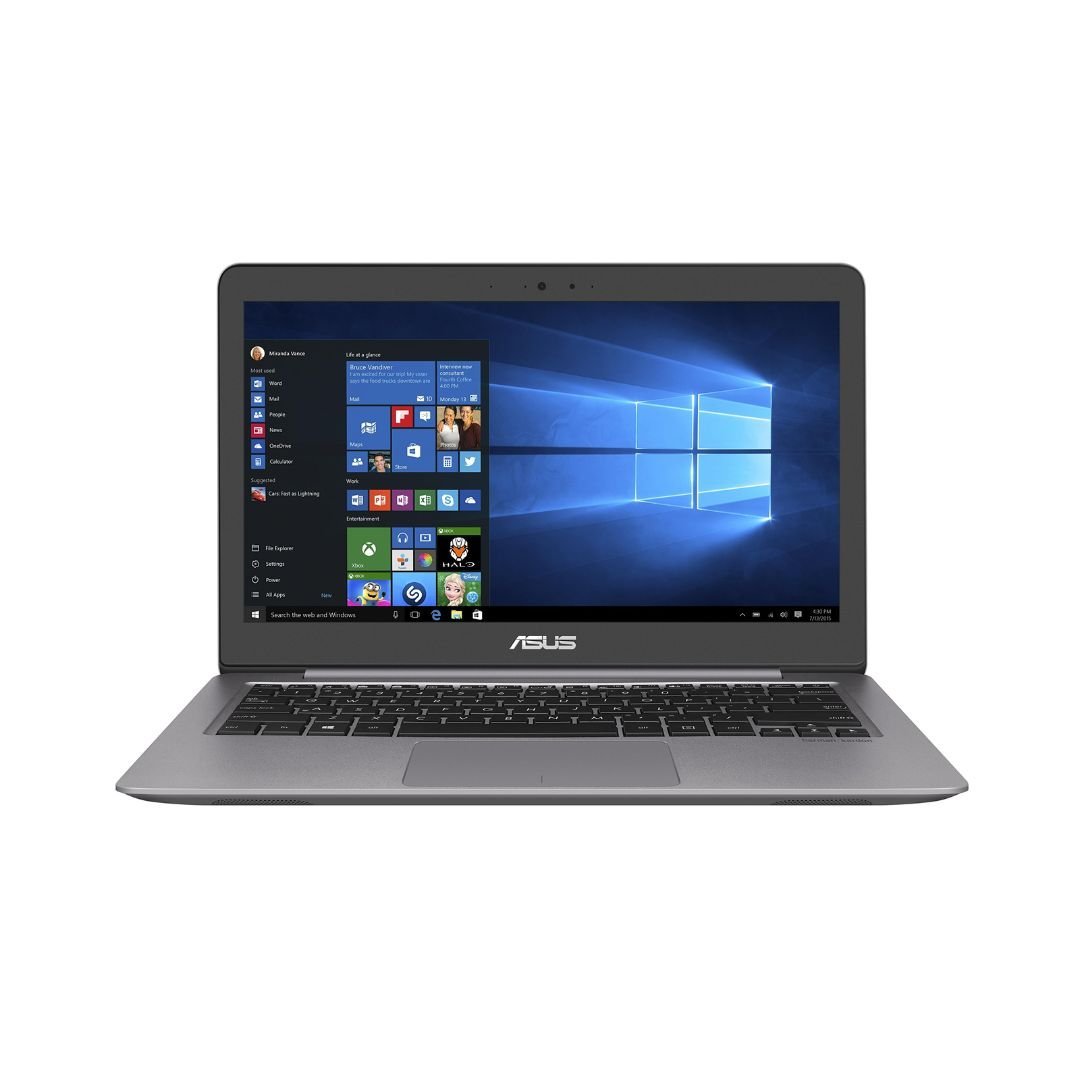
ASUS laptop prices in Kenya should be compared using the full model code, processor, graphics, memory, storage, display and condition. VivoBook, ZenBook, TUF and ROG are broad families across many generations. The Infinite Tech catalogue check for this guide verified two ASUS laptop listings, so the price table covers those exact offers and does not invent prices or availability for the other families.
Catalogue and references checked: 20 October 2026. Prices below are Infinite Tech catalogue asking prices for the stated configuration. Confirm the actual unit, availability, accessories and written warranty before payment.
The university laptop guide helps establish everyday study requirements. The VivoBook vs ZenBook comparison then narrows the choice between portable and general-purpose configurations.
For demanding workloads, start with the engineering laptop guide. The TUF vs ROG comparison identifies gaming-configuration checks without treating a gaming family as professional software certification.
Compare ASUS VivoBook, ZenBook, TUF and ROG offers
| Choice | What to compare | Buying implication |
|---|---|---|
| VivoBook | Identify the exact everyday or creator configuration | Request a specific current quote; no verified offer is assumed here |
| ZenBook | Compare the generation, screen and complete specification | A premium family name does not establish a modern CPU |
| TUF / ROG | Identify GPU, power configuration and display | Gaming branding alone is not a performance specification |
Read the complete code behind an ASUS name
An ASUS family name is not a complete model identifier. The code distinguishes generations, processor and graphics options, display configurations and support documentation. Ask for it before comparing prices or deciding whether a review describes the machine being offered.
The linked ZenBook UX310-series example advertises an older Core i7-7500U configuration with 8GB RAM and a hard drive. The ROG Flow X13 example advertises Ryzen 9, 16GB RAM and a 512GB SSD, but its full generation and graphics adapter still need confirmation. These are different offers, not a controlled test of what every ZenBook or ROG should cost.
Choose the family around the work, then verify the hardware
For ordinary study or office use, compare the applications, screen comfort and memory required for normal multitasking. For design work, check the actual panel and graphics needs. For gaming, identify the exact GPU and the game’s current requirements rather than relying on a TUF or ROG logo.
A newer-looking family name does not guarantee that an essential feature is fitted. Touch, OLED, high refresh rate, active-pen support and dedicated graphics should each be checked separately. Where no current VivoBook or TUF offer has been verified in this scan, request a complete quote rather than substituting an unrelated model and calling it equivalent.
Separate catalogue price from the usable total
Include the suitable charger, any required storage change, software, monitor adapter and delivery. An older hard-drive configuration may need a different storage plan for the intended work, but the supported upgrade and full cost must be checked before purchase. More storage does not substitute for RAM or a suitable graphics adapter.
Inspect the actual unit or confirm the boxed SKU and condition. A high catalogue price should not be treated as proof that an older processor is new-generation hardware. Ask for a current written quotation, especially when comparing listings from different model years. Keep the condition, included accessories and local warranty arrangement visible.
Check support and performance without borrowing another model’s results
Use ASUS’s support and specification pages for the full model code, then check the operating system and application requirements. A result from a different ROG Flow generation or GPU should not be presented as a benchmark of the stock unit. This guide does not claim measured frame rates or battery runtime.
For a used laptop, inspect battery health, charging, screen, keyboard, ports and normal setup. For a gaming model, include cooling behaviour and the suitable power adapter in the assessment. The purpose of the price table is to provide real shopping paths with known advertised details, while making the unresolved specification questions clear before ordering.
Real Infinite Tech catalogue examples
These links lead to individual listings, not a promise that every model in the wider family is available. Compare the complete configuration rather than the processor badge alone.
| Exact listing | Listed price | Next check |
|---|---|---|
| Buy ASUS ZENBOOK UX310U I7 7500 8GB 1TB HDD 13.3′ FHD WIN10 | KSh 107,000 | Confirm unit condition, exact components and what is included |
| BUY ASUS ROG FLOW X13 AMD RYZEN 9 16GB|512GB SSD 13.4" FHD TOUCH | KSh 140,000 | Confirm unit condition, exact components and what is included |
A practical buying decision
Use the verified ASUS listings as specific examples and request a full model code for any other family. Compare the complete ready-to-use price only after the processor, GPU, display, condition and supported software are clear.
Frequently asked questions
Does this table confirm all four ASUS families are stocked?
No. It links the two laptop offers verified in this catalogue check.
Does Core i7 always mean a recent processor?
No. The exact identifier and generation are essential.
Is every ROG suitable for every current game?
No. Check the exact GPU, configuration and the game’s requirements.
Can a high catalogue price replace a current quote?
No. Confirm the exact offer, condition, accessories and latest written total.
Related Infinite Tech buying pages
- Laptop Knowledge Centre
- Compare all laptops
- Best Laptops for University Students in Kenya 2026: Course & Budget Guide
More ASUS buying guides
- ASUS VivoBook vs ZenBook for Study and Office Work
- ASUS TUF vs ROG: Comparing Exact Gaming Configurations
- ASUS OLED vs IPS Laptops: Which Display Suits Your Work?
- ASUS Laptops for Students Under KSh 60,000: Availability and Alternatives
- Choosing an ASUS Gaming Laptop for Fortnite, GTA and EA Sports FC
- ASUS RAM and SSD Upgrade Guide by Model Number
- ASUS Touchscreen vs Standard Laptops: Is the Extra Cost Worthwhile?
Compare other brands: HP, Lenovo, Dell, MacBook, Microsoft Surface, Acer.
Manufacturer references and research method
This is a research-based buying guide, not a hands-on test or a benchmark report. Manufacturer references describe supported options; the linked catalogue identifies the configuration being offered. Model-specific details should be matched to the full product code or service tag.
- ASUS: compare laptop configurations
- ASUS: check installed and supported memory/storage
- ASUS ROG Flow X13 GV301 support
Confirm your laptop with Infinite Tech
Contact Infinite Tech at Rehema House, Nairobi, on 0720450148. Ask for the full model code, a written specification and the applicable warranty. Read warranty information, delivery information and contact Infinite Tech before placing an order.
2 thoughts on “ASUS Laptop Prices in Kenya: VivoBook, ZenBook, TUF and ROG”
Comments are closed.