
8GB vs 16GB vs 24GB MacBook Memory: What Does Your Work Require?

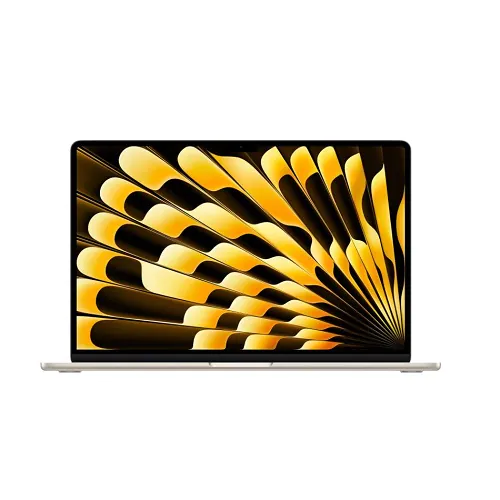
Choosing 8GB, 16GB or 24GB of MacBook memory is a workload decision that should be made before buying. Unified memory and SSD storage do different jobs, and not every MacBook model offers all three capacities. For buyers in Kenya, the useful question is how much working memory the actual applications need, not which number looks most impressive in an advertisement.
Catalogue and references checked: 20 October 2026. Prices below are Infinite Tech catalogue asking prices for the stated configuration. Confirm the actual unit, availability, accessories and written warranty before payment.
The programming laptop guide helps define the development tools and workloads involved. The MacBook Air generation comparison keeps the chip choice separate from the memory capacity.
The video-editing laptop guide offers another workload checklist. Review MacBook and Windows-software compatibility before spending more on memory for an application that needs a different platform.
MacBook 8GB, 16GB and 24GB: workload comparison
| Choice | What to compare | Buying implication |
|---|---|---|
| 8GB | Assess lighter workloads and actual multitasking | Do not assume it fits heavier professional or technical tasks |
| 16GB | A useful comparison point for broader multitasking | Still check the requirements of the actual applications |
| 24GB | Consider when the workflow benefits and the model supports it | A memory option on one generation is not an option on every Mac |
Understand what memory changes and what it does not
Memory provides working space for active applications and their data. SSD capacity provides file and application storage. Adding an external SSD can help with project storage or backups, but it does not turn an 8GB Mac into a 16GB or 24GB configuration.
On Apple silicon MacBooks, choose the installed unified memory with care rather than planning an ordinary later RAM-module upgrade. Check the exact model’s supported configuration options. A memory capacity mentioned on another MacBook page should not be treated as an available upgrade for the laptop you are considering. Keep the capacity on the written quotation and verify it in system information.
Measure the work you keep open together
List the applications normally used at the same time, including browser tabs, calls, development tools, photo editors or virtual machines. Then consult their requirements and, if possible, inspect memory use on an existing suitable Mac during a representative session. A task that opens successfully may still become uncomfortable when several applications are active.
Do not decide from a fixed tab-count claim, because pages and workloads differ. Likewise, a guide cannot guarantee that a particular capacity will handle every project for a named profession. The important question is whether the usual workload and expected near-term growth fit comfortably, with the supported software versions you need.
Keep the chip, storage and condition equal when pricing memory
An 8GB older configuration and a 16GB newer model can differ in chip generation, SSD and screen as well as memory. Compare equal models where possible so that the memory premium is visible. If the shortlist is mixed, disclose all the differences rather than attributing the entire price gap to RAM.
The examples below are real catalogue paths with different capacities and generations, not an 8GB/16GB/24GB controlled price table. A current 24GB quote must identify the exact compatible model and SSD. Do not invent a 24GB variant of a model that does not offer it merely to complete a comparison.
Leave budget for the rest of the working setup
For large creative projects, technical applications or a supported virtualised workflow, more memory may be useful, but the CPU, GPU, software support and storage speed or space still matter. A higher capacity is not a replacement for a compatible application or a suitable graphics configuration.
Include the charger, software licences, external displays and backups in the total. On a used Mac, inspect battery health and complete legitimate ownership transfer. If the required memory pushes the price beyond budget, compare another verified model or a supported Windows configuration rather than purchasing insufficient memory on an assumption that it can be added cheaply later.
Real Infinite Tech catalogue examples
These links lead to individual listings, not a promise that every model in the wider family is available. Compare the complete configuration rather than the processor badge alone.
| Exact listing | Listed price | Next check |
|---|---|---|
| Apple MacBook Air M2 13.6-inch 2022 8GB 256GB | MLY33LL/A | KSh 194,000 | Confirm unit condition, exact components and what is included |
| Apple MacBook Air M1 2020 16GB Unified Memory 256GB SSD | KSh 77,500 | Confirm unit condition, exact components and what is included |
| Apple MacBook Air 13-inch M5 16GB Unified Memory 512GB SSD Midnight | KSh 192,500 | Confirm unit condition, exact components and what is included |
A practical buying decision
Choose the smallest capacity that comfortably supports your real workload and expected needs on the exact supported model. Consider 16GB and higher configurations when heavier multitasking or professional tools justify them, but verify the application requirements and complete budget.
Frequently asked questions
Does a 512GB SSD mean the laptop has more RAM?
No. SSD storage and memory are separate capacities.
Can I normally add a RAM module to an Apple silicon MacBook later?
Do not plan a conventional socketed upgrade. Choose the installed unified memory before purchase.
Does every M-series MacBook offer 24GB?
No. Check the exact model and generation’s options.
Is 24GB necessary for every student?
No. Match capacity to the course applications and actual multitasking rather than a universal profession label.
Related Infinite Tech buying pages
- Laptop Knowledge Centre
- Compare all laptops
- MacBook listings
- Best Programming Laptops in Kenya 2026: Developer Buying Guide
More MacBook buying guides
- MacBook Prices in Kenya: New vs Used Buying Guide
- MacBook Air vs MacBook Pro for Students and Professionals
- MacBook Air M1 vs M2 vs M3 vs M4: Comparing the Upgrade Options
Manufacturer references and research method
This is a research-based buying guide, not a hands-on test or a benchmark report. Manufacturer references describe supported options; the linked catalogue identifies the configuration being offered. Model-specific details should be matched to the full product code or service tag.
- Apple MacBook Air M1 specifications
- Apple MacBook Air M2 specifications
- Apple MacBook Air M3 specifications
- Apple MacBook Air 13-inch M4 specifications
Confirm your laptop with Infinite Tech
Contact Infinite Tech at Rehema House, Nairobi, on 0720450148. Ask for the full model code, a written specification and the applicable warranty. Read warranty information, delivery information and contact Infinite Tech before placing an order.
2 thoughts on “8GB vs 16GB vs 24GB MacBook Memory: What Does Your Work Require?”
Comments are closed.