
Surface Pro 7 vs Surface Pro 7+ in Kenya: Which Is the Better Buy?

Surface Pro 7 vs Surface Pro 7+ in Kenya: Which Is the Better Buy? is a practical decision for Kenya buyers comparing price, processor generation, Windows support and the cost of making a detachable tablet usable. Both listings have 8GB RAM and 128GB SSD, so the extra KSh 3,000 for the 7+ primarily buys the newer 11th-generation platform, updated graphics generation and removable SSD access. Confirm whether the specific unit is Wi-Fi or LTE before assuming cellular data. Their keyboard compatibility should be checked against the exact Type Cover, not presumed universal.
What changes between these models?
| Feature | Surface Pro 7 Core i5 10th Gen, 8GB/128GB | Surface Pro 7+ Core i5 11th Gen, 8GB/128GB |
|---|---|---|
| Advertised Infinite Tech price | KSh 42,995 | KSh 45,995 |
| Processor | 10th Gen Core i5 | 11th Gen Core i5 |
| Memory | 8GB | 8GB |
| Storage | 128GB | 128GB |
| Display | 12.3-inch PixelSense touch | 12.3-inch PixelSense touch |
| Buyer-focused distinction | adds USB-C alongside USB-A; portable detachable Windows work device | newer platform, removable SSD; exact enterprise features depend on SKU |
The currently advertised gap for these specific configurations is KSh 3,000. Prices are snapshots, not promises about future stock or availability. For pre-owned electronics, a better-condition device may be the smarter choice even if its specification looks weaker on paper.
Visual comparison
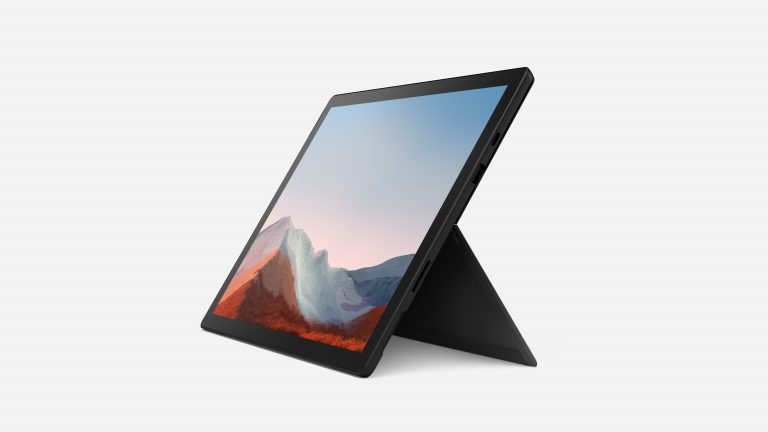
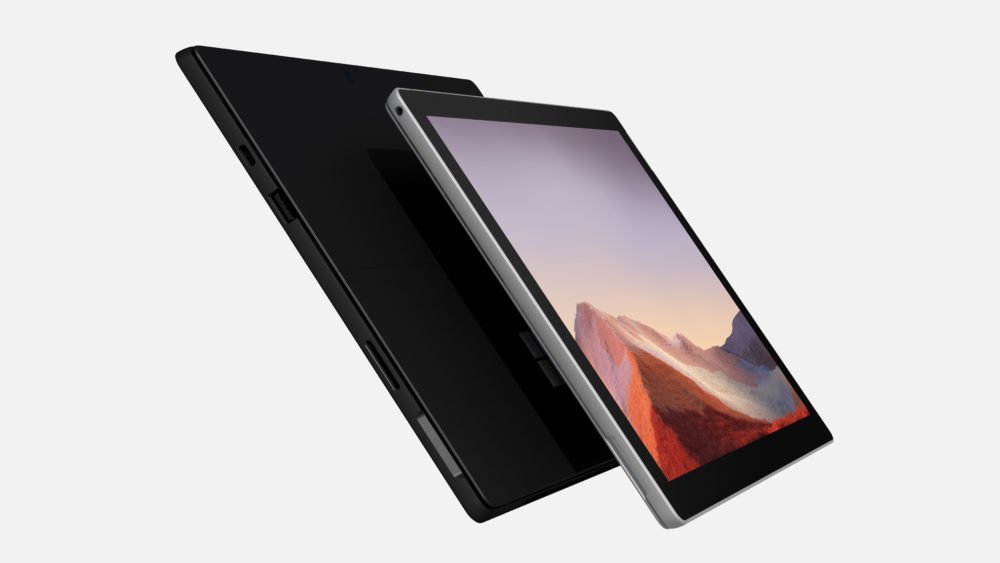
These are product model illustrations, not proof of the physical item’s condition. Check actual unit photos, battery report, included charger, working touchscreen, port condition and accessories before making a purchase.
Which model is better for your work?
For daily office work: Compare the real memory requirement of Excel files, browsers, video meetings and PDF workloads. Surface Pro 7 Core i5 10th Gen, 8GB/128GB uses 8GB RAM and 10th Gen Core i5; Surface Pro 7+ Core i5 11th Gen, 8GB/128GB uses 8GB RAM and 11th Gen Core i5. More RAM is useful when you keep many programs open, while generation alone does not determine battery health.
For university: Confirm requirements for your course. Web research and essays place different demands on hardware than engineering applications, local virtual machines or video production. Ask whether a keyboard and a working compatible pen are included, especially for note-taking.
For mobility: Both detachable designs need a stable working surface for long typing sessions. Consider a conventional laptop if keyboard use is the priority. Touch functionality, kickstand wear and the screen-to-chassis gap should be inspected on older units.
Software support and ownership risk in 2026
Microsoft ended regular Windows 10 support on 14 October 2025. Surface device eligibility for Windows 11 varies by generation and processor. A computer may technically start an unsupported operating system without having a supported upgrade path. Confirm the installed licence, updates, firmware and the applications you need before purchasing. Battery runtime claims from launch materials do not represent the battery health of a used device.
Both listings have 8GB RAM and 128GB SSD, so the extra KSh 3,000 for the 7+ primarily buys the newer 11th-generation platform, updated graphics generation and removable SSD access. Confirm whether the specific unit is Wi-Fi or LTE before assuming cellular data. Their keyboard compatibility should be checked against the exact Type Cover, not presumed universal.
Current prices and buying links
Compare the Surface Pro 7 Core i5 10th Gen, 8GB/128GB at KSh 42,995 with the Surface Pro 7+ Core i5 11th Gen, 8GB/128GB at KSh 45,995. If neither fits your exact requirements, browse all Infinite Tech laptops and the Microsoft Surface buying-guide centre.
Buyer questions answered
Is the Surface Pro 7+ newer than Pro 7?
Surface Pro 7 Core i5 10th Gen, 8GB/128GB uses 10th Gen Core i5 and 8GB; Surface Pro 7+ Core i5 11th Gen, 8GB/128GB uses 11th Gen Core i5 and 8GB. Judge the specification and real condition together.
Does Surface Pro 7+ have a removable SSD?
Check the exact model’s processor and official compatibility, and ask to inspect the live device. Keyboard, charger and pen inclusion varies by supplier bundle.
Is KSh 3,000 extra worth paying?
Choose according to applications, memory, condition and total ownership cost. A higher sticker price only makes sense when the differences improve the buyer’s work.
Where to buy in Nairobi
Visit Infinite Tech, Rehema House, Standard Street, Nairobi CBD, first floor Shop 2, or call 0720450148. Ask for the exact unit’s battery report, cosmetic grade, warranty, keyboard and charger confirmation. Also read our used Surface battery buying guide and keyboard and pen compatibility guide before paying.
Specification references: Microsoft Surface support. Review current manufacturer documentation and verify each supplied device.
Five-minute Pro 7 versus Pro 7+ inspection
- Match both configurations: Open System → About on the actual devices and check that both are Core i5 and 8GB RAM. Check SSD 128GB in Storage settings. A seller may mix configurations when comparing prices.
- Test the different ports: Connect USB-C power and a USB device to each model, where supported. If you intend to use a dock or external monitor, test that exact accessory.
- Check removable SSD claims: Identify the precise Surface Pro 7+ storage arrangement; its removable SSD is an advantage for qualified service, not a promise of a free upgrade.
- Test on battery for real work: Open multiple documents, start a video call and check whether battery percentage decreases normally. Ask for a battery health report.
- Compare complete costs: Compare KSh 42,995 with KSh 45,995 only after adding the price of a compatible keyboard, charger, pen, any delivery charge and warranty terms.
Example buyer decision
A student with PDFs and a browser may be satisfied by either 8GB unit. A buyer who values 11th-generation hardware and removable storage may justify the extra KSh 3,000, assuming similar condition.