
Surface Pro vs Surface Laptop: Which Fits Your Daily Work?

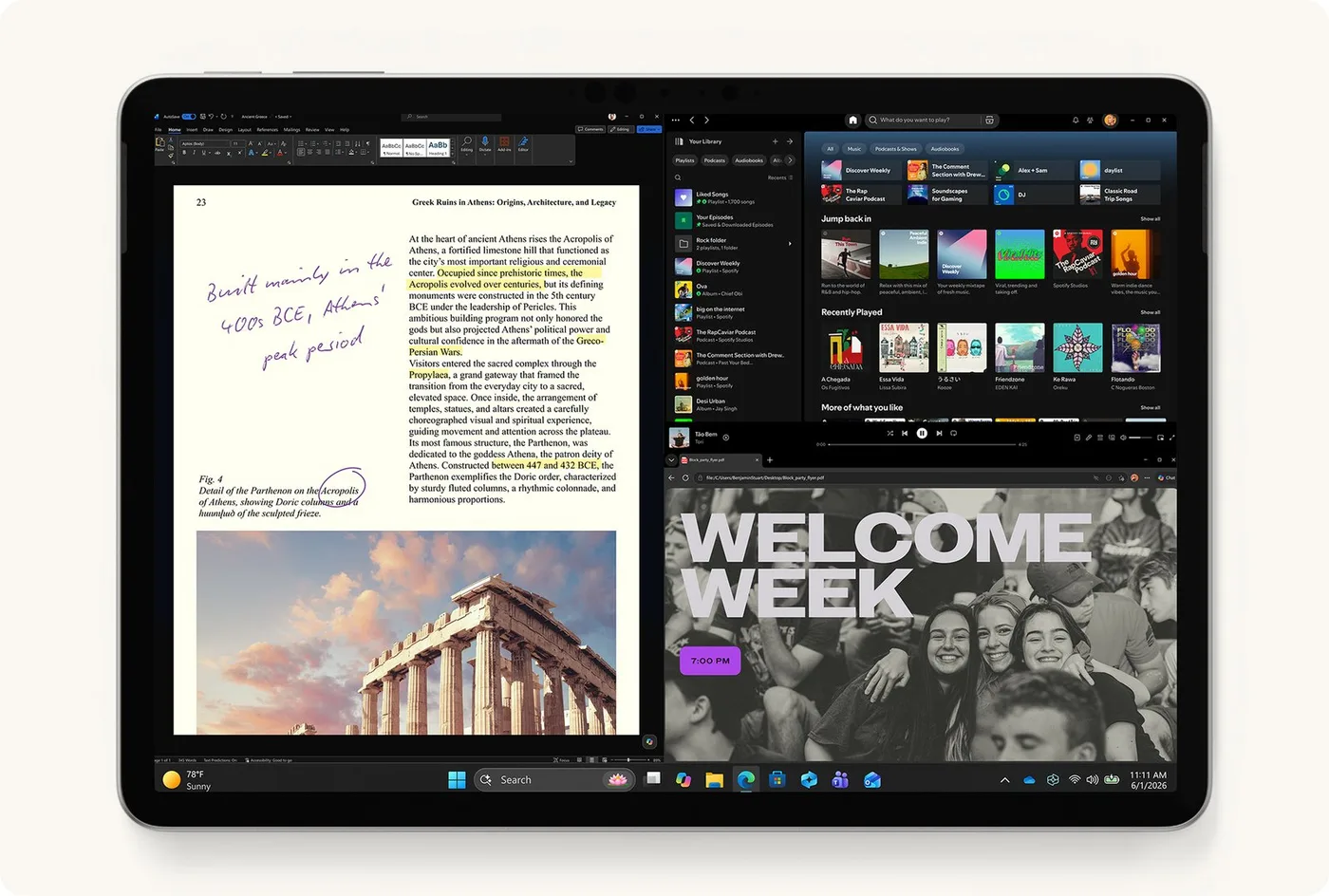
Surface Pro versus Surface Laptop is primarily a choice between a detachable tablet-style working arrangement and a conventional laptop format, followed by an exact hardware and software comparison. For Kenyan buyers, keyboard comfort, screen positions, pen support, processor architecture and the complete package cost should all remain visible. The catalogue links below are verified Surface Pro examples, not a claim that an unverified Surface Laptop configuration is stocked.
Catalogue and references checked: 20 October 2026. Prices below are Infinite Tech catalogue asking prices for the stated configuration. Confirm the actual unit, availability, accessories and written warranty before payment.
The university laptop guide helps establish the course workload. Compare Surface Pro, HP x360 and Lenovo Yoga if hinged convertibles are also on your shortlist.
The business laptop buying guide adds office purchase checks. Use the Surface accessory compatibility guide to confirm the keyboard and pen for the exact model.
Surface Pro vs Surface Laptop: detachable or notebook
| Choice | What to compare | Buying implication |
|---|---|---|
| Surface Pro | Device, compatible detachable keyboard and kickstand setup | Try the complete arrangement on the desk and lap |
| Surface Laptop | Exact generation and conventional keyboard format | Confirm touchscreen and pen features separately |
| Either design | CPU architecture, memory, SSD and applications | A Surface family name does not establish platform compatibility |
Try the physical format in the place you will work
A Surface Pro can be useful when the tablet, supported pen and detachable keyboard arrangement fit the task. A conventional laptop format may be more comfortable for long typing sessions or use in a restricted space. Try the candidate on the actual kind of desk or lap position you expect to use.
Compare the complete carry package, including keyboard, suitable charger and required adapters. A device-only weight or price is not the same as the working setup. If the keyboard or pen is optional, include its cost before judging portability or value. The right format is the one that makes daily work comfortable rather than the one with the most flexible promotional photograph.
Do not assume every Surface Laptop supports pen input
Microsoft’s pen compatibility table identifies model-specific support, including Surface Laptop models that do not support inking. A touchscreen and a familiar Surface logo are not enough to promise a handwriting workflow. Check the exact generation and supported accessory before buying.
For a Surface Pro, also confirm the particular pen features and charging arrangement. If notes or drawing are important, test the intended application with the compatible pen. If the work is mainly documents and spreadsheets, keyboard comfort and a useful display setup may matter more. Avoid paying for an assumed pen feature that is not supported on the chosen model.
Match the processor platform to the applications
Surface products have different Intel and Arm-based configurations across generations. Identify the exact processor, memory and SSD, then check the application, plugin, VPN, printer and examination-software requirements. A Windows desktop on both candidates does not make every driver or program arrangement identical.
An Arm-native application, an emulated desktop app and a supported peripheral driver are separate questions. Resolve any essential compatibility requirement before paying. Intel configurations still need appropriate operating-system and application support too. This guide does not compare measured speed or battery runtime between the families; the target is a supported, usable workflow on the exact device.
Compare matched quotes and the real condition
Ask for the full device and accessory codes, stated condition and written warranty. The Pro examples below are different generations and configurations, so their prices cannot be used as a controlled Pro-versus-Laptop comparison. Request a complete Surface Laptop quote if that format is preferred.
For a used machine, inspect battery health, charging, screen, keyboard or cover, kickstand where applicable, webcam, microphone and ports. Confirm normal personal setup and the intended Windows support. Add necessary software, backup storage and display accessories to the total. A lower headline price is only useful if the complete setup can perform the required work.
Real Infinite Tech catalogue examples
These links lead to individual listings, not a promise that every model in the wider family is available. Compare the complete configuration rather than the processor badge alone.
| Exact listing | Listed price | Next check |
|---|---|---|
| Microsoft Surface Pro 12-inch Copilot+ PC Snapdragon X Plus 16GB RAM 512GB SSD | KSh 187,500 | Confirm unit condition, exact components and what is included |
| Microsoft Surface Pro 9 (QIY-00007) Intel Core i7 12th Gen 16GB RAM 512GB SSD 13 Inches Multi-Touch Windows 11 Pro Platinum | KSh 250,000 | Confirm unit condition, exact components and what is included |
| Microsoft Surface Pro Copilot+ PC 11th Edition Snapdragon X Elite 16GB RAM 1TB SSD | KSh 259,500 | Confirm unit condition, exact components and what is included |
A practical buying decision
Choose Surface Pro when its verified detachable and pen arrangement improves the task. Choose a conventional Surface Laptop when that format better fits daily typing and its exact features are supported. Compare complete packages and application compatibility before deciding from the family name.
Frequently asked questions
Does every Surface Laptop support a Surface Pen?
No. Check Microsoft’s compatibility table for the exact model.
Is a device-only Pro price comparable with a complete laptop package?
Not without adding the required compatible accessories.
Are all Surface products Intel-based?
No. Identify the exact processor architecture and check software support.
Do the linked offers establish current Surface Laptop stock?
No. They are verified Surface Pro catalogue examples; request a specific Laptop quote.
Related Infinite Tech buying pages
- Laptop Knowledge Centre
- Compare all laptops
- Best Laptops for University Students in Kenya 2026: Course & Budget Guide
- Best Laptops for Accounting Students in Kenya 2026
More Microsoft Surface buying guides
- Microsoft Surface Prices in Kenya: Include the Keyboard, Pen and Charger
- Intel vs Snapdragon Surface: Check Your Applications Before Buying
- Surface Keyboard and Pen Compatibility: A Guide by Exact Model
Manufacturer references and research method
This is a research-based buying guide, not a hands-on test or a benchmark report. Manufacturer references describe supported options; the linked catalogue identifies the configuration being offered. Model-specific details should be matched to the full product code or service tag.
- Microsoft: Surface Pro 9 features and specifications
- Microsoft: Surface Pen compatibility
- Microsoft: Surface keyboards and Type Covers
- Microsoft Surface Pro 12-inch first-edition features
- Microsoft Windows Arm-based PCs FAQ
Confirm your laptop with Infinite Tech
Contact Infinite Tech at Rehema House, Nairobi, on 0720450148. Ask for the full model code, a written specification and the applicable warranty. Read warranty information, delivery information and contact Infinite Tech before placing an order.
2 thoughts on “Surface Pro vs Surface Laptop: Which Fits Your Daily Work?”
Comments are closed.