
Used Surface Buying Guide: Battery Health and Repair Considerations

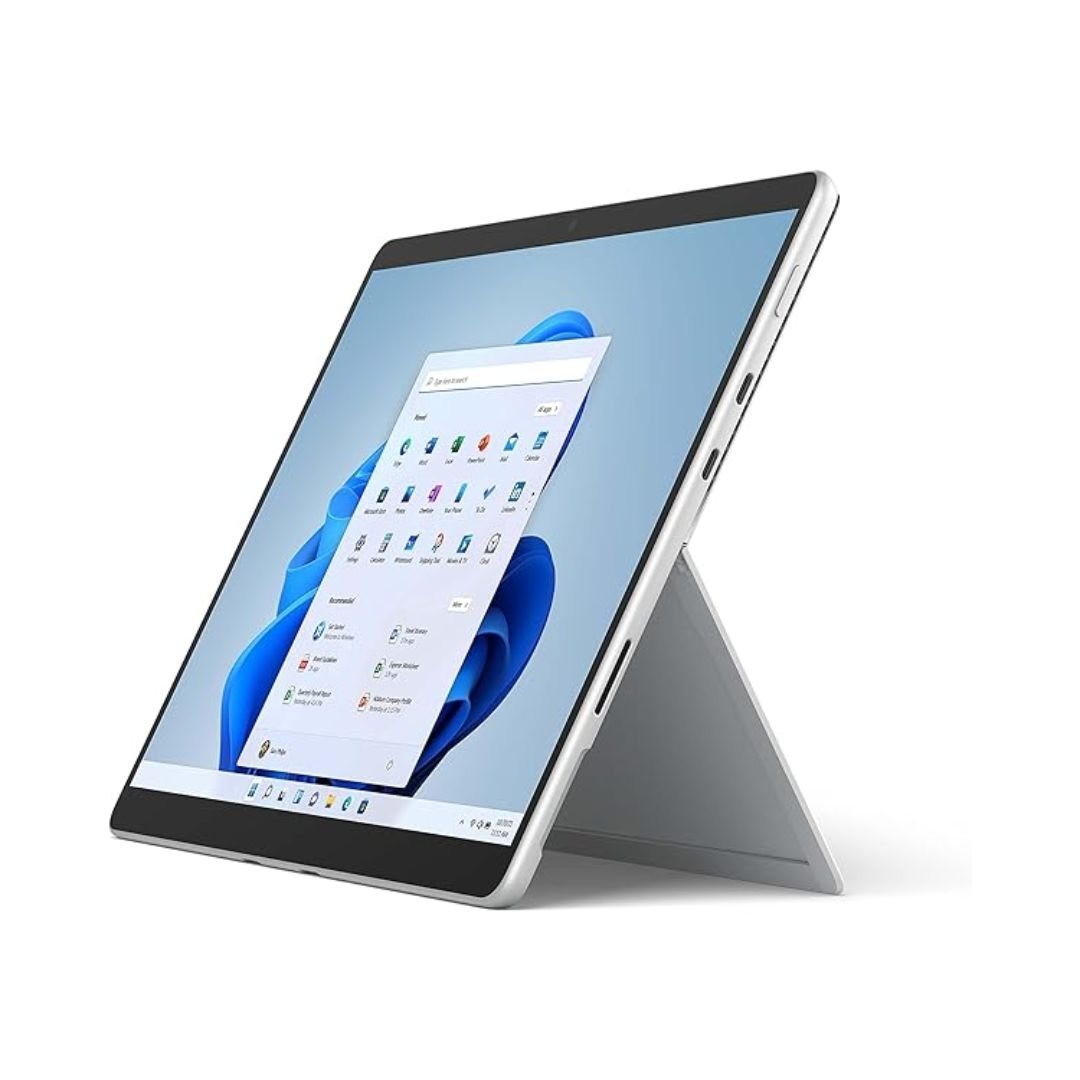
When buying a used Surface in Kenya, battery health and repair options should be assessed on the exact device before judging the price. Surface generations differ in construction, service information and accessories. A low initial price can become poor value when essential battery, screen or keyboard work is unresolved. This guide explains the checks without assuming every Surface has the same repair path.
Catalogue and references checked: 20 October 2026. Prices below are Infinite Tech catalogue asking prices for the stated configuration. Confirm the actual unit, availability, accessories and written warranty before payment.
Begin with the second-hand laptop inspection checklist for general physical checks. The used Surface Pro 6, 7 and 9 comparison keeps the exact generation and configuration in view.
The refurbished laptop buying guide explains condition and written warranty questions. Check the Surface accessory compatibility guide before treating a keyboard or pen as part of the offer.
Used Surface inspection: battery, repairs and setup
| Choice | What to compare | Buying implication |
|---|---|---|
| Battery | Capacity information, charging and realistic unplugged use | Launch runtime and a charge percentage are insufficient |
| Service options | Exact model, documented parts and local assessment | Do not assume another generation’s procedure applies |
| Complete purchase | Device, correct keyboard, charger and warranty | Include known required work before comparing prices |
Identify the exact model and inspect present battery behaviour
Confirm the full Surface model, processor, memory and SSD against the quote. Then review current battery capacity information using Microsoft’s guidance and test the device away from mains power under an ordinary task. A single battery percentage does not describe health or prove useful runtime.
Check stable charging with the suitable adapter and cable. Watch for unexpected shutdowns, inconsistent readings or a device that only behaves normally while connected to power. Ask how any known limitation is reflected in the price and written warranty. A used unit should be judged on its present condition rather than the maximum runtime advertised at launch.
Obtain a model-specific service assessment before buying a fault
Microsoft publishes service information for supported Surface models and explains that available parts and repair options vary. Do not assume a procedure or component from a Pro 9 applies to a Pro 6, another Pro size or a Surface Laptop. Identify the actual problem before pricing a replacement.
Ask a suitably skilled technician or appropriate service provider to assess the fault and provide a realistic complete quote. Part availability, labour, data handling and warranty terms matter. This article is a buying checklist, not a device-opening procedure. If essential repair work cannot be reliably assessed, include that uncertainty in the purchase decision rather than treating a low device price as a confirmed bargain.
Test the screen, kickstand and complete input setup
Inspect light and dark screen backgrounds, touch response, any supported pen functions and the stability of the kickstand. Check the compatible keyboard attachment, every key, touchpad, webcam, microphone, speakers, Wi-Fi and the ports needed for work. A good battery alone does not establish a sound device.
Ask about known repairs and confirm that the installed parts and configuration match the invoice. A storage change, where supported by the exact model, is a separate job from a memory or battery issue. Do not assume every Surface provides the same upgrade path. Keep the full model code and service information together when discussing any proposed work.
Check ownership, software support and the ready-to-use total
Confirm normal personal setup and resolve unknown organisational or firmware restrictions through the legitimate seller. Check the intended Windows support and the applications required for work or university, including processor-architecture considerations on Arm-based models.
Add the correct keyboard, suitable charger, required software and any known service work to the price. Compare that total with a healthy alternative rather than comparing a faulty tablet-only offer with a complete working package. Obtain written warranty terms and the process for reporting a problem. Protect important files with a separate backup from the start; a successful inspection does not replace ongoing data protection.
Real Infinite Tech catalogue examples
These links lead to individual listings, not a promise that every model in the wider family is available. Compare the complete configuration rather than the processor badge alone.
| Exact listing | Listed price | Next check |
|---|---|---|
| Microsoft Surface Pro 9 (QIY-00007) Intel Core i7 12th Gen 16GB RAM 512GB SSD 13 Inches Multi-Touch Windows 11 Pro Platinum | KSh 250,000 | Confirm unit condition, exact components and what is included |
| Microsoft Surface Pro 12-inch Copilot+ PC Snapdragon X Plus 16GB RAM 512GB SSD | KSh 187,500 | Confirm unit condition, exact components and what is included |
| Microsoft Surface Pro Copilot+ PC 11th Edition Snapdragon X Elite 16GB RAM 1TB SSD | KSh 259,500 | Confirm unit condition, exact components and what is included |
A practical buying decision
Buy a used Surface after checking the exact device, current battery behaviour, essential functions and a realistic repair position. If a known fault needs work, obtain the complete supported service cost before deciding whether the offer is good value.
Frequently asked questions
Does a full-charge reading prove a healthy battery?
No. Check capacity information and realistic unplugged behaviour.
Are repair options the same for every Surface?
No. Use model-specific documentation and a suitable local assessment.
Should a low price outweigh an unexplained battery fault?
Only after the fault, realistic service cost and terms are clear enough to make a sound decision.
Does this guide provide instructions for opening a Surface?
No. It explains purchase and service-assessment checks.
Related Infinite Tech buying pages
- Laptop Knowledge Centre
- Compare all laptops
- Used laptop inspection checklist
- Best Laptops for University Students in Kenya 2026: Course & Budget Guide
More Microsoft Surface buying guides
- Microsoft Surface Prices in Kenya: Include the Keyboard, Pen and Charger
- Used Surface Pro 6 vs 7 vs 9: Price, Condition and Support
- Surface Keyboard and Pen Compatibility: A Guide by Exact Model
Manufacturer references and research method
This is a research-based buying guide, not a hands-on test or a benchmark report. Manufacturer references describe supported options; the linked catalogue identifies the configuration being offered. Model-specific details should be matched to the full product code or service tag.
- Microsoft: Surface battery capacity checks
- Microsoft: model-specific Surface service information
- Microsoft: Surface Pro 9 features and specifications
- Microsoft: Surface Pen compatibility
- Microsoft: Surface keyboards and Type Covers
Confirm your laptop with Infinite Tech
Contact Infinite Tech at Rehema House, Nairobi, on 0720450148. Ask for the full model code, a written specification and the applicable warranty. Read warranty information, delivery information and contact Infinite Tech before placing an order.
One thought on “Used Surface Buying Guide: Battery Health and Repair Considerations”
Comments are closed.