
Laptops for Freelancers in Kenya: Build a Client-Ready Setup Without Overspending

Your freelance laptop is part of the working environment you choose for yourself. It can feel professional because it helps you prepare, communicate and deliver reliably. This Kenya buying guide starts with the projects you intend to complete, then connects them to real configurations and a complete equipment budget.
Catalogue and prices checked: 21 October 2026. Listing prices can change and do not reserve stock. This guide uses catalogue and manufacturer information; individual unit condition and measured performance require inspection. Read our laptop review methodology for the evidence behind our recommendations.
Turn “freelancing” into a practical brief
List three expected deliverables rather than choosing a laptop for the job title alone. You might prepare monthly accounts, build web applications, research and write reports, or edit video. Record the software, typical file sizes, required operating system, client access tools and the place you expect to work.
Ask clients about device or security requirements before putting their information on a personal laptop. Use anonymised examples during shop demonstrations. A clear brief helps you buy a machine that fits the work without assuming equipment alone will produce clients or income.
Different projects create different priorities
| Work you intend to deliver | Priorities to investigate | Useful next guide |
|---|---|---|
| Accounts and reporting | Application compatibility, readable sheets, memory and keyboard | Accounting laptop planning |
| Web and software projects | Local services, RAM, storage and virtualisation | 16GB vs 32GB for development |
| Documents and client calls | Screen readability, camera, headset and presentation connections | Client-meeting checklist |
| GPU-dependent creative projects | Exact GPU, application support and representative files | Business vs gaming for work |
Compare four real configurations
| Offer | Listed configuration | Price checked | Decision to evaluate |
|---|---|---|---|
| Dell Latitude 5420 | i7-1185G7, 16GB / 512GB SSD, 14-inch HD | KSh 42,500 | Complete cost and screen readability |
| HP EliteBook 840 G8 | i7-1165G7, 16GB / 512GB SSD, 14-inch FHD | KSh 49,500 | Portable office workflow and display |
| ThinkPad T14s touchscreen | Core i7 10th Gen, 32GB / 512GB SSD | KSh 53,500 | Memory capacity for a heavier local setup |
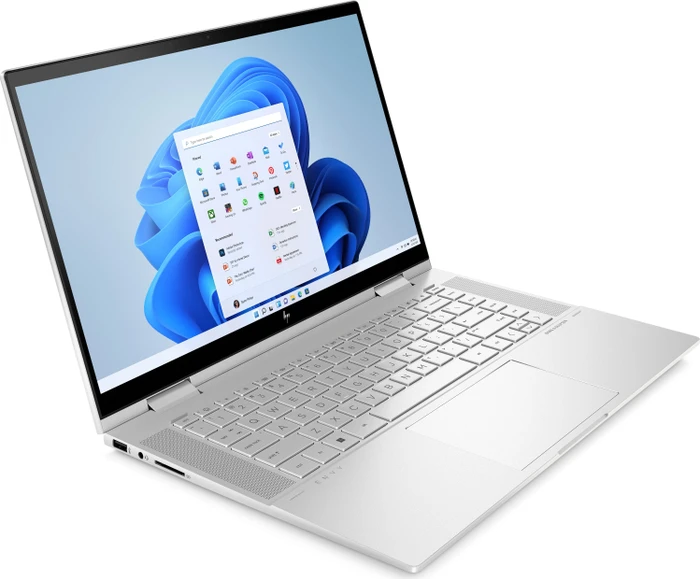
| HP ENVY x360 15 | Core i7 12th Gen, 16GB / 1TB SSD | KSh 72,995 | More listed internal storage and convertible format |
The ENVY’s 1TB drive is a storage difference; it does not make it a 32GB machine. The selected T14s has 32GB but a 512GB SSD. Confirm full processor suffixes, display details, graphics where relevant, unit condition and supplied accessories. Our 512GB vs 1TB guide helps compare space needs without treating an internal drive as a backup.
Spend for the stage your work has reached
Set a complete equipment limit using the money you have chosen to allocate. Include the laptop, charger, necessary adapters, software, connectivity, delivery and any migration. If you already own a good monitor and peripherals, compare the laptop in that existing setup. If starting with an empty desk, use the itemised home-office example to expose accessory costs.
Avoid treating expected future earnings as proof that the most expensive machine is appropriate. A configuration that handles current deliverables can be a deliberate, satisfying choice. If a new project has a specific requirement, price the supported hardware needed for that project rather than buying a vague promise of future capability.
Build a professional routine around the machine
- Prepare a tidy demonstration file or presentation and test screen sharing.
- Check camera, microphone, headset and the connections used at your desk.
- Keep independent backups and confirm that important files can be restored.
- Use account access and software licences permitted for your work.
- Agree client requirements for storing, sharing and returning their information.
These habits complement the hardware. A premium appearance is pleasant, but clear preparation and a working setup are the details clients will experience. For a portable machine, battery-report checks and condition checks help judge the available unit rather than relying on a polished model photograph.
Test one representative assignment before committing
Bring a suitable anonymised file, sample repository or project and reproduce the steps you normally follow. Try the applications together, read the screen and observe responsiveness. The T14s working-day guide offers a reusable observation sheet; it can be adapted to another model without claiming performance results in advance.
If the laptop you own already meets the brief, consider whether a targeted upgrade or desk improvement is enough. If this is your first independent equipment purchase, the first-professional-laptop guide helps plan the handover. Choose a setup with reasons you can explain clearly and enjoy using every day.
Frequently asked questions
What is the best laptop for freelancers in Kenya?
Start with the actual deliverables and software. Accounting, development, writing and GPU-dependent creative work can require different configurations.
Is 16GB RAM enough for freelance work?
It can suit many workflows, but there is no single requirement for freelancing. Test your applications and file sizes together.
When should I compare 32GB?
Consider it when local environments, virtual machines or analytical work put pressure on memory. Confirm the full configuration and upgrade limitations.
Does the linked ENVY have 32GB RAM?
No. The selected offer states 16GB RAM and a 1TB SSD. Storage capacity and memory capacity are different specifications.
Is a 1TB internal SSD a backup?
No. Keep an independent backup and verify restoration. An internal drive alone does not protect against loss of the laptop or drive failure.
Should all freelancers buy gaming laptops?
No. Investigate dedicated graphics when the actual software and projects call for it, and compare the complete cost and physical format.
Can I put client files on a personal laptop?
First confirm the client’s device, security and data-handling requirements. Use anonymised examples during buying demonstrations.
What belongs in the full equipment budget?
Include the laptop, power and connection accessories, licensed software, connectivity, peripherals where needed, delivery and any migration.
Will a premium laptop guarantee more clients?
No. Equipment can support delivery and communication; it does not guarantee contracts, income or professional results.
What should I send Infinite Tech for a recommendation?
Share the applications, expected projects, mobility needs, peripherals you own and complete budget so the quotation can name the exact suitable unit.
Choose a laptop you can feel confident using
Explore Infinite Pro: Serious work. Smart investment. and Developer Pro. Contact Infinite Tech at Rehema House, Nairobi, or call 0720 450 148 with your applications, budget and preferred setup. Request the actual unit details and complete quotation, and review warranty information and delivery information before ordering.