
How to Clean a Hisense Projector Lens Safely in Kenya

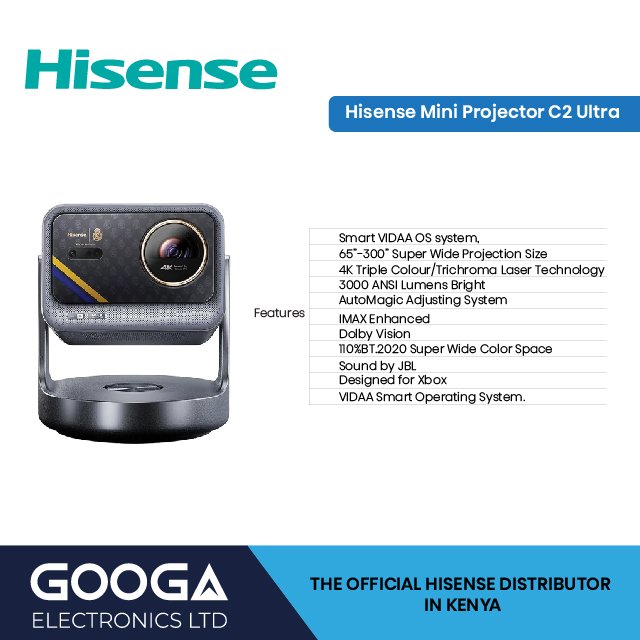
Dust on a projector lens can make a picture look hazy, but cleaning the optics incorrectly can cause scratches or damage coatings. Hisense projector owners in Kenya should use the care instructions for the exact model, especially where the unit has accessible filters, vents or dust-management features. This guide covers gentle external lens care and basic dust prevention. It does not instruct owners to open the projector or clean internal optical components.
Switch off and allow the projector to cool
Turn the projector off using its normal shutdown procedure and allow the cooling cycle to finish. Disconnect power only when the manual says it is safe to do so. Do not wipe the lens while the projector is hot or while a fan is still running. A cool, stable work area reduces the risk of accidental movement and contact with hot surfaces.
Inspect before touching the lens
Look at the lens from an angle under soft room light. Identify whether the mark is loose dust on the outside, a fingerprint, a scratch or an internal haze. Do not press a finger against the glass to test it. If the image remains cloudy after gentle external dust removal, the problem may be focus, source quality, screen contamination or internal optics rather than a dirty lens.
Use a clean lens cloth
Use a clean, soft microfiber cloth intended for optical surfaces. First remove loose dust gently without grinding it into the lens. If the manufacturer permits a dampened lens cloth, use only the approved lens-cleaning solution and apply it to the cloth rather than spraying the projector. Never pour liquid onto the lens or allow moisture to run into the lens barrel, vents or casing. Follow the exact manual if it specifies a different method.
Avoid household cleaners and rough materials
Do not use window cleaner, alcohol, bleach, kitchen degreaser, tissue paper, paper towels, shirt fabric or abrasive wipes unless the manufacturer explicitly approves them. Some coatings can be damaged by solvents or friction. Avoid cotton buds and fingernails around the lens edge. Do not try to remove a stubborn mark by applying more pressure; ask a service centre to inspect it.
Reduce dust around the projector
Place the unit away from dusty floors, open windows, cooking smoke and areas where construction or sanding takes place. Keep air intakes and exhaust vents unobstructed. If the manual describes a user-serviceable filter, clean it only at the stated interval and by the stated procedure. Not every projector has an owner-removable filter, so do not remove panels simply because another model has one.
Check the screen and source before assuming lens damage
A dirty screen, textured wall, incorrect focus, digital keystone correction or low-quality video can resemble a lens problem. Clean the screen using its own care instructions, test a known high-quality source and refocus from the normal viewing position. Our Hisense projector room-brightness guide explains how ambient light and screen choice affect perceived clarity.
When to arrange professional service
Stop cleaning and seek qualified support if the lens is scratched, cracked, loose, has moisture inside, shows persistent internal dust or develops unusual spots that do not move with external cleaning. Do not dismantle the optical engine or use compressed air inside the chassis. Internal laser or lamp assemblies and high-voltage components are not owner-serviceable.
Projector lens-care checklist
- Complete the normal shutdown and cooling cycle.
- Inspect under soft light before touching the lens.
- Use a clean optical microfiber cloth and approved solution only.
- Never spray liquid directly onto the projector.
- Keep vents clear and reduce dust around the installation.
- Clean only user-serviceable filters described in the exact manual.
- Seek service for scratches, internal haze or persistent spots.
Frequently asked questions
Can I use a glasses cloth on a Hisense projector lens?
Only if it is clean, soft and free of grit or cleaning chemicals. A dedicated optical microfiber cloth is preferable.
Can I use alcohol to remove fingerprints?
Do not assume alcohol is safe. Use only the cleaning method and solution approved for the exact model’s lens coating.
Should I clean the lens while the projector is running?
No. Shut down normally and allow the cooling cycle to finish before external cleaning.
Can compressed air clean the inside of a projector?
Do not blow air into the chassis or optical engine. It can push dust deeper or damage components.
Why is the picture still hazy after cleaning?
Check focus, screen cleanliness, source quality and room lighting. Persistent internal haze needs qualified inspection.
Does every Hisense projector have a removable dust filter?
No. Follow the maintenance instructions for the exact model; do not remove panels unless the manual describes an owner procedure.
Can I clean the lens with tissue?
Avoid paper tissues and towels because fibres or trapped particles may scratch the surface.
When should I stop and call service?
Stop if you see scratches, cracks, internal moisture, loose lens components or persistent internal spots.
Compare Hisense projectors at Infinite Tech
Infinite Tech lists the Hisense C2 Ultra Real Madrid 4K TriChroma projector. Confirm the exact supplied model, supported maintenance procedure, current price, stock and warranty on the live listing. For installation planning, read the Hisense projector placement guide and visit the Hisense Knowledge Centre.
Care note: This guide covers external owner care only. Internal optical, laser, lamp and electrical servicing should be completed by qualified personnel.
