
HAVIT Streaming Mic Background Noise? GK50, GK61 and GK50 Pro Fixes

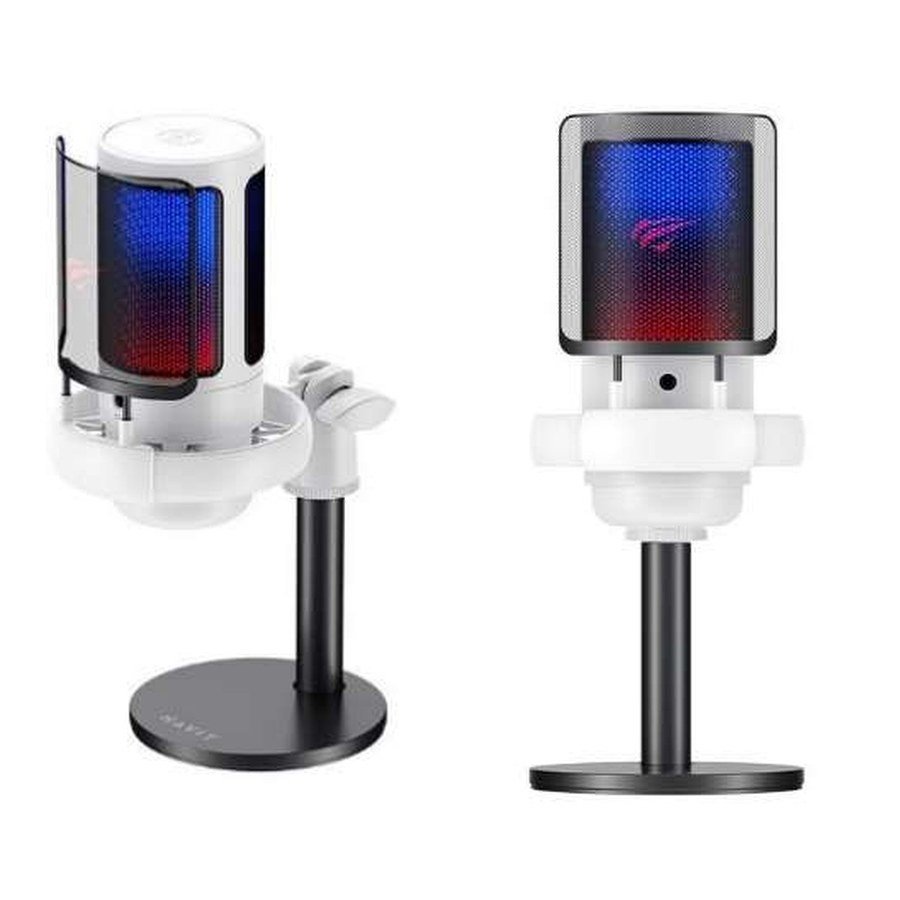
HAVIT desktop microphones can help improve video meetings, streaming and voice recordings, but hiss, echo, keyboard clicks and clipping are not necessarily equipment defects. The November 2026 catalogue describes GK50 as an omnidirectional USB microphone, GK61 as cardioid, and GK50 Pro as cardioid with touch mute and a noise-reduction feature. Microphone placement, room reflections, input gain and app processing often determine the final sound. This guide separates those causes without assuming that a product’s advertised high sample rate or noise reduction will automatically clean up every recording.
Understand the three models and pickup patterns
HAVIT GK50 is described as omnidirectional, meaning it aims to receive sound from around the microphone. GK61 and GK50 Pro are listed as cardioid, emphasizing sound arriving from a preferred direction relative to the rear. Neither pickup description establishes perfect rejection of fans, keyboard noises or echoes. Make sure you’re speaking into the intended pickup side of the actual model, as the best speaking direction isn’t always obvious from the grille shape.
1. Move the microphone before applying filters
Place the mic close enough for clear voice pickup while avoiding breath hitting the capsule directly. A microphone kept across a room requires higher gain, which also amplifies background noise. Position it away from a laptop fan, air conditioner outlet and mechanical keyboard if practical. Check that the stand does not transmit desk impacts. A pop filter or suitable windscreen can reduce bursts from “P” and “B” sounds when compatible, but the supplier summary does not list one as included with every model.
2. Fix gain and clipping
If your voice cracks or sounds harsh, monitor the level meter in the operating system or recording software. A signal that regularly hits its maximum can clip, creating distortion that is hard to repair later. Reduce input gain gradually, record a ten-second test and listen with headphones. If the voice is far too quiet, first improve mic placement before turning all gain and software boost to maximum. Too much boost can make a relatively good microphone sound noisy.
3. Find and remove unwanted echo
Echo can occur when desktop speakers play the other person’s voice and the microphone picks it up again. Use headphones or the meeting application’s legitimate acoustic echo-cancellation feature when available. A hard empty room with bare walls and tiles also produces reflections; rugs, curtains and other soft furnishings may help modestly. Don’t assume the GK50 Pro’s “noise reduction” feature necessarily removes acoustic echo, because those processing tasks differ. Test in the actual room.
4. Check Windows input and app selection
In Windows sound settings, confirm the selected microphone is the HAVIT USB device rather than a webcam, Bluetooth headset or laptop internal microphone. Then select the same input in Zoom, Teams, Discord or recording software. Some applications automatically adjust gain or apply suppression; multiple overlapping processing filters can make speech pump or sound underwater. Make controlled changes one at a time. If the USB microphone doesn’t appear at all, test a functional USB data port and the correct cable before downloading unverified drivers.
5. Avoid confusing sampling rate with noise quality
GK50 Pro’s supplier row advertises up to 192kHz/24-bit support, but that does not guarantee a cleaner signal in a normal video call. Source quality, microphone circuit, room noise and app compression matter. Likewise, frequency-response descriptions in the catalogue are not an independent test of how the three models reproduce voice. If a service compresses all calls heavily, higher local recording settings may not improve what the other person hears.
6. Check cables and optional monitoring safely
The GK50 Pro source describes a USB-A-to-Type-C cable, while other microphones mention Type-C and 3.5mm interfaces. A 3.5mm socket could serve monitoring or another function depending on the design. Verify its exact use in the manual; don’t assume it accepts a headset microphone or outputs sound without a connected computer. Avoid strained USB cables, loose hubs and damaged adapters. If a buzz appears only when a laptop charger is attached, use a properly grounded, safe power source and seek professional electrical help rather than tampering with plugs or earth connections.
7. Compare a simple recording before blaming hardware
Record ten seconds at one fixed speaking distance in a quiet room. Then record the same voice after moving a noisy fan or keyboard away. If the difference is substantial, acoustic arrangement is an important cause. Next test another app or compatible computer with the same mic; a problem confined to one application often reflects software configuration. If loud hiss or crackling persists across correct cables, ports and devices, arrange inspection instead of opening the microphone enclosure.
Frequently asked questions
Is a cardioid mic completely noise cancelling?
No. It has directional sensitivity, not an absolute block against all background sound.
Will GK50 Pro’s 192kHz automatically improve Zoom calls?
No. Voice quality depends on the full chain, including the app’s own audio processing.
Why do people hear themselves on my call?
Often their voice is leaking from speakers into the microphone, or two audio devices are active at once.
Compare the GK50/GK61/GK50 Pro guide, the HAVIT streaming mic guide and the HAVIT Kenya hub. Infinite Tech: Rehema House, Standard Street, First Floor Shop 2, Nairobi CBD; 0720 450 148.
Source: HAVIT November 2026 supplier catalogue, microphone section, for model characteristics. Troubleshooting is general audio setup advice rather than an independent microphone test.
