
HAVIT HV-MS753 vs MS72 vs MS1029 vs MS1038 Wired Mice in Kenya

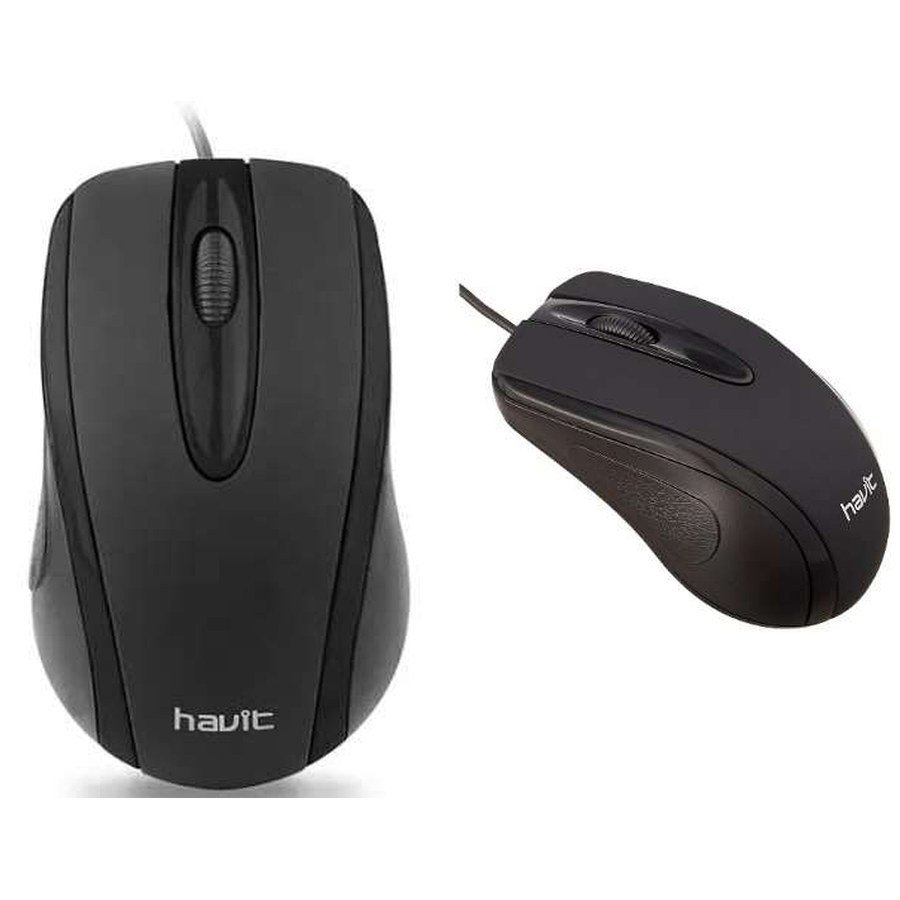
Not every wired HAVIT mouse is a gaming mouse, and paying more for a larger DPI figure doesn’t necessarily improve tracking. The November 2026 distributor catalogue lists simple office models HV-MS753 and MS72 alongside RGB gaming models MS1029 and MS1038. All four use USB wired connections, but they have different buttons, sensitivity controls and cable lengths. This guide compares their documented features with Infinite Tech’s live WooCommerce prices and explains which questions a buyer should ask before choosing a mouse for work, study or gaming.
HAVIT wired mice: price and specification comparison
| Model | Use case described | Supplier DPI | Buttons | Current retail price |
|---|---|---|---|---|
| HV-MS753 | USB office mouse | 1000 DPI | 3 | KSh 750 |
| MS72 | USB office mouse | 800–1200 DPI | 4 | KSh 800 |
| MS1029 | RGB wired gaming mouse | 1200 / 1800 / 2400 / 3600 / 4800 / 7200 | 6 | KSh 1,100 |
| MS1038 | RGB programmable gaming mouse | 1200 / 2400 / 3200 / 4800 / 6400 / 8000 | 7 | KSh 1,320 |
DPI and durability figures are supplier claims; current retail prices were checked in WooCommerce. No sensor or gaming-latency tests were performed.
HV-MS753: a straightforward replacement mouse
HAVIT HV-MS753 is listed with a 1000DPI sensor, three buttons and a 1.35m USB cable. For ordinary email, browser navigation and point-of-sale tasks, a simple mouse can meet the need without requiring wireless batteries, Bluetooth pairing or configuration software. The supplier’s claim of three million clicks is not a warranty length or independent reliability certificate. Confirm that the physical body fits the intended user’s hand and that the cable reaches the computer’s port without strain.
MS72: one more button and adjustable sensitivity
HAVIT MS72 lists four buttons, selectable 800–1200DPI and a 1.3m cable. The additional button may be useful for navigating between pages or apps depending on the mouse design, but the catalogue does not document programmable software or exact button mapping. Do not assume special shortcuts or macros are available without a manufacturer manual. The supplier gives a nominal three-million-keystroke life, which is an endurance claim rather than measured service life in an office.
MS1029: a low-cost wired gaming option
HAVIT MS1029 adds RGB backlighting, six buttons and a wider 1200–7200DPI selectable range. Its source dimensions are 128 × 66 × 41mm, with a listed weight of 127g and 1.5m USB cable. For someone used to low-sensitivity games, 127g may feel different from a lighter gaming mouse, but comfort and aim response cannot be determined from the weight alone. Confirm whether the exact RGB lighting can be controlled without third-party software and whether the device fits the user’s preferred palm, claw or fingertip grip.
MS1038: seven buttons and the higher printed DPI ceiling
The HAVIT MS1038 is advertised as a programmable RGB gaming mouse with seven buttons and up to 8000DPI, at a lower listed weight of 82g. The supplier gives a 1.6m cable and key-life claim of three million clicks. Being called programmable does not establish the availability of a particular driver on every operating system. If you rely on custom button assignments, verify the exact manufacturer’s software source and your Windows version. Never install unknown third-party tools to enable macros or lighting controls.
Why more DPI is not always better
DPI affects how far the cursor travels relative to physical hand movement. Higher DPI can be helpful with large or high-resolution screens, but excessive sensitivity can be difficult to control. Tracking consistency, sensor smoothing, polling behavior and mouse-pad surface matter as well. The supplier does not provide independent counts of sensor errors or latency. Choose a comfortable sensitivity setting for your usual tasks, not the model with the largest number printed on its box.
How to connect and troubleshoot USB mice
- Use a functioning USB data port, not a power-only charging adapter.
- Check whether the operating system detects an ordinary HID mouse without requiring separate drivers.
- If the pointer stops, try another safe port and a different known-good surface.
- Keep the optical sensor clean using manufacturer-approved methods and avoid scraping or wetting it.
- For RGB/programming, download only official model-specific software if the vendor documents it.
- Check the cable isn’t stretched over sharp desk edges or tangled around chair wheels.
Buyer shortlist
HV-MS753 suits an inexpensive three-button replacement. MS72 adds a fourth button and two stated sensitivity levels. MS1029 is a wired gaming-style option with six controls and RGB. MS1038 is worth checking if you need seven buttons, a lighter quoted body and confirmed programmable functions. None is independently ranked as a better sensor or lower-latency gaming device.
Frequently asked questions
Will these mice work on a USB-C-only laptop?
The supplier lists USB wired connections; an appropriate USB-A-to-C adapter may be needed depending on the actual connector.
Does MS1038 have free macro software?
The catalogue describes programmable operation, but does not verify a particular software package or compatibility.
Is MS1029 less accurate because it has a lower DPI ceiling?
No. DPI maxima alone cannot rank tracking accuracy.
Find HAVIT mice in Nairobi
Compare HV-MS753, MS72, MS1029 and MS1038, or visit the HAVIT keyboard and mouse guide and HAVIT Kenya hub. Infinite Tech is at Rehema House, Standard Street, First Floor Shop 2, Nairobi CBD. Call 0720 450 148 to confirm package specifications and prices.
Source: HAVIT November 2026 price catalogue, pages 9–10; live WooCommerce records 97186–97189. No independent tracking or durability testing.
