
HP Laptop Prices in Kenya: New vs Refurbished Buying Guide

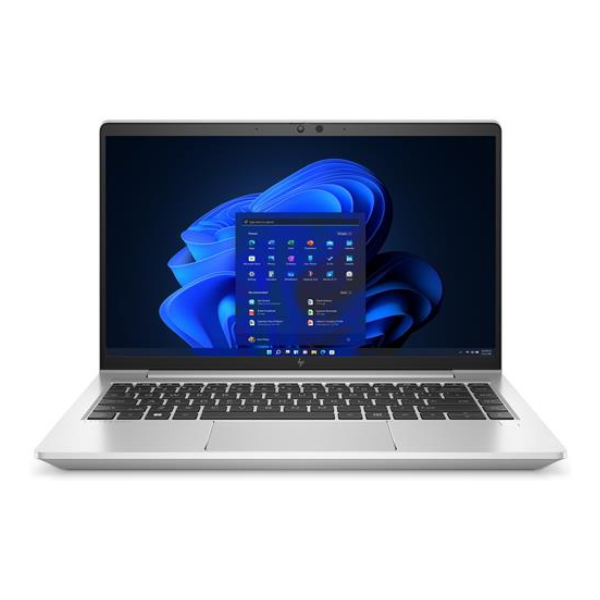
HP laptop prices in Kenya reflect several different decisions: new or refurbished condition, business or everyday use, conventional or convertible design, and the exact hardware inside. A ProBook, EliteBook, ZBook and OmniBook are not equivalent offers simply because they share the HP logo. This guide uses real Infinite Tech catalogue examples to explain price differences and the checks needed before choosing.
Catalogue and references checked: 20 October 2026. Prices below are Infinite Tech catalogue asking prices for the stated configuration. Confirm the actual unit, availability, accessories and written warranty before payment.
Use the HP EliteBook buying guide to identify the business models worth comparing, then read EliteBook vs ProBook when the family names overlap on your shortlist.
The refurbished laptop buying guide explains condition and inspection checks. For graphics-heavy work, the HP ZBook GPU guide explains why the actual graphics adapter matters alongside the purchase price.
Compare new and refurbished HP laptop offers
| Choice | What to compare | Buying implication |
|---|---|---|
| Refurbished business offer | Generation, battery, screen and current components | Compare the usable total, including any essential service work |
| Newer everyday or business offer | Full product code, processor architecture and warranty | Confirm the actual configuration and condition |
| Convertible or workstation | Touch/pen features or exact professional GPU | Pay for a feature only when it meets a real need |
Separate condition from the product’s family and age
A business-family name does not prove that a unit is new, and an attractive photograph does not establish a refurbished machine’s condition. Ask the seller to state whether the actual laptop is new, used or refurbished, then record any replacement or upgraded components that affect the offer.
The examples below span different generations and configurations. They should not be treated as a single price ladder in which the most expensive machine automatically has the best value. Compare the full CPU, memory, SSD, display, form factor and warranty before drawing that conclusion. Where condition is not clear on the page, obtain a written confirmation rather than inferring it from the model name.
Match the price bracket to the work you need to do
For everyday study and office tasks, start with the software you use and the memory required for normal multitasking. For technical courses, consult the current application requirements before buying an older business laptop. For a workstation, identify the actual graphics adapter instead of relying on a label such as 4GB graphics.
A convertible can be valuable for handwritten notes and presentations, but touch does not improve every workload. A newer OmniBook also needs an architecture check because Intel and Snapdragon configurations are different software platforms. A useful price comparison therefore asks what the machine can support in your own workflow, not just how high it sits in a family hierarchy.
Calculate the ready-to-use price
Include a suitable charger, delivery, any required display adapter and planned memory or storage changes. For a refurbished laptop, inspect the battery before assuming it will provide the unplugged use you need. A battery replacement that is necessary immediately belongs in the purchase calculation.
Compare two complete quotations with the same required features. An 8GB/256GB machine and a 16GB/512GB machine are different offers even if both say Core i5. A touchscreen and non-touch model should also remain separate. Keep the exact product code and configuration on the invoice so that a substitution does not quietly change the value of the offer.
Use the current support position when buying older HP stock
Check the exact CPU and device against the intended Windows requirements, and check the application publisher’s support separately. Microsoft’s standard Windows 10 support ended in October 2025, so an older Windows 10 listing needs a clear current support plan rather than an assumption based on its ability to start.
At collection, compare system information with the quote, test charging and inspect the display, keyboard, webcam and ports. Confirm normal personal setup and access to essential firmware settings. For any new or refurbished machine, read the written warranty and establish what is included. The linked prices are dated catalogue examples; confirm the actual unit and latest total before payment.
Real Infinite Tech catalogue examples
These links lead to individual listings, not a promise that every model in the wider family is available. Compare the complete configuration rather than the processor badge alone.
| Exact listing | Listed price | Next check |
|---|---|---|
| HP ProBook 640 G2 Intel Core i5 6th Gen 8GB RAM 256GB SSD Non-Touch | KSh 19,995 | Confirm unit condition, exact components and what is included |
| HP EliteBook 840 G7 Core i5 10th Gen 8GB RAM 256GB SSD Non-Touch | KSh 34,000 | Confirm unit condition, exact components and what is included |
| Hp Elitebook 845 G7 Ryzen 5 16GB RAM 512GB SSD | KSh 36,000 | Confirm unit condition, exact components and what is included |
| HP EliteBook 840 G8 Core i5 11th Gen 8GB RAM 256GB SSD Touchscreen | KSh 38,500 | Confirm unit condition, exact components and what is included |
| HP OmniBook 5 AI 16-af1017wm Core Ultra 7 16GB RAM 1TB SSD | KSh 126,000 | Confirm unit condition, exact components and what is included |
| HP OmniBook 3 14-hz0015dx Snapdragon X 16GB 512GB 14-inch Touch Windows 11 – HZ0015DX | KSh 106,500 | Confirm unit condition, exact components and what is included |
A practical buying decision
Use the HP family and condition to narrow the search, then choose on the exact hardware, software support, unit condition and ready-to-use price. Paying more is worthwhile when the verified difference solves a real requirement.
Frequently asked questions
Does EliteBook mean brand-new?
No. It identifies a family. Check the individual offer’s stated condition.
Why can an older HP have a higher price than a newer-looking one?
RAM, SSD, screen, form factor, condition and listing history can differ. Compare the actual quote rather than interpreting age from price.
Is Snapdragon the same Windows platform as Intel?
No. Check application and driver support for the exact processor architecture.
Are these prices permanent?
No. They are a dated catalogue snapshot; use the linked page and confirm the current quote.
Related Infinite Tech buying pages
More HP buying guides
- HP EliteBook vs ProBook: Which Should You Buy?
- HP EliteBook 840 G7 vs G8: Is the Upgrade Worth It?
- HP EliteBook 845 G7 Ryzen vs 840 G7 Intel: Which Offers Better Value?
- HP EliteBook 830 vs 840 vs 850: Choosing the Right Size
- HP x360 Laptop Buying Guide: Touchscreen, Pen Support and Battery Checks
- HP OmniBook Intel vs Snapdragon: Software Compatibility Before Buying
- HP ZBook Graphics Explained: Choosing the Right GPU for Your Work
Compare other brands: Lenovo, Dell, MacBook, ASUS, Microsoft Surface, Acer.
Manufacturer references and research method
This is a research-based buying guide, not a hands-on test or a benchmark report. Manufacturer references describe supported options; the linked catalogue identifies the configuration being offered. Model-specific details should be matched to the full product code or service tag.
- HP EliteBook 840 G8 specifications
- HP EliteBook 840 G7 model specifications
- Microsoft: Windows 11 system requirements
- Microsoft: Windows 10 support transition
- Microsoft Windows Arm-based PCs FAQ
Confirm your laptop with Infinite Tech
Contact Infinite Tech at Rehema House, Nairobi, on 0720450148. Ask for the full model code, a written specification and the applicable warranty. Read warranty information, delivery information and contact Infinite Tech before placing an order.
7 thoughts on “HP Laptop Prices in Kenya: New vs Refurbished Buying Guide”
Comments are closed.