
HP EliteBook 840 G7 vs G8: Is the Upgrade Worth It?

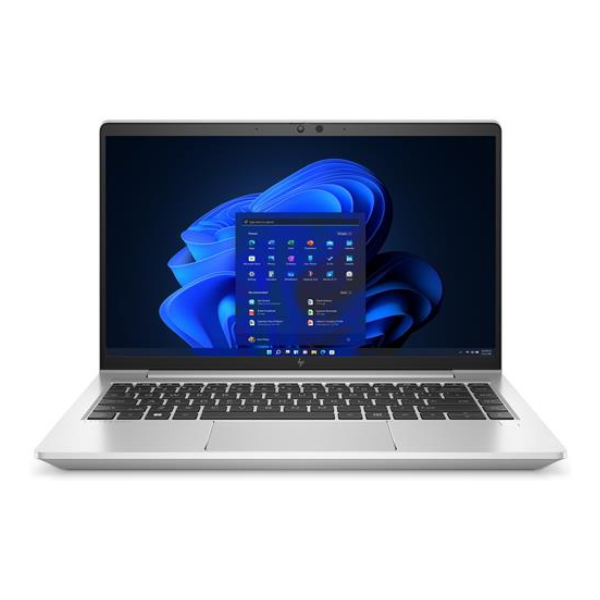
The HP EliteBook 840 G7 versus G8 comparison becomes useful when both offers have the same RAM, SSD and touch configuration. In the checked Infinite Tech examples, the 8GB/256GB touchscreen G7 is KSh 37,500 and the touchscreen G8 is KSh 38,500. That KSh 1,000 difference is worth investigating, but exact CPU, display, unit condition and included accessories still need to match before it becomes a buying verdict.
Catalogue and references checked: 20 October 2026. Prices below are Infinite Tech catalogue asking prices for the stated configuration. Confirm the actual unit, availability, accessories and written warranty before payment.
If an older model is also on your shortlist, the EliteBook 840 G6 vs G7 guide explains that earlier step. Use EliteBook 845 G7 vs 840 G7 to assess a Ryzen alternative separately from the G7-to-G8 upgrade.
Apply the second-hand laptop inspection checklist to the actual unit before accepting a quote. The HP laptop price guide places the compared configurations alongside other HP buying options.
HP EliteBook 840 G7 vs G8 at a glance
| Choice | What to compare | Buying implication |
|---|---|---|
| 840 G7 touch example | Core i5 10th Gen, 8GB RAM, 256GB SSD | Listed at KSh 37,500 |
| 840 G8 touch example | Core i5 11th Gen, 8GB RAM, 256GB SSD | Listed at KSh 38,500 |
| 840 G7 non-touch example | Core i5 10th Gen, 8GB RAM, 256GB SSD | A different screen offer; listed at KSh 34,000 |
Keep the close price comparison like-for-like
The two touchscreen examples have matching advertised RAM and SSD capacities, making them a more useful starting point than a comparison that mixes storage and memory. The non-touch G7 is another offer, not the same machine at a lower price. Confirm the actual CPU model and panel specification on all three before choosing.
Do not turn the KSh 1,000 snapshot into a permanent discount claim. Catalogue prices and availability can change, and the condition of the reserved unit matters. Ask for a written quote with the exact touch configuration and suitable charger included. If either specification changes, recalculate the comparison rather than relying on the headline difference.
Look for a generation advantage your work can use
HP documents different processor and configuration options across the platforms. A later generation can provide useful changes, but this article does not claim a measured speed improvement for these stock units. Test your normal document, spreadsheet, call or development workload under comparable conditions.
If the newer configuration offers a feature required by your applications or peripherals, identify it specifically. If ordinary work is already comfortable on a healthy G7, paying more may still be reasonable at a small difference, but the decision should include battery health, display and support. Avoid making the i5 badge or the generation number stand in for the full specification.
Check the display and connections in the actual unit
Touchscreen does not establish identical brightness, colour performance or pen support. Open normal work documents and inspect the screen across light and dark backgrounds. Ask for the resolution and any optional panel feature to be confirmed on the exact machine rather than copied from the platform’s maximum specification.
Test the ports required for your desk, including your intended monitor or dock where possible. USB-C shape alone does not settle every charging or video function. Use HP’s documentation for the full product code and confirm the supplied charger. The best-value generation is less useful if it cannot connect reliably to the equipment you use daily.
Finish with a condition and support comparison
Ask for recent battery information and test stable charging and ordinary unplugged use. Inspect the hinges, keyboard, webcam and microphone, and confirm normal personal setup. A clean G8 with an unhealthy battery can be a different proposition from a well-kept G7 with a clear warranty.
Check the exact device’s operating-system eligibility and your application’s requirements. Include any immediate memory, SSD, battery or adapter work in the total. If the two touch offers genuinely remain comparable, the small checked price gap makes the G8 a strong candidate to inspect first. That is a shortlist recommendation based on the quote, not a guarantee that every G8 beats every G7.
Real Infinite Tech catalogue examples
These links lead to individual listings, not a promise that every model in the wider family is available. Compare the complete configuration rather than the processor badge alone.
| Exact listing | Listed price | Next check |
|---|---|---|
| HP EliteBook 840 G7 Core i5 10th Gen 8GB RAM 256GB SSD Touchscreen | KSh 37,500 | Confirm unit condition, exact components and what is included |
| HP EliteBook 840 G8 Core i5 11th Gen 8GB RAM 256GB SSD Touchscreen | KSh 38,500 | Confirm unit condition, exact components and what is included |
| HP EliteBook 840 G7 Core i5 10th Gen 8GB RAM 256GB SSD Non-Touch | KSh 34,000 | Confirm unit condition, exact components and what is included |
A practical buying decision
At the checked prices, inspect the matching 8GB/256GB touchscreen G8 early because its premium over the G7 touch example is small. Buy only after the exact CPU, panel, condition and full quotation support that comparison.
Frequently asked questions
Is the price difference always KSh 1,000?
No. It is the difference between the specific dated catalogue examples in this guide.
Is the cheaper non-touch G7 the same offer as the touch model?
No. Screen configuration is part of the product and price comparison.
Does the guide claim a measured performance increase?
No. It uses manufacturer options and catalogue data, not a benchmark of the stock units.
Can touch support be treated as active-pen support?
No. Confirm the exact digitiser and compatible pen separately.
Related Infinite Tech buying pages
More HP buying guides
- HP Laptop Prices in Kenya: New vs Refurbished Buying Guide
- HP EliteBook 845 G7 Ryzen vs 840 G7 Intel: Which Offers Better Value?
- HP EliteBook 830 vs 840 vs 850: Choosing the Right Size
Manufacturer references and research method
This is a research-based buying guide, not a hands-on test or a benchmark report. Manufacturer references describe supported options; the linked catalogue identifies the configuration being offered. Model-specific details should be matched to the full product code or service tag.
Confirm your laptop with Infinite Tech
Contact Infinite Tech at Rehema House, Nairobi, on 0720450148. Ask for the full model code, a written specification and the applicable warranty. Read warranty information, delivery information and contact Infinite Tech before placing an order.
2 thoughts on “HP EliteBook 840 G7 vs G8: Is the Upgrade Worth It?”
Comments are closed.