
Used Dell Inspection Guide: Battery, BIOS Passwords and Charger Recognition

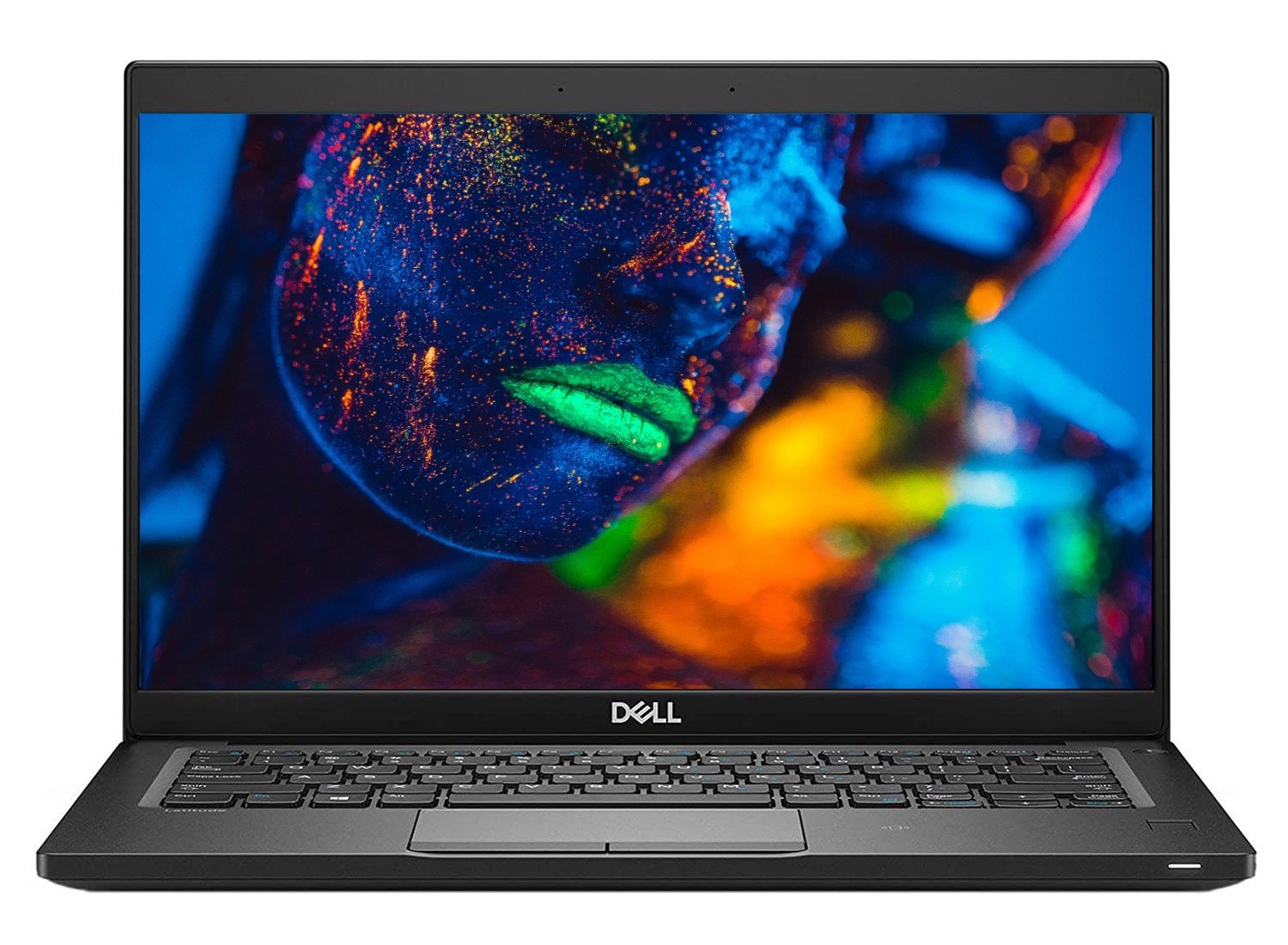
A used Dell inspection should confirm that the machine can be set up legitimately, charges correctly and matches the quoted configuration. A service tag and a clean exterior are useful starting points, but neither replaces testing the actual unit. This checklist focuses on battery condition, firmware access, charger recognition and the everyday functions that determine whether a laptop is ready for work.
Catalogue and references checked: 20 October 2026. Prices below are Infinite Tech catalogue asking prices for the stated configuration. Confirm the actual unit, availability, accessories and written warranty before payment.
Begin with the second-hand laptop inspection checklist for the physical checks. The Latitude 7390 form-factor guide helps confirm that a quoted standard or 2-in-1 design matches the unit.
The refurbished laptop buying guide explains condition and warranty questions. Check the older Latitude Windows 11 guide separately before treating an installed operating system as supported eligibility.
Used Dell inspection: battery, access and charging
| Choice | What to compare | Buying implication |
|---|---|---|
| Identity and access | Model, service tag, CPU, RAM, SSD and firmware access | Match the physical unit to the invoice |
| Power system | Suitable charger recognition and stable charging | Check connected and unplugged behaviour |
| Normal use | Display, keyboard, calls, wireless and required ports | Test the tasks you will use after purchase |
Match the service tag and configuration to the quote
Compare the service tag and full model information with the device itself and the seller’s paperwork. Record the installed RAM, drive, screen resolution and exact processor. A service-tag lookup can describe the original platform, while a refurbished unit may contain legitimate replacement parts; the quote should describe what is installed now.
Ask to enter firmware settings and confirm whether any password limits access. Also establish that normal personal setup is possible without an unknown organisation’s restrictions. Resolve ownership or management issues through the legitimate seller before paying. A desktop session left open by another user is not a complete demonstration of a transferable, usable laptop.
Check charger recognition as well as the battery percentage
Use a suitable charger for the exact Dell model and inspect both adapter and cable. Check whether the device recognises the connected adapter and whether charging remains stable. A plugged-in icon or a briefly rising percentage is not a full assessment of the power system.
Try the supported charging route without forcing or repeatedly moving a loose connector. Ask about any warning shown at startup or in firmware. If the model supports USB-C charging, confirm the required power delivery and cable arrangement from its documentation. A connector that fits is not sufficient proof that every adapter is appropriate for the machine.
Evaluate present battery health with a normal task
Ask for recent battery information and compare it with a practical unplugged test. Capacity, cycle information and runtime are related observations rather than interchangeable guarantees. Launch a normal browser, document or call task and watch for unexpected shutdowns or abrupt changes in the charge reading.
Do not expect the launch-day maximum runtime from every used unit. If the battery is worn or excluded from a particular warranty, have that recorded before payment and include the cost of any required replacement. A seller’s promise of a certain number of hours should specify the conditions and the actual unit rather than borrowing an advertisement for a new laptop.
Finish with hardware tests and written terms
Inspect the screen with light and dark backgrounds, then test all keys, touchpad, webcam, microphone, speakers, Wi-Fi and the ports you need. Check storage health information and open and save a file. Test sleep, wake and a normal restart. For a convertible, test its supported hinge positions and touchscreen separately.
Finally, compare the exact CPU and device with the intended operating-system support and application requirements. Add any missing charger, battery, upgrade or adapter to the total. Ask for an invoice, written warranty and the process for reporting a problem. Keep your own files backed up from the start; a successful inspection does not make any single storage device a permanent backup.
Real Infinite Tech catalogue examples
These links lead to individual listings, not a promise that every model in the wider family is available. Compare the complete configuration rather than the processor badge alone.
| Exact listing | Listed price | Next check |
|---|---|---|
| Dell Latitude 7390 Core i5 8th Gen 8GB RAM 256GB SSD Non-Touch | KSh 21,450 | Confirm unit condition, exact components and what is included |
| Dell Latitude 7490 Core i5 8th Gen 8GB RAM 256GB SSD | KSh 23,495 | Confirm unit condition, exact components and what is included |
| Dell Latitude 5410 14-inch Laptop Intel i5-10210U 10th Gen 8GB DDR4 256GB NV Me Windows10 BOXED | KSh 31,995 | Confirm unit condition, exact components and what is included |
A practical buying decision
Complete the purchase when the device identity, legitimate setup, power checks, everyday tests and written terms agree. If a charger warning, password restriction or hardware fault remains unexplained, resolve it before treating the laptop as ready to use.
Frequently asked questions
Does a service tag prove the current RAM and SSD?
It can help identify the original platform. Verify the installed parts directly, because refurbished configurations can change.
Is a charging icon enough to approve the adapter?
No. Check suitability, recognition and stable charging on the exact model.
Can I judge battery health from one percentage reading?
No. Inspect battery information and test a realistic unplugged task.
Should an unknown BIOS password be accepted as normal?
Ask the legitimate seller to resolve restrictions before payment and confirm that essential settings are accessible.
Related Infinite Tech buying pages
More Dell buying guides
- Dell Laptop Prices in Kenya: Latitude, Inspiron, XPS and Precision
- Dell Latitude 7390 Standard vs 2-in-1: What Changes?
- Buying an Older Dell Latitude: How to Check Windows 11 Compatibility
Manufacturer references and research method
This is a research-based buying guide, not a hands-on test or a benchmark report. Manufacturer references describe supported options; the linked catalogue identifies the configuration being offered. Model-specific details should be matched to the full product code or service tag.
- Dell Latitude 5400 setup and specifications
- Dell Latitude 5420 manuals
- Microsoft: Windows 11 system requirements
- Microsoft: Windows 10 support transition
Confirm your laptop with Infinite Tech
Contact Infinite Tech at Rehema House, Nairobi, on 0720450148. Ask for the full model code, a written specification and the applicable warranty. Read warranty information, delivery information and contact Infinite Tech before placing an order.
One thought on “Used Dell Inspection Guide: Battery, BIOS Passwords and Charger Recognition”
Comments are closed.