
Dell Latitude 7390 Standard vs 2-in-1: What Changes?

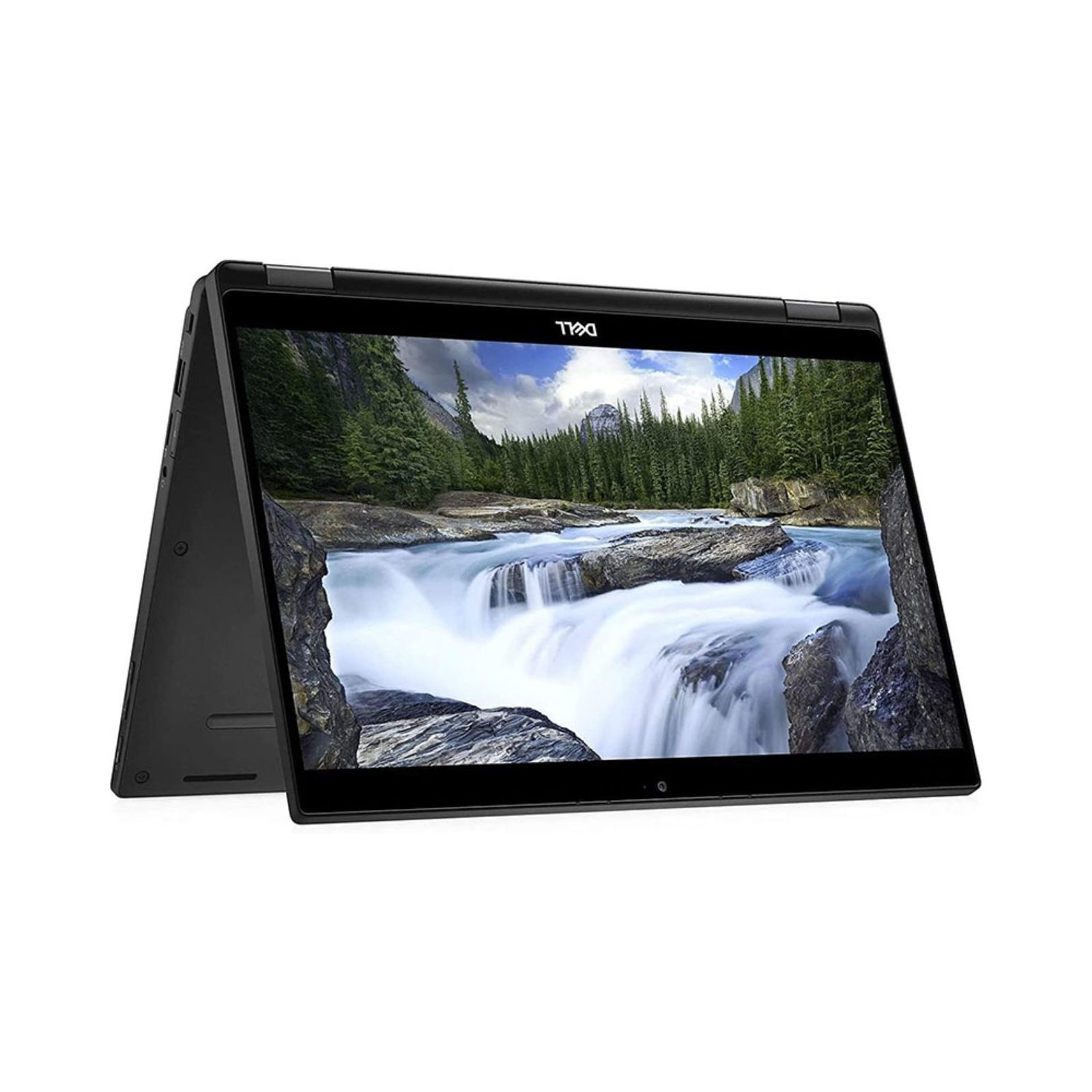
The Dell Latitude 7390 conventional notebook and Latitude 7390 2-in-1 should be treated as different products. A shared number does not mean the same hinge, screen, memory layout or accessory support. For buyers in Kenya, the useful comparison is whether the convertible features justify their cost and whether the fixed components in the exact offer are sufficient.
Catalogue and references checked: 20 October 2026. Prices below are Infinite Tech catalogue asking prices for the stated configuration. Confirm the actual unit, availability, accessories and written warranty before payment.
The university laptop guide helps establish whether touch and pen input improve your study workflow. Compare Surface Pro vs Surface Laptop if you are also considering a detachable design.
Apply the used-laptop inspection checklist to the exact unit. The Dell inspection guide covers the charging and firmware checks that remain important on both 7390 designs.
Latitude 7390 standard vs 2-in-1: form-factor checks
| Choice | What to compare | Buying implication |
|---|---|---|
| 7390 conventional example | 8GB RAM, 256GB SSD, non-touch | Conventional notebook offer; verify the matching manual |
| 7390 2-in-1 example | 8GB RAM, 512GB SSD, touchscreen convertible | Includes a different form factor and more listed storage |
| Memory comparison | Dell documents onboard memory in the 2-in-1 design | Do not assume the conventional model’s upgrade layout applies |
Separate the form factor from the processor label
A conventional 7390 is useful for a buyer who mainly types, browses and works with documents. The 2-in-1 adds a different way of positioning and using the screen. If you will regularly read PDFs in tablet form or present across a desk, those positions can be useful. If the laptop remains on a desk for typing, their value may be lower.
Test the actual movement and screen stability on the convertible. A touchscreen conventional notebook should not be renamed a 2-in-1 unless the design supports that form factor. Likewise, an identical Core i5 description is not proof that every other component is equal. Ask for the full CPU and product identification on both offers.
Check onboard RAM before assuming a later upgrade
Dell’s 7390 2-in-1 documentation specifies onboard memory options. That matters because the installed RAM should meet the intended workload at purchase. Do not use a conventional 7390 service procedure or a general claim about Latitude upgrades as proof that the 2-in-1 has a replaceable RAM module.
For heavier multitasking, technical study or development tools, compare the actual memory requirement before choosing the 8GB offer. More SSD capacity does not substitute for RAM. Ask a technician to identify the exact hardware layout from the correct manual and explain any supported storage work separately. Keep the part name and service tag together in the quotation.
Test touch, pen and hinge features separately
The official 2-in-1 specification describes a touchscreen and active-pen support, but the compatible accessory and the package being sold still need confirmation. Ask which pen works with the device and whether it is included. Finger touch alone does not verify the behaviour of a particular active pen.
If handwriting is the reason for buying, try the intended note-taking application. Test the panel edges, writing response and the supported working positions. Inspect for hinge wear, glass damage or chassis separation. If a compatible pen is missing, include its actual price in the comparison instead of treating an illustrative product photograph as a complete package.
Compare the two real offers on their complete cost
The conventional example below lists 256GB storage, while the 2-in-1 lists 512GB. Their price difference therefore reflects more than the hinge. Compare equivalent memory and storage if possible, then add a compatible pen, suitable charger and any required adapter. A convertible bought only because the number matches can become an expensive way to obtain ordinary typing functions.
For either used model, inspect battery health, charger recognition, keyboard, webcam and firmware access. Confirm normal setup and written warranty terms before payment. If the workload requires more memory than the offered 2-in-1 can provide, choose a different configuration or model rather than relying on an unverified upgrade promise.
Real Infinite Tech catalogue examples
These links lead to individual listings, not a promise that every model in the wider family is available. Compare the complete configuration rather than the processor badge alone.
| Exact listing | Listed price | Next check |
|---|---|---|
| Dell Latitude 7390 Core i5 8th Gen 8GB RAM 256GB SSD Non-Touch | KSh 21,450 | Confirm unit condition, exact components and what is included |
| Dell Latitude 7390 2-in-1 i5 8th Gen 512GB SSD 8GB 13.3" Touch Screen x360 Convertible | KSh 42,000 | Confirm unit condition, exact components and what is included |
A practical buying decision
Choose the conventional 7390 when its specific configuration suits normal notebook work. Choose the 2-in-1 when you will use its verified convertible and pen features and its installed memory is sufficient. Compare storage and accessories as part of the same written total.
Frequently asked questions
Are the 7390 and 7390 2-in-1 the same chassis?
No. Compare their separate specifications and service documentation.
Can I assume the 2-in-1 RAM upgrades like the standard model?
No. Dell documents onboard memory for the 2-in-1 design.
Is the pen included in every 2-in-1 offer?
No. Confirm the exact compatible pen and included accessories in writing.
Why do the example prices differ?
The offers differ in form factor and listed SSD capacity, and may differ in other configuration or condition details.
Related Infinite Tech buying pages
More Dell buying guides
- Dell Laptop Prices in Kenya: Latitude, Inspiron, XPS and Precision
- Dell Latitude vs Inspiron for Students and Office Work
- Used Dell Inspection Guide: Battery, BIOS Passwords and Charger Recognition
Manufacturer references and research method
This is a research-based buying guide, not a hands-on test or a benchmark report. Manufacturer references describe supported options; the linked catalogue identifies the configuration being offered. Model-specific details should be matched to the full product code or service tag.
Confirm your laptop with Infinite Tech
Contact Infinite Tech at Rehema House, Nairobi, on 0720450148. Ask for the full model code, a written specification and the applicable warranty. Read warranty information, delivery information and contact Infinite Tech before placing an order.