
Hisense PT1 vs M2 Pro: Laser Cinema or Flexible 4K Projector Setup?

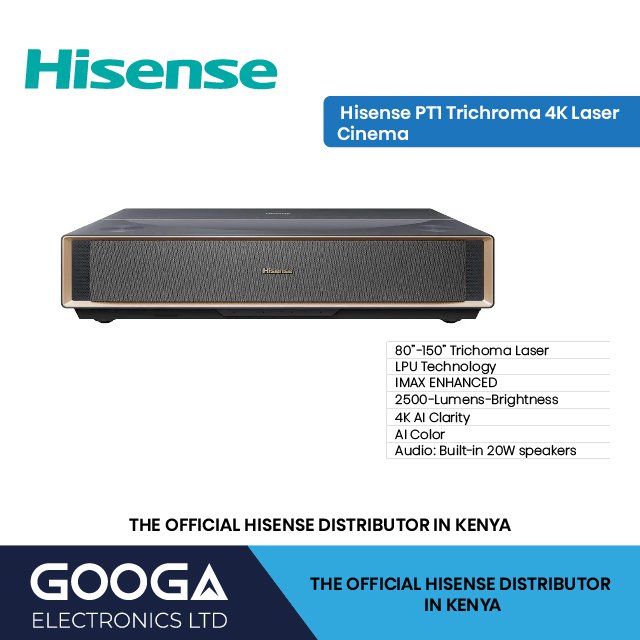
The Hisense PT1 is listed as a 4K laser cinema projector for an 80–150-inch image. The Hisense M2 Pro is listed as a 4K smart projector for a 60–200-inch image. Those ranges describe catalogue claims, not a guarantee of usable brightness or fit at every screen size.
Start with the room geometry
Check each projector’s exact throw ratio and placement diagram. A short-throw cinema installation and a flexible room projector may need very different furniture positions. Measure screen width, projector position and viewing distance before buying.
Brightness and ambient light
Increasing the projected image size spreads light over a larger area. Compare measured brightness under equivalent modes and consider curtains or a suitable screen. A maximum supported diagonal is not necessarily the recommended size in a bright living room.
Screen, audio and connections
Ask whether a screen is included or purchased separately and whether the screen type is appropriate for the projector geometry. Verify HDMI inputs, audio output, streaming platform and support for your intended devices. Follow the manufacturer’s laser safety and ventilation instructions.
Which setup fits you?
If the room is permanently arranged for cinema viewing, prioritize geometry and screen compatibility. If the projector will move between rooms, assess weight, setup requirements and available throw distance. Compare the live product pages and the Laser TV versus large television guide.
Explore the Hisense Knowledge Centre and consult Infinite Tech in Nairobi for current availability, exact model and local warranty terms. This is an independent catalogue-based buyer guide, not a laboratory test.

One thought on “Hisense PT1 vs M2 Pro: Laser Cinema or Flexible 4K Projector Setup?”
Comments are closed.