

Latest News & Articles
Connect BOYA Microphone Android USB-C: Wireless Setup Guide

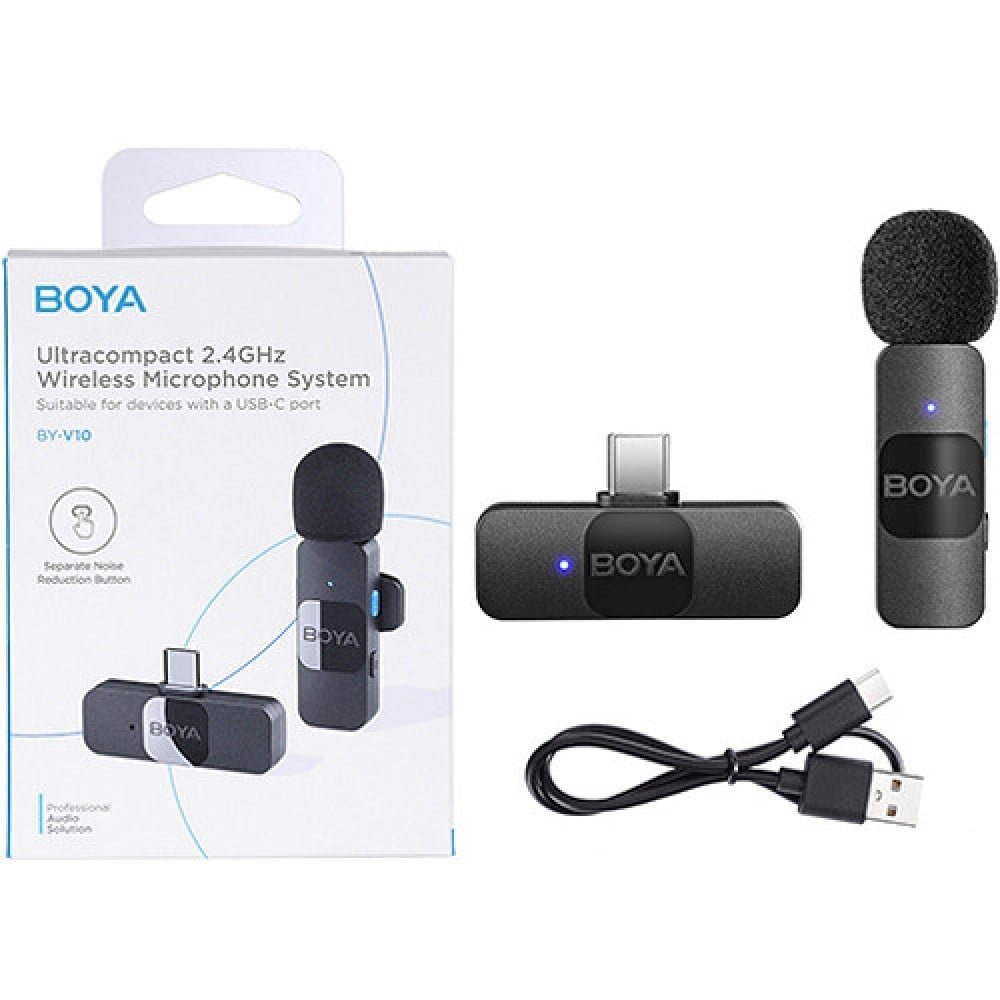
October 2026 guide. Use this straightforward setup sequence for compatible USB-C microphones with Samsung, Tecno, Infinix and other Android phones. Because phone firmware, audio routing and camera applications differ, test the actual unit before a paid shoot. Pricing below reflects live Infinite Tech Kenya retail listings as checked after the latest price update. Stock and regional package variants may change.
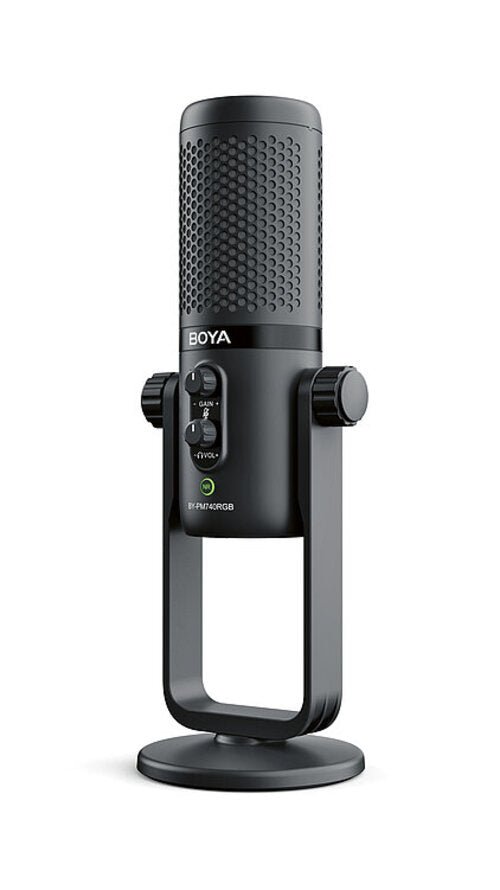
Compatible models to investigate
| Microphone | Store price | Primary use |
|---|---|---|
| BOYA BY-V10 USB-C | KSh 6,250 | Solo mobile USB-C mic |
| BOYA BY-V20 Dual USB-C Wireless | KSh 7,750 | Dual clip-on transmitters for USB-C mobile recording |
| BOYA BY-V30 Wireless | KSh 9,450 | Wireless mobile kit with case convenience |
| BOYA Omic-U USB-C | KSh 11,950 | USB-C phone wireless |
| BOYA DM100 USB-C Stereo | KSh 6,950 | Direct-plug mobile USB-C audio |
Step-by-step setup instructions
- Charge the transmitter, receiver and phone as directed by the microphone manufacturer.
- Plug the BOYA receiver into the phone’s USB-C port and verify that it is firmly seated; remove cases that block the connector.
- Power on the transmitter and verify the kit’s pairing indicator. Some BOYA receivers power directly from the phone.
- Open the camera or voice-recording app, allow microphone permissions and record a 10–20-second clip speaking close to the transmitter.
- Play the clip. Cover the phone’s internal mic briefly and repeat if necessary to check whether the external receiver really supplied the audio.
- If external sound is missing, check OTG/USB host options where your phone provides them and try another manufacturer-supported recording app.
What to expect from each microphone
BOYA BY-V10 USB-C
Solo mobile USB-C mic. The current retail listing on Infinite Tech Kenya is KSh 6,250. Use a short test recording to verify real sound quality instead of relying only on packaging claims. View model and price.
BOYA BY-V20 Dual USB-C Wireless
Dual clip-on transmitters for USB-C mobile recording. The current retail listing on Infinite Tech Kenya is KSh 7,750. Check exact device compatibility, receiver type and the supplied microphone count before purchase. View model and price.
BOYA BY-V30 Wireless
Wireless mobile kit with case convenience. The current retail listing on Infinite Tech Kenya is KSh 9,450. Use a short test recording to verify real sound quality instead of relying only on packaging claims. View model and price.
BOYA Omic-U USB-C
USB-C phone wireless. The current retail listing on Infinite Tech Kenya is KSh 11,950. Check exact device compatibility, receiver type and the supplied microphone count before purchase. View model and price.
BOYA DM100 USB-C Stereo
Direct-plug mobile USB-C audio. The current retail listing on Infinite Tech Kenya is KSh 6,950. Use a short test recording to verify real sound quality instead of relying only on packaging claims. View model and price.
How to avoid common recording mistakes
Check whether the intended sound destination is a phone, DSLR/mirrorless camera, computer or live speaker. Digital receivers need device and app support; wired audio through 3.5mm or XLR is a different signal path. If a microphone appears connected but records nothing, test another supported application and check permissions, mute, power and pairing.
For speech, the simplest quality improvement is usually to place the mic near the voice source, protect it from wind and listen back before continuing. Avoid clipping and keep an alternative recording plan for interviews or paid work. A wireless signal can drop out and a phone may fall back to internal audio without obvious warning.
Frequently asked questions
Should the receiver show an LED?
Read the specific equipment’s specification and compare its connector, internal recording capability and included accessories before deciding.
Will every USB-C phone recognise BOYA?
Not universally. Your intended recording setup, number of voices, room noise and software can make one configuration more suitable.
Why is the audio still coming from the phone?
Check the model-specific receiver and transmitter documentation; features such as onboard recording and dual-channel support differ by model.
Can I use BY-V10 on two speakers?
Make a test recording with the actual phone, camera, microphone and app. If it fails, confirm physical connection, pairing and permissions.
Related reading and product categories
BOYA microphone price list · BOYA, JBL and RØDE prices · Best iPhone microphones · Android USB-C microphone guide · BOYA vs RØDE.
Buy microphones in Kenya or contact Infinite Tech Nairobi. Manufacturer references: BOYA; RØDE wireless specifications and comparison.
Verifying USB-C external sound on popular Android phones
Samsung Galaxy
Check the specific Galaxy model, USB-C physical clearance and the recording app’s ability to take external audio. Start in the phone’s main camera app and then test a second compatible voice recorder if needed. Do not assume a USB-C charging cable can replace the supplied microphone receiver.
Tecno and Infinix
Some handsets expose USB OTG settings while others handle USB accessories automatically. When the receiver does not register, inspect permissions and use the model’s own software/firmware instructions. A functioning receiver light may mean it has power but does not conclusively prove that the video is recording its signal.
How to prove which mic is active
Connect the receiver, clip the transmitter away from the phone and record ten seconds near the transmitter while speaking quietly near the phone. Reposition or lightly shield the phone’s built-in microphone during a second test. Listen back: an actual change in capture balance gives more useful evidence than the icon alone.
Production fallback plan
Carry a spare charged transmitter or a wired recording option where practical. If the audio app unexpectedly chooses the phone’s built-in microphone, stop filming and correct the setting rather than continuing for several minutes with compromised sound. Keep raw audio until it has been checked.
4 thoughts on “Connect BOYA Microphone Android USB-C: Wireless Setup Guide”
Comments are closed.