

Latest News & Articles
Best Laptops for Engineering Students in Kenya 2026/2027

Quick answer: Engineering students should generally target at least a Core i5 or Ryzen 5-class processor, 8GB RAM and a 256GB SSD. For CAD, simulation, large MATLAB workloads, Revit, 3D modelling or other demanding engineering software, 16GB RAM, 512GB SSD and—where the software benefits from it—dedicated graphics are a better target.
best laptops for engineering students Kenya is a buying question that depends on the exact HP configuration and the software used in class or at work. This guide covers CAD, simulation, MATLAB, GIS and university exams, with linked Kenyan catalogue prices and clear hardware caveats.
Quick comparison: best laptops for engineering students Kenya
| Workload | HP laptop to compare | Listed price |
|---|---|---|
| Entry to advanced coursework | HP ProBook 445 G9 Ryzen 7 16GB/512GB | KSh 55,995 |
| Memory-heavy engineering research | HP EliteBook x360 1040 G8 32GB/512GB | KSh 65,000 |
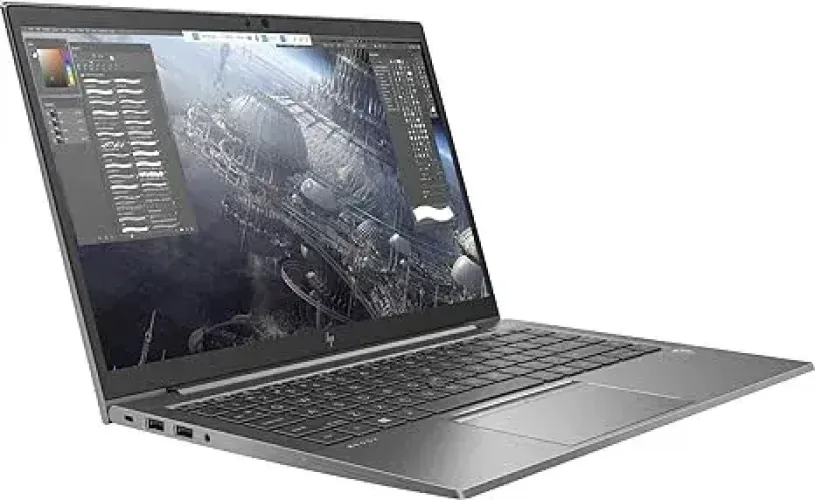
| 3D CAD candidate (GPU verification required) | HP ZBook Firefly 14 G7 | KSh 63,500 |
Software requirements that matter
Autodesk Civil 3D recommends 32GB RAM and 8GB GPU VRAM for its recommended configuration. Engineering students with lighter Python, electronics or report-writing needs may prefer 16GB and good battery life. The current site prices shown are a catalogue snapshot; they are not proof of exact-unit availability. Buying is safest when the department’s actual application versions and datasets are known.
Before buying or booking an examination
Request photographs of the actual laptop, CPU model, installed RAM, SSD condition, GPU and dedicated VRAM where required, Windows support, webcam, battery report, charger and applicable warranty. For online examinations, test the institution’s secure browser and proctoring application ahead of time. Compare this buying advice with Infinite Tech’s engineering and geology laptop hub.
Specifications by engineering workload
| Work | RAM | Storage | Graphics |
|---|---|---|---|
| Reports, research, basic coding | 8GB | 256GB SSD | Integrated is usually sufficient |
| MATLAB & moderate technical work | 16GB preferred | 512GB SSD | Depends on workload |
| CAD/3D modelling | 16GB+ | 512GB+ | Dedicated GPU often useful |
| Heavy simulation/rendering | 16-32GB+ | 512GB-1TB SSD | Performance GPU may be required |
Engineering discipline matters
A civil or architecture-focused student using CAD and BIM applications may need more graphics capability than a student whose workload is primarily documents, coding and numerical analysis. Always check the official requirements of the software used by your university.
Business laptop or workstation?
HP EliteBook, Dell Latitude and Lenovo ThinkPad systems can handle general engineering coursework well when properly specified. Mobile workstations and performance laptops become more appropriate when sustained CAD, 3D or rendering workloads are central to the course.
Buying checklist
- Verify the requirements of your required engineering software.
- Choose SSD storage.
- Prefer 16GB RAM for demanding applications.
- Check cooling and battery condition.
- Confirm external-display and USB connectivity.
- Do not pay for a powerful GPU unless your software can use it.
Frequently asked questions
Is 8GB RAM enough for engineering?
It can handle general coursework and lighter technical applications, but 16GB is a better target for demanding CAD, simulation and multitasking.
Do engineering students need a graphics card?
Not always. Dedicated graphics are most valuable for CAD, 3D, rendering and GPU-accelerated applications.
Is Core i5 enough?
A capable Core i5-class processor is suitable for many engineering students, though heavier simulation and rendering can benefit from higher-performance processors.
How much SSD storage?
256GB is a basic starting point; 512GB is preferable for large software installations and project files.
Can I buy a refurbished engineering laptop?
Yes, but check performance, cooling, battery, storage, display and physical condition carefully.
Is a workstation necessary?
Not for every engineering course. Buy one when your software and project workloads justify the additional graphics and processing performance.
What screen size should I choose?
14-inch systems are portable, while 15.6- and 16-inch displays provide more workspace for drawings and technical applications.
Should I prioritize RAM or GPU?
It depends on the software. General multitasking benefits from RAM, while 3D and GPU-accelerated applications can benefit strongly from dedicated graphics.
Can integrated graphics run CAD?
Some lighter CAD workloads can run on modern integrated graphics, but complex models and professional 3D workloads may require dedicated graphics.
What should first-year engineering students buy?
A balanced laptop with a capable processor, 8-16GB RAM and SSD storage is a sensible starting point unless the department specifies more demanding requirements.
Related engineering guides and laptops to compare
Continue with our AutoCAD laptop guide, architect laptop guide, video-editing laptop guide, graphic-design laptop guide and university student guide.
Current Infinite Tech examples for CPU/RAM comparison: HP EliteBook 840 G11 Core Ultra 7, 16GB/512GB, HP EliteBook 840 G8 Core i7, 16GB/512GB and Lenovo ThinkPad T480s Core i7, 16GB/512GB. For 3D, CAD and rendering, confirm that the exact laptop’s GPU meets your software requirements.
Primary-source requirements
For students using AutoCAD, Autodesk’s current AutoCAD 2026 system requirements provide an official baseline: Autodesk lists 8GB as basic memory and 32GB as recommended, with substantially stronger recommended graphics for demanding work. That does not mean every engineering course needs 32GB; Infinite Tech’s targets are workload-based buying recommendations. Exact processor details can also be checked through Intel Product Specifications.
How this guide is researched
We separate publisher minimums from practical course recommendations and compare software demands, RAM, CPU, GPU, storage, portability and current Kenyan value. See Infinite Tech’s laptop review methodology.
Updated 2026/2027 engineering laptop recommendations in Kenya
Engineering discipline and software decide the budget
Civil engineering, geology, surveying and architecture can require 3D graphics and large datasets, while other engineering modules emphasize calculations, programming, documents and research. A recent Core i5 or Ryzen 5 laptop with 16GB RAM and an SSD may be a fine lecture companion, but it cannot automatically meet the hardware demands of a 3D workstation. Request your department’s software list before ordering.
HP high-end laptops linked to this supplier
Infinite Tech lists the HP ZBook Firefly 14 G7 Core i7 32GB RAM/512GB SSD with supplier-quoted 4GB NVIDIA graphics at KSh 63,500. It is a candidate for moderate CAD or GIS work, provided the exact GPU and driver are verified. The HP EliteBook x360 1040 G8 with 32GB RAM/512GB SSD is KSh 65,000 for CPU and memory-heavy work where a discrete GPU is not essential.
Understand the application thresholds
Autodesk Civil 3D 2026 recommends 32GB RAM and an 8GB GPU; Esri ArcGIS Pro also recommends 32GB RAM and an 8GB dedicated GPU for stronger visualization. Leapfrog Geo requires a supported graphics card with at least 4GB memory, and Intel integrated graphics are unsupported. Buying a laptop with 32GB memory alone is not proof of compatibility. Large point clouds and professional production models can require more.
Exams, reliability, and the actual physical unit
University exam software may require a specified Windows version, lockdown browser, working webcam, microphone and stable power. For any refurbished HP, request the real CPU and GPU screenshots, battery report, SSD-health check, exact installed RAM, screen and hinge test, charger and warranty. Some HP x360 models have soldered memory, so don’t promise future upgrades before checking HP’s service documentation.
Additional engineering laptop FAQs
Can I use a Core i7 laptop for any engineering course?
Not automatically. The generation, CPU suffix, RAM, SSD and especially graphics support need to match the required software.
Is 16GB or 32GB RAM better?
16GB can handle everyday studies and lighter CAD. ArcGIS Pro, Civil 3D and many large modelling workflows benefit from 32GB.
Do I need NVIDIA graphics for university projects?
For some advanced 3D or GPU-accelerated work yes; check manufacturer software requirements and the exact GPU model.
Does Leapfrog Geo work with Intel integrated graphics?
Seequent does not support Intel integrated graphics; check the supported GPU list and at least 4GB of graphics memory.
What is the best laptop for online exams?
Choose a laptop tested with your institution’s lockdown software, webcam, microphone, OS, Wi-Fi and reliable battery.
Is a workstation useful for first year?
Often a standard business laptop is adequate; students who use Revit, GIS 3D or simulation should plan upgrades.
Can I upgrade an HP x360’s memory later?
Not always. Many premium convertibles use soldered memory. Check the exact HP product number and factory configuration.
Why verify the actual GPU?
A model-family image or Core i7 label cannot prove dedicated GPU memory, supported drivers or workstation certification.
What should I inspect on refurbished HP laptops?
Check BIOS specs, battery report, SSD health, charger, screen, hinges, ports, keyboard, webcam and written warranty.
Can I use 256GB SSD for engineering?
It may fill rapidly with CAD software, GIS imagery and project files; consider 512GB or 1TB where budget allows.
High-end HP laptops and linked specialist guides
- HP ZBook Firefly 14 G7 32GB / quoted NVIDIA 4GB — KSh 63,500
- HP EliteBook x360 1040 G8 32GB — KSh 65,000
- Engineering, GIS and Geology Laptop Hub
- Geology and GIS student buying guide
- AutoCAD, Civil 3D and Revit buying guide
- 16GB vs 32GB RAM guide
Official requirements: Autodesk Civil 3D, Esri ArcGIS Pro, and Seequent Leapfrog Geo.

9 thoughts on “Best Laptops for Engineering Students in Kenya 2026/2027”
Comments are closed.