
ASUS Touchscreen vs Standard Laptops: Is the Extra Cost Worthwhile?

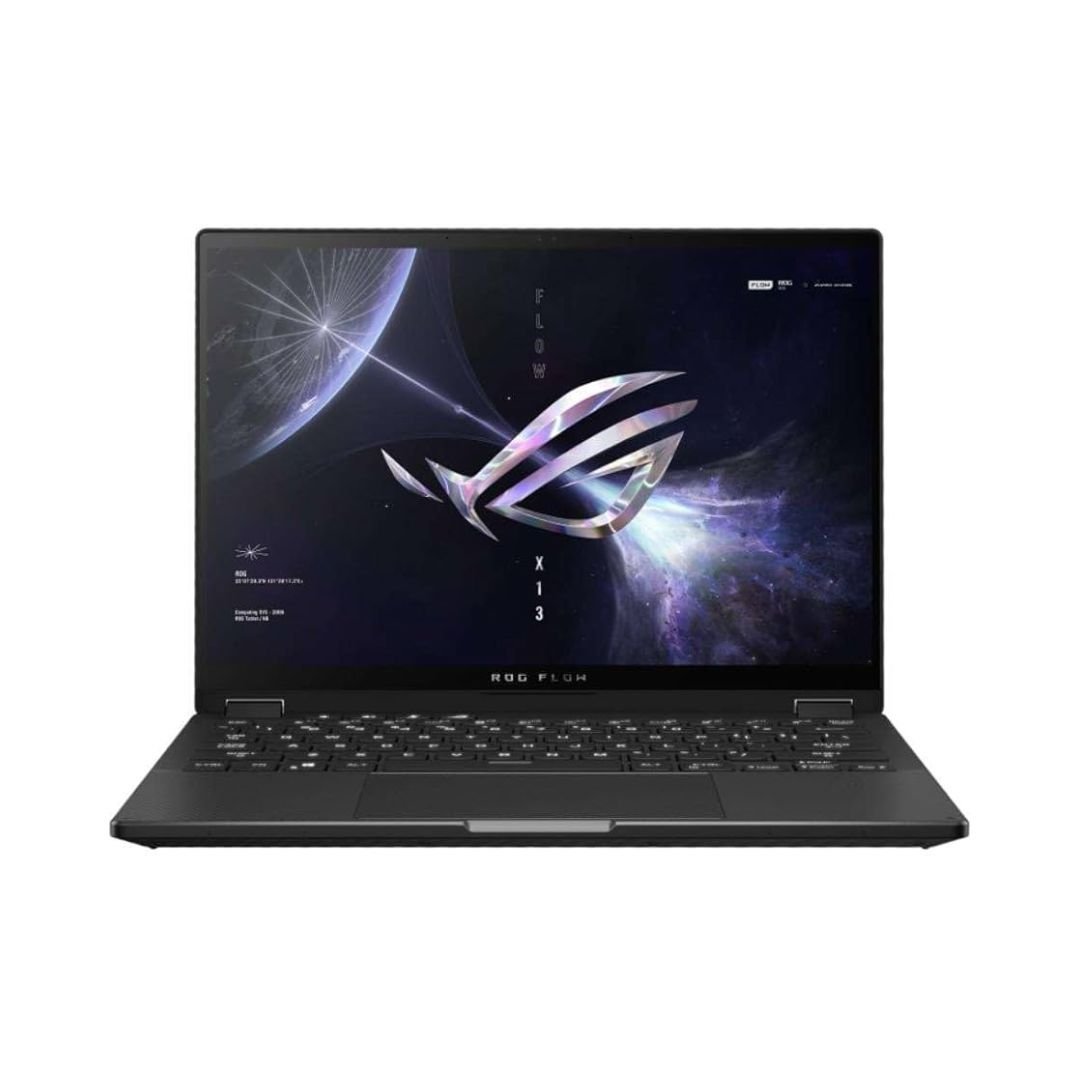
Paying extra for an ASUS touchscreen makes sense when touch, a supported pen or a convertible position improves the actual work. These are separate features and should not be inferred from one another. For buyers in Kenya, compare the exact model, display, hardware and included accessories before choosing a touchscreen over a conventional notebook.
Catalogue and references checked: 20 October 2026. Prices below are Infinite Tech catalogue asking prices for the stated configuration. Confirm the actual unit, availability, accessories and written warranty before payment.
The graphic-design laptop guide helps define whether touch input is useful for the work. The OLED vs IPS comparison addresses a separate panel-technology decision.
For study, consult the university laptop guide before paying for a feature. Compare Surface Pro, HP x360 and Lenovo Yoga when the shortlist also includes detachable or convertible designs.
ASUS touchscreen vs standard: decide on the input need
| Choice | What to compare | Buying implication |
|---|---|---|
| Finger touch | Confirm touch response on the actual display | It does not by itself prove active-pen support |
| Pen workflow | Check compatible stylus and digitiser support | Test the intended writing or drawing application |
| Convertible use | Verify the supported hinge design | A touch-enabled conventional notebook is not automatically a 2-in-1 |
Name the task that benefits from touch
Touch can be useful for selecting items during a presentation, reading documents or using a compatible handwriting workflow. If most of the day is ordinary typing and spreadsheets, a conventional laptop may already provide the required experience. Compare the feature against real use rather than buying it because it appears in a premium product title.
Try the device in the positions it is designed to support and inspect screen stability. Do not force a hinge or assume a touchscreen model opens through 360 degrees. The full product code is needed because ASUS offers different conventional and convertible designs across several families and generations.
Check pen support separately from touchscreen operation
ASUS provides a model-based route for checking stylus support. A screen responding to a finger is not sufficient proof that an active pen, pressure sensitivity or a particular charging arrangement is supported. Ask for the exact compatible stylus and whether it is included in the quoted package.
If handwriting is the main reason to buy, test the intended application with that pen. Check response across the screen, palm behaviour and the features used for your work. A stylus photographed beside a laptop may be an optional accessory. Include its actual cost and verify compatibility before treating the touchscreen premium as the complete price.
Compare the panel and performance on equal terms
A touch offer and a non-touch offer may also differ in resolution, panel technology, CPU, memory, SSD and condition. Keep those details visible so the whole price difference is not attributed to touch. Touch also does not establish better colour capability, gaming performance or professional graphics support.
The linked ZenBook and ROG Flow examples are different configurations, not a controlled touch-versus-standard test. Confirm their actual panel and full code before using them as a matched comparison. For demanding work or games, check the exact GPU and application requirements. For ordinary study, prioritise a comfortable screen and enough memory before paying for a feature that will remain unused.
Inspect the touch hardware and price the complete package
For a used unit, test the whole touch surface, screen appearance, keyboard, touchpad and supported hinge positions. Check battery health and stable charging with the suitable adapter. Confirm normal personal setup and the intended operating-system support. A working touch response does not replace those basic hardware checks.
For a machine sold as new, match the boxed SKU, included pen where stated and local warranty to the quote. Include charger, stylus, case and any display adapter in the total. If the extra control method does not solve a real need, compare a well-specified standard laptop instead. Choose the feature when its verified benefits justify the full cost.
Real Infinite Tech catalogue examples
These links lead to individual listings, not a promise that every model in the wider family is available. Compare the complete configuration rather than the processor badge alone.
| Exact listing | Listed price | Next check |
|---|---|---|
| Buy ASUS ZENBOOK UX310U I7 7500 8GB 1TB HDD 13.3′ FHD WIN10 | KSh 107,000 | Confirm unit condition, exact components and what is included |
| BUY ASUS ROG FLOW X13 AMD RYZEN 9 16GB|512GB SSD 13.4" FHD TOUCH | KSh 140,000 | Confirm unit condition, exact components and what is included |
A practical buying decision
Pay for touch or a convertible only after testing the workflow it is meant to improve. Keep finger touch, pen support, hinge design and display quality separate, then compare the exact configuration and complete package.
Frequently asked questions
Does every ASUS touchscreen support an active stylus?
No. Use the exact model’s stylus compatibility information.
Is every touch laptop a 360-degree convertible?
No. Verify the hinge design independently.
Does touch make a laptop better for gaming?
Not by itself. The game, GPU, display and full configuration determine suitability.
Should a pen in a product picture be assumed included?
No. Confirm the supported accessory and written package contents.
Related Infinite Tech buying pages
- Laptop Knowledge Centre
- Compare all laptops
- Best Laptops for University Students in Kenya 2026: Course & Budget Guide
- Best Laptops for Graphic Design in Kenya 2026: Designer Buying Guide
More ASUS buying guides
- ASUS Laptop Prices in Kenya: VivoBook, ZenBook, TUF and ROG
- ASUS VivoBook vs ZenBook for Study and Office Work
- ASUS Laptops for Students Under KSh 60,000: Availability and Alternatives
Manufacturer references and research method
This is a research-based buying guide, not a hands-on test or a benchmark report. Manufacturer references describe supported options; the linked catalogue identifies the configuration being offered. Model-specific details should be matched to the full product code or service tag.
Confirm your laptop with Infinite Tech
Contact Infinite Tech at Rehema House, Nairobi, on 0720450148. Ask for the full model code, a written specification and the applicable warranty. Read warranty information, delivery information and contact Infinite Tech before placing an order.
2 thoughts on “ASUS Touchscreen vs Standard Laptops: Is the Extra Cost Worthwhile?”
Comments are closed.