
ASUS VivoBook vs ZenBook for Study and Office Work

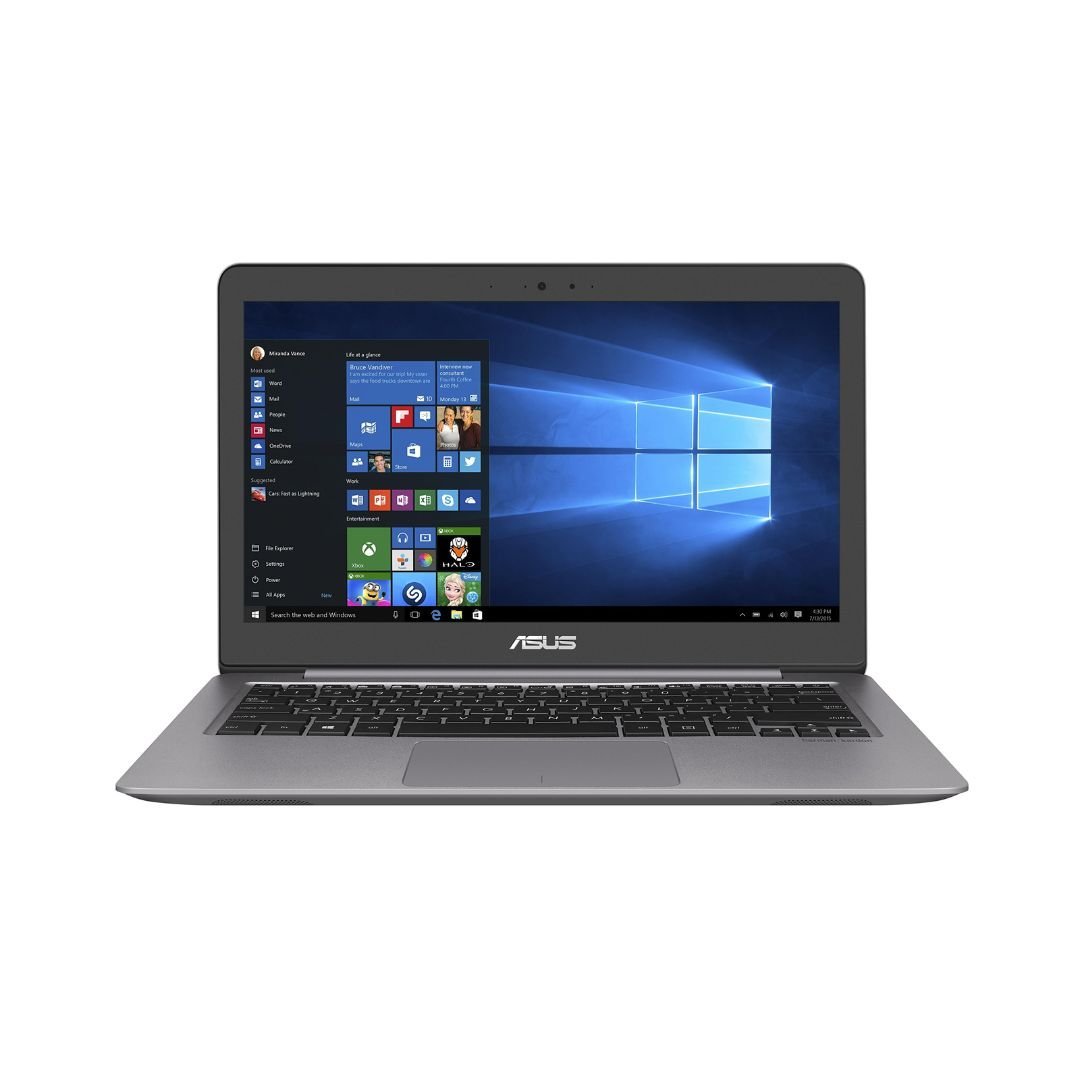
ASUS VivoBook versus ZenBook is a study and office comparison that should be made between exact configurations. The family names cover many generations and features, so neither guarantees the best screen, speed or upgrade options. This guide links a real ZenBook catalogue example and explains how to assess a VivoBook quote without claiming an unverified VivoBook model is currently available.
Catalogue and references checked: 20 October 2026. Prices below are Infinite Tech catalogue asking prices for the stated configuration. Confirm the actual unit, availability, accessories and written warranty before payment.
Use the university laptop guide to define your course requirements. The ASUS OLED vs IPS guide helps separate the display choice from the laptop’s family name.
The business laptop buying guide covers office purchase checks. Compare ASUS touchscreen and standard designs if touch input is part of the reason for paying more.
ASUS VivoBook vs ZenBook: everyday work and portability
| Choice | What to compare | Buying implication |
|---|---|---|
| Study and office workload | Actual applications, multitasking and calls | Choose enough memory and suitable storage |
| Screen and portability | Exact panel, scaling, keyboard and carry package | A family label is not a display specification |
| Value comparison | Matched generation, capacity and condition | Keep accessories and support in the complete quote |
Compare the model year and CPU before the family position
The ZenBook example below is a UX310-series configuration with an i7-7500U, 8GB RAM and a 1TB hard drive. It should not be used to describe every modern ZenBook or compared with a current VivoBook as if the family name were the only difference. Ask for the full code and CPU on both quotations.
Record RAM, SSD or hard-drive details, display and condition as well. A newer everyday configuration can be a more practical fit than an older premium-family offer, while a well-chosen premium model may justify its cost through useful features. The actual hardware and complete price should decide rather than an assumption based on the names.
Try the keyboard, screen and call setup
For study or office work, type a paragraph, open a realistic spreadsheet and try a short call. Check keyboard comfort, touchpad, webcam, microphone and speakers. These daily functions can matter more than an unused feature highlighted in a product title.
Inspect screen resolution, scaling, brightness comfort and viewing angles. Do not assume every VivoBook is a basic panel or every ZenBook is OLED. Panel technology, colour capability, refresh rate and touch are separate specifications. If a display feature is important for design or long reading sessions, confirm it on the actual unit rather than a family-level marketing page.
Choose memory and storage for real multitasking
List the applications normally open together and consult their current requirements. An SSD and sufficient memory can make a practical difference to the workflow, but a larger storage number does not establish better processor or graphics performance. Avoid selecting purely from an i5 or i7 badge.
Ask which parts are soldered and which supported upgrades are possible on the full model. ASUS advises checking the model’s official technical specification for memory and storage support. Include any needed part, labour and data-transfer work in the price. If the memory cannot be expanded and is insufficient, compare another configuration before committing to the purchase.
Compare condition, support and the complete package
For a used offer, inspect battery health, stable charging, screen condition, keyboard and ports. Confirm normal personal setup and check the intended operating-system support. For a unit sold as new, match the boxed model code and actual configuration to the invoice and local warranty arrangement.
Add a suitable charger, monitor adapter, software and backup plan to the total. The ROG Flow link below is included as another verified ASUS catalogue path, not as a replacement VivoBook or an equal office comparison. Request a precise VivoBook quotation if that family is preferred, then use the same checklist to decide whether it offers better value than the actual ZenBook candidate.
Real Infinite Tech catalogue examples
These links lead to individual listings, not a promise that every model in the wider family is available. Compare the complete configuration rather than the processor badge alone.
| Exact listing | Listed price | Next check |
|---|---|---|
| Buy ASUS ZENBOOK UX310U I7 7500 8GB 1TB HDD 13.3′ FHD WIN10 | KSh 107,000 | Confirm unit condition, exact components and what is included |
| BUY ASUS ROG FLOW X13 AMD RYZEN 9 16GB|512GB SSD 13.4" FHD TOUCH | KSh 140,000 | Confirm unit condition, exact components and what is included |
A practical buying decision
Choose the configuration that handles the real study or office workload with a comfortable screen, enough memory and acceptable condition. Compare equivalent generations and full model codes rather than assuming ZenBook or VivoBook is automatically the right answer.
Frequently asked questions
Is every ZenBook OLED?
No. Verify the panel of the exact model.
Does this guide advertise confirmed VivoBook stock?
No. Request an exact current quote; the linked ZenBook is a verified catalogue example.
Can I compare a modern VivoBook with an older ZenBook?
Yes, but keep generation, hardware and condition differences visible.
Are ASUS memory upgrades universal?
No. Check the full model’s official support and specification.
Related Infinite Tech buying pages
- Laptop Knowledge Centre
- Compare all laptops
- Best Laptops for University Students in Kenya 2026: Course & Budget Guide
- Best Laptops for Accounting Students in Kenya 2026
More ASUS buying guides
- ASUS Laptop Prices in Kenya: VivoBook, ZenBook, TUF and ROG
- ASUS OLED vs IPS Laptops: Which Display Suits Your Work?
- ASUS Touchscreen vs Standard Laptops: Is the Extra Cost Worthwhile?
Manufacturer references and research method
This is a research-based buying guide, not a hands-on test or a benchmark report. Manufacturer references describe supported options; the linked catalogue identifies the configuration being offered. Model-specific details should be matched to the full product code or service tag.
- ASUS: compare laptop configurations
- ASUS: check installed and supported memory/storage
- ASUS ROG Flow X13 GV301 support
Confirm your laptop with Infinite Tech
Contact Infinite Tech at Rehema House, Nairobi, on 0720450148. Ask for the full model code, a written specification and the applicable warranty. Read warranty information, delivery information and contact Infinite Tech before placing an order.
One thought on “ASUS VivoBook vs ZenBook for Study and Office Work”
Comments are closed.