
Upgrading an Older Work Laptop: What Improvements Can You Actually Notice?

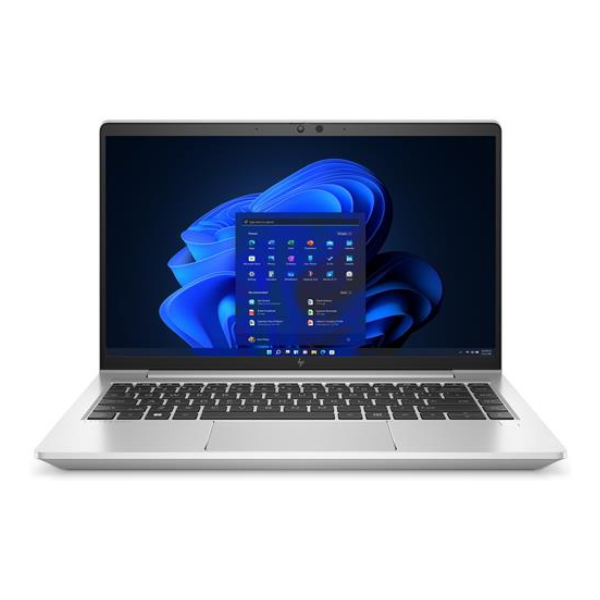
The most satisfying laptop upgrade solves an irritation you already understand. If your work computer pauses when you switch applications, struggles with a growing project or no longer suits travel, identify the cause before choosing a replacement. This guide helps you decide what to improve and how to judge the result.
Catalogue and prices checked: 21 October 2026. Listing prices can change and do not reserve stock. This guide uses catalogue and manufacturer information; individual unit condition and measured performance require inspection. Read our laptop review methodology for the evidence behind our recommendations.
Write down the moments that interrupt your work
Choose three repeatable tasks: opening your usual workbook, starting a local development environment or joining a call while viewing documents. Record what feels slow or inconvenient. Distinguish application delays from poor Wi-Fi, a crowded screen, a weak battery or an uncomfortable keyboard. Those problems can require different purchases.
Use the same sample files when comparing a replacement. Keep confidential client records off demonstration machines by creating an anonymised copy. The aim is a clear observation you can repeat, rather than a promise that every newer Core i7 will transform your day.
Match the symptom to a useful investigation
| Symptom | Check first | Possible direction |
|---|---|---|
| Pauses while switching applications | Memory use during the actual workload | More RAM if memory pressure is the cause |
| Long file loading or insufficient space | Drive type, free space and storage condition | Compatible SSD work or a larger drive |
| Small text or cramped worksheets | Panel resolution, scaling and desk layout | A suitable display or external monitor |
| Short time away from power | Recent battery report and real use | Battery service or a different unit |
| Slow remote applications | Connection quality and the remote service | Network troubleshooting before changing laptops |
Windows Task Manager can help reveal CPU, memory and disk activity while you reproduce the issue. Microsoft’s performance guidance also covers storage space and startup applications. A high reading is a clue to investigate, not proof that buying a particular replacement will solve the problem.
Consider improving the laptop you already own
Ask a technician to confirm the exact model and supported parts before quoting RAM or SSD work. Request parts, labour, migration and any support terms as separate lines. Back up important files before service. If the existing machine already handles your applications, a compatible part or a better desk setup may be sufficient.
Some thin laptops have memory soldered to the motherboard. For example, Lenovo’s T14s Gen 1 Intel reference lists soldered memory with no slots. Do not buy a lower-memory unit assuming that any laptop can receive an ordinary RAM upgrade. Our 16GB vs 32GB programming guide explains capacity choices, while 512GB vs 1TB SSD addresses storage planning.
Compare two actual replacement offers
| Offer | Listed configuration | Price checked | Question for your demonstration |
|---|---|---|---|
| HP EliteBook 840 G8 | i7-1165G7, 16GB RAM, 512GB SSD, 14-inch FHD | KSh 49,500 | Does this solve the screen or application issue you identified? |
| ThinkPad T14s touchscreen | Core i7 10th Gen, 32GB RAM, 512GB SSD | KSh 53,500 | Does your real workload benefit from the extra installed memory? |
The KSh 4,000 price difference buys a different overall configuration, not a guaranteed speed improvement in every application. The selected T14s listing does not identify its full CPU suffix or screen resolution. Obtain those details before comparing it with the named i7-1165G7 in the EliteBook. Use the processor-generation guide to avoid judging the whole machine by i7 alone.
Try a short before-and-after comparison
- Open the same anonymised file or project on both machines.
- Use the same applications, power connection and relevant settings.
- Switch between the tools you normally keep open and observe responsiveness.
- Check screen readability, typing, calls and the connections you need.
- Write down the result rather than relying on a general impression of speed.
This is an evaluation method, not a set of measured results from Infinite Tech. For a more detailed sequence, follow the ThinkPad working-day evaluation guide. Review refurbished condition checks and battery-report checks alongside performance. A replacement should meet software and operating-system requirements as well as feeling better to use.
Budget for a complete transition
Include the charger, any dock or adapter, licensed software, file migration and delivery. Keep an independent backup until you have checked the migrated files and applications. If you have several peripherals to buy, the itemised home-office plan shows why the laptop price is only part of the decision.
Frequently asked questions
Should I replace every slow laptop?
First identify the cause. Storage, memory, background activity, networking or software can each require a different response.
Will 32GB make all applications faster?
No. More memory helps when capacity is a constraint; processor, storage, software and other factors still matter.
Does changing an SSD increase processor performance?
No. It changes the storage component. Any benefit depends on the original drive, workload and compatible replacement.
Can every laptop receive more RAM?
No. Check the exact model. The T14s Gen 1 Intel family, for example, uses soldered memory with no slots.
What should I compare in a demonstration?
Use the same sample file or project and your normal application combination. Observe both responsiveness and physical comfort.
Is a newer i7 always the right purchase?
No. Obtain the full processor model, then compare the complete configuration and your actual requirements.
Should I check battery condition too?
Yes. A faster desk demonstration does not establish how well the offered unit works away from power.
Could an external monitor be enough?
It may address workspace or readability problems when the computer already handles your applications and supports the intended display.
What should a repair quote include?
The exact compatible part, labour, migration arrangements, complete cost and written support for the work.
Are the examples benchmark results?
No. They are verified catalogue configurations and prices with a practical method for evaluating a possible replacement.
Choose a laptop you can feel confident using
Explore Infinite Pro: Serious work. Smart investment. and Developer Pro. Contact Infinite Tech at Rehema House, Nairobi, or call 0720 450 148 with your applications, budget and preferred setup. Request the actual unit details and complete quotation, and review warranty information and delivery information before ordering.
3 thoughts on “Upgrading an Older Work Laptop: What Improvements Can You Actually Notice?”
Comments are closed.