
MacBook for Accounting, Engineering and Windows Software: What to Check First

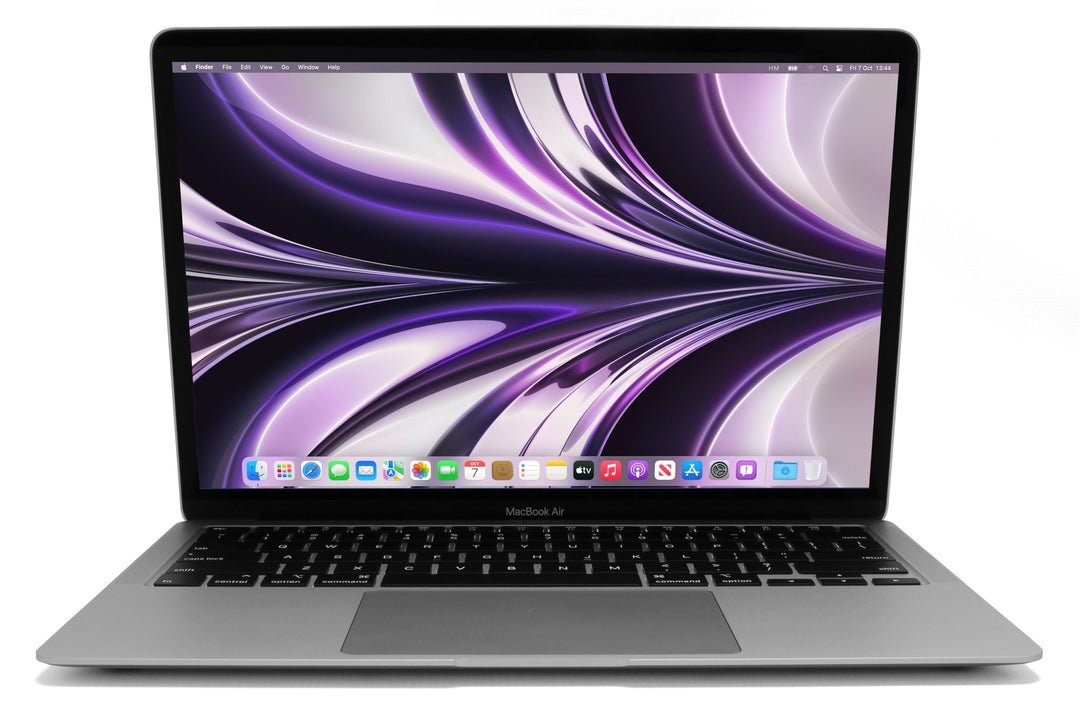
Before choosing a MacBook for accounting, engineering or a Windows-dependent course, confirm the exact applications and the supported way they will run. A native Mac app, a web service, virtualised Windows and remote access are different working arrangements. Buying from the job title alone can leave an otherwise capable laptop unable to support a required plugin, driver or examination tool.
Catalogue and references checked: 20 October 2026. Prices below are Infinite Tech catalogue asking prices for the stated configuration. Confirm the actual unit, availability, accessories and written warranty before payment.
Use the accounting laptop guide to define the applications involved. The Intel vs Snapdragon OmniBook guide explains why a Windows alternative can still need an architecture check.
The AutoCAD, Civil 3D and Revit guide establishes a separate software baseline. Compare Intel and Snapdragon Surface models if the shortlist returns to Windows devices.
MacBook for accounting, CAD and Windows applications
| Choice | What to compare | Buying implication |
|---|---|---|
| Native macOS application | Check supported Mac model, OS and app version | Confirm plugins, file exchange and peripheral support |
| Windows in a virtual environment | Check authorised platform, licensing and application compatibility | Do not assume it equals a native x64 Windows installation |
| Remote Windows access | Check the host, network and recurring costs | Useful only when the complete remote workflow is dependable |
Write the full software list before comparing laptops
For accounting, include the exact desktop package, spreadsheet add-ins, company VPN, printers and security requirements. For engineering, include application version, specialised toolsets, plugins and typical project size. For a course, add examination and laboratory tools. The same profession can involve several very different software arrangements.
Ask the software publisher or authorised IT team which operating systems and hardware platforms are supported. A web-based tool may work well on a Mac while a different desktop package or device needs another platform. Do not infer compatibility from a general statement that a laptop is good for students, accountants or engineers.
Separate native Mac software from Windows solutions
Where the publisher provides a supported macOS application, check its features, file compatibility and current requirements directly. A Mac version of a program should not be assumed to include every Windows-specific toolset or plugin. Test the actual files and collaboration process used by the employer or course.
Where Windows is required, identify a current supported route for the exact Mac and application. Apple’s Boot Camp guidance applies to supported Intel Macs, not a general Boot Camp installation on Apple silicon. Virtualised Windows on an M-series Mac uses a different arrangement with its own licensing, architecture and application limitations. Keep these distinctions visible before paying.
Check drivers, plugins and licensing rather than only the main app
A main application opening successfully does not prove that a required printer driver, specialist USB device, VPN, add-in or examination component will work. Ask for support confirmation for the exact versions and platform. If any part is mandatory, it belongs in the purchase decision.
Also budget for legitimate software and, where applicable, virtualisation or remote-access costs. Do not use an unsupported workaround as the basis of a professional recommendation. If the employer already provides a supported remote Windows desktop, test the connection, files, peripherals and offline limitations. A dependable whole workflow matters more than proving one demonstration can launch.
Compare memory and the native Windows alternative
If the Mac workflow is supported, select memory, storage and graphics for the actual tasks. A virtual environment also consumes resources, so choose capacity deliberately rather than assuming any entry configuration will be comfortable. This guide does not claim measured application performance on the catalogue units.
If essential software lacks a practical supported Mac route, compare a suitable Windows laptop instead. The linked HP and Dell examples are alternative shopping paths, not a promise that every application requirement is met. Check their exact hardware and support in the same way. For either platform, inspect condition, legitimate setup, accessories and written warranty before ordering.
MacBook examples and native Windows alternatives
These links lead to individual listings, not a promise that every model in the wider family is available. Compare the complete configuration rather than the processor badge alone.
| Exact listing | Listed price | Next check |
|---|---|---|
| Apple MacBook Air M1 2020 16GB Unified Memory 256GB SSD | KSh 77,500 | Confirm unit condition, exact components and what is included |
| Apple MacBook Pro M1 13-inch 2020 16GB Unified Memory 256GB SSD | KSh 87,500 | Confirm unit condition, exact components and what is included |
| HP EliteBook 840 G8 Core i5 11th Gen 8GB RAM 256GB SSD Touchscreen | KSh 38,500 | Confirm unit condition, exact components and what is included |
| Dell Latitude 5420 Intel Core i7-1185G7 16GB RAM 512GB SSD 14 Inch HD Display | KSh 42,500 | Confirm unit condition, exact components and what is included |
A practical buying decision
Buy the MacBook when the complete required workflow has a supported, practical route and the configuration meets its needs. Choose a suitable native Windows machine when that is the clearer supported answer. Resolve software compatibility before deciding from brand preference.
Frequently asked questions
Does being good for accounting prove a specific accounting app works?
No. Identify the exact application, add-ins, OS and supported platform.
Is Windows virtualisation the same as Boot Camp?
No. They are different arrangements with different platform and support conditions.
Can I check only the main application?
No. Required plugins, drivers, peripherals, VPN and examination components need their own checks.
Should I still consider a Windows laptop?
Yes, when it provides the supported route for essential software at a suitable complete cost.
Related Infinite Tech buying pages
- Laptop Knowledge Centre
- Compare all laptops
- Best Laptops for Accounting Students in Kenya 2026
- Best Laptops for Engineering Students in Kenya 2026/2027
More MacBook buying guides
- MacBook Prices in Kenya: New vs Used Buying Guide
- MacBook Air vs MacBook Pro for Students and Professionals
- Used Intel MacBook vs Apple Silicon: Which Purchase Makes Sense?
- HP OmniBook Intel vs Snapdragon: Software Compatibility Before Buying
- Intel vs Snapdragon Surface: Check Your Applications Before Buying
Manufacturer references and research method
This is a research-based buying guide, not a hands-on test or a benchmark report. Manufacturer references describe supported options; the linked catalogue identifies the configuration being offered. Model-specific details should be matched to the full product code or service tag.
- Apple: Boot Camp Assistant
- Microsoft: Windows 11 options for named Apple silicon Macs
- Microsoft Windows Arm-based PCs FAQ
- Autodesk AutoCAD system requirements
- Autodesk AutoCAD certified graphics hardware
Confirm your laptop with Infinite Tech
Contact Infinite Tech at Rehema House, Nairobi, on 0720450148. Ask for the full model code, a written specification and the applicable warranty. Read warranty information, delivery information and contact Infinite Tech before placing an order.