
Hisense TV Remote Not Working in Kenya: Batteries, Pairing and Safe Checks

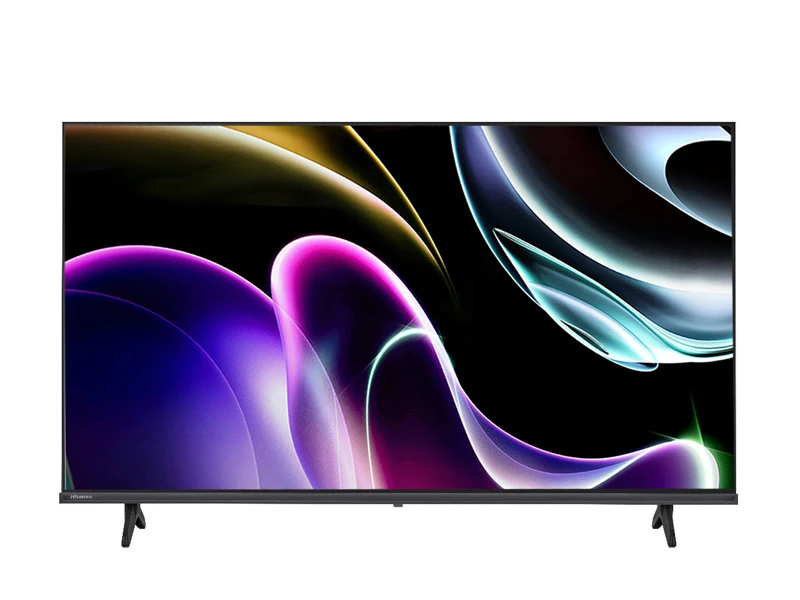
A Hisense television remote that stops responding can be caused by weak batteries, blocked infrared communication, lost Bluetooth pairing, a stuck button or a television that needs a normal restart. The correct remote technology and pairing steps vary by TV model and remote control. This guide covers safe checks for Kenyan households before replacing the remote or arranging service. It does not assume that every Hisense TV uses Bluetooth or the same menu system.
1. Replace and check the batteries
Remove the batteries and inspect for leakage, corrosion or damage. Fit fresh batteries of the type specified in the remote manual, observing the positive and negative markings. Do not mix old and new batteries or different battery chemistries. If a battery has leaked, avoid direct contact with the residue and follow safe battery-cleanup guidance. Replace a remote with damaged contacts rather than bending them with a metal tool.
2. Check line of sight for infrared remotes
If the remote uses infrared, point it toward the TV’s receiver area and remove objects that may block the signal. Bright sunlight or some lighting conditions can interfere with infrared reception. Clean the outside of the remote’s emitter and the TV’s sensor window gently with a soft dry cloth. Do not open the remote or television to reach the sensor.
3. Check whether the remote uses Bluetooth or voice pairing
Some smart-TV remotes use Bluetooth or another wireless pairing method for certain functions, while basic power and volume commands may use infrared. If the manual describes pairing, follow the exact button combination and on-screen instructions for the supplied model. Do not copy a pairing sequence from a different Hisense remote family. If the TV menu offers a remote or accessory section, use the model’s documented process.
4. Restart the television normally
If the TV is unresponsive, use the normal power control or the procedure in the manual. Allow the television to shut down fully before restoring power. Avoid repeatedly disconnecting power during a firmware update or while a storage operation is in progress. If the TV’s physical buttons respond but the remote does not, the issue may be with the remote, its pairing or the receiver rather than the display itself.
5. Check whether only one button is affected
A single stuck or damaged button may behave differently from a remote that has lost all communication. Check that no key is physically held down and that the remote has not been exposed to liquid. Do not spray cleaner into the button gaps. If only voice control, pointer movement or a shortcut fails, confirm that the feature is supported and configured on the exact TV and remote.
6. Use an alternative control only if supported
Some Hisense TVs support control through a compatible mobile app or a connected device, but availability depends on the TV platform, network and model. Use the official method listed for the supplied television. Do not install unknown remote-control apps that request unnecessary permissions. A connected decoder or console remote may control limited TV functions through HDMI-CEC if the devices support and enable it; see our Hisense HDMI-CEC guide.
When to replace the remote or call service
Replace the remote with a compatible unit if it has liquid damage, broken battery contacts or persistent faults after the manual’s checks. If multiple compatible remotes fail, the TV’s receiver, software or settings may need inspection. Record the full TV model code and remote part number before ordering. Do not open the television or attempt to repair internal infrared or Bluetooth modules.
Frequently asked questions
Why does my Hisense remote turn the TV on but not control menus?
Some remotes combine infrared and Bluetooth functions. The menu or voice features may require pairing, depending on the model.
Can I use any Hisense remote?
No. Compatibility depends on model family, remote technology and supported functions. Match the remote to the TV model.
How can I tell if the remote sends infrared?
Check the manual or model documentation. Camera-based checks are not conclusive for every phone camera or remote type.
Will new batteries fix every remote problem?
No. Pairing, blocked sensors, damaged buttons or a TV-side receiver issue can also prevent operation.
Can I reset the remote?
Only use the reset or pairing method in the exact remote manual. Avoid undocumented button combinations.
Can a phone replace the Hisense remote?
Only if the TV and official app support the feature and the required network setup is available.
Why does the remote work close to the TV but not from the sofa?
Weak batteries, obstructions, sunlight or a receiver issue may reduce effective range. Check the manual and replace batteries first.
When should I contact service?
Seek help if multiple compatible remotes fail, the TV sensor appears damaged or the TV does not respond to its own physical controls.
Compare a Hisense television at Infinite Tech
Infinite Tech lists the Hisense 43Q5SKEN 43-inch QLED TV. Confirm the exact regional model, supplied remote, current price, stock and warranty on the live product page. For more setup guidance, visit the Hisense Knowledge Centre.
Support note: Remote pairing and app compatibility are model-specific. Use official instructions and do not dismantle the TV or remote.
