

SSD vs HDD in Refurbished Desktop Computers: Kenya Guide

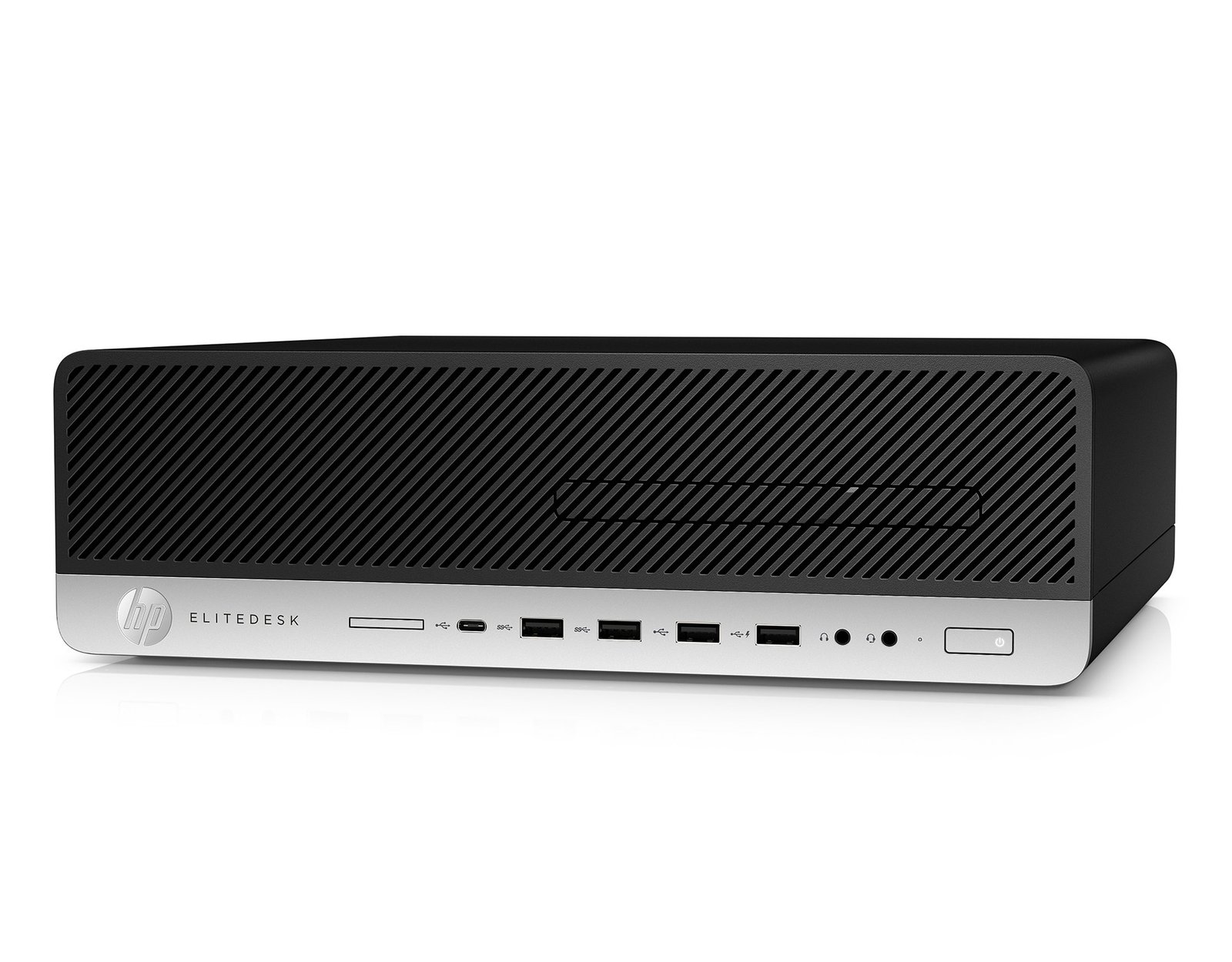
SSD vs HDD desktop Kenya — SSD vs HDD is one of the most important questions when purchasing a refurbished desktop in Kenya. A seller might advertise 500GB storage without saying whether it is a hard disk drive or solid-state drive. That distinction can be more noticeable during normal startup, updates and program loading than many small CPU improvements. Here’s how to interpret the Infinite Tech desktop listings and avoid costly assumptions.
Information and catalogue asking prices reviewed 28 October 2026. All system specifications beyond the supplied configuration require unit-specific confirmation.
What an SSD changes
A solid-state drive has no spinning disk and normally offers far faster random read/write access than a mechanical hard disk. In practical office use, this can reduce waiting during login, launching apps and opening files. Not all SSDs are equal: SATA and NVMe models have different interfaces and possible performance ranges, and actual drive health still matters.
Do not interpret an SSD label as a guarantee that the computer is otherwise fast or that an old battery-backed accessory, fan or network interface is working.
What an HDD still does well
A hard drive can offer large capacity at modest cost and may suit secondary document archives if it is healthy and properly backed up. It is less attractive as the primary drive for a Windows machine where updates and frequent application launches are important. A high storage figure alone does not mean better everyday speed.
A 500GB HDD and a 256GB SSD involve a capacity-versus-responsiveness trade-off. Users storing many videos may prioritize capacity, while office users may prioritize SSD boot speed.
Which Infinite Tech desktops specify an SSD?
The HP EliteDesk 705 G5 Ryzen 5, ProDesk 400 G5 i5, EliteDesk 800 G4 i5 and Dell OptiPlex 7060 i5 list 256GB SSD. The HP EliteDesk 800 G5 i5 and i7 plus Dell OptiPlex 7070 list 512GB SSD. The HP EliteDesk 705 G4 Ryzen 5 and EliteDesk 800 G4 i7 list 500GB storage without SSD/HDD designation.
Those two 500GB configurations must not be described as SSD-equipped until the actual drive type has been confirmed.
Drive health on a second-hand computer
Ask the seller to examine storage SMART data where supported, check the drive for errors, verify usable free space and ensure the operating system can boot reliably. A drive that looks healthy today can still fail later, so no test replaces a verified backup process.
If a laptop or desktop is shipped with a used SSD, ask whether it has been securely wiped of previous business data and configured with a valid operating-system installation.
Check SATA and NVMe compatibility before upgrading
Business desktop motherboards may have SATA ports, M.2 slots or both. An M.2 slot’s connector does not prove every NVMe drive is supported, and mini chassis can limit 2.5-inch bay availability. Ask for the full product number, available connector, mounting hardware and BIOS compatibility.
A KSh SSD upgrade quote should include installation, migration or clean operating-system setup, data backup and whether the old drive is returned. Don’t assume migration is automatically included.
Which capacity is right for your work?
A 256GB SSD can work for light browsers, office suites and cloud-first documents if free space is monitored. A 512GB SSD provides greater room for downloaded files, larger applications and local photos. Where there are databases, virtual machines or video files, consider larger storage and a tested backup solution.
The key purchase is a healthy and compatible drive with sufficient room for today’s work and predictable growth.
Compare current Infinite Tech computer prices
These are catalogue asking prices checked on 28 October 2026. Monitor, peripherals, installed OS and exact chassis are not confirmed by the supplier lines.
| Exact desktop offer | Listed asking price |
|---|---|
| HP EliteDesk 705 G4 Ryzen 5 · 8GB/500GB | KSh 24,500 |
| HP EliteDesk 705 G5 Ryzen 5 · 8GB/256GB SSD, 4GB graphics supplier-stated | KSh 32,500 |
| HP EliteDesk 800 G4 i5 8th Gen · 8GB/256GB SSD | KSh 32,500 |
| HP EliteDesk 800 G4 i7 8th Gen · 8GB/500GB | KSh 37,500 |
| HP EliteDesk 800 G5 i5 9th Gen · 8GB/512GB SSD | KSh 42,500 |
| HP EliteDesk 800 G5 i7 9th Gen · 8GB/512GB SSD | KSh 47,500 |
| Dell OptiPlex 7070 i5 9th Gen · 8GB/512GB SSD | KSh 42,500 |
| Dell OptiPlex 7060 i5 8th Gen · 8GB/256GB SSD | KSh 32,500 |
Frequently asked questions
Is 256GB SSD better than 500GB HDD?
For system responsiveness it often is; 500GB gives more capacity. Choose based on workload and verified drive health.
Are both 500GB desktops in this catalogue SSD?
Not established. The supplier states capacity but not drive technology for the HP 705 G4 and HP 800 G4 i7.
Does an SSD increase FPS in games?
It can improve loading times, but graphics frame rate mainly depends on CPU, GPU, RAM and game settings.
Can I install a 512GB SSD in an old desktop?
Often yes, subject to actual SATA/M.2 slot compatibility, firmware and physical space.
What does SSD health percentage mean?
Health figures are manufacturer- and tool-dependent estimates; also examine errors, wear, capacity and backups.
Will my Windows licence transfer to a new SSD?
Activation depends on licensing and hardware; confirm legitimate licence status before replacement or reinstall.
Related Infinite Tech buying guides
desktop computers under 35000 kenya 2026 · hp elitedesk 800 g4 vs g5 kenya · ex uk desktop buying checklist kenya
Browse the Infinite Tech desktop catalogue, or contact the Nairobi team at 0720450148. Visit Rehema House, Standard Street, 1st Floor Shop 2, behind Sarova Stanley Hotel; confirm exact CPU, chassis, condition, accessories and stock first.
