
Best Refurbished Lenovo Laptops Under KSh 30,000

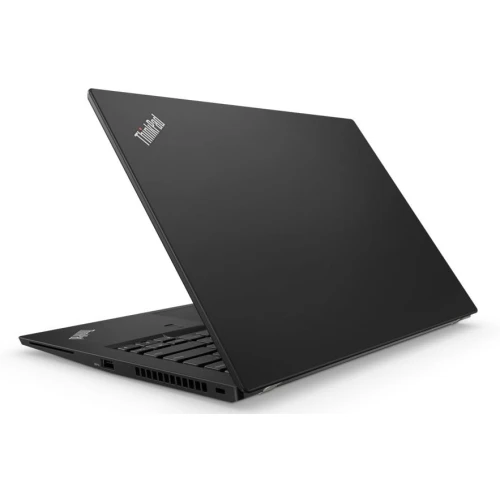
For a strict budget below KSh 30,000, compare real Lenovo configurations rather than a long list of models with unverified prices. The Infinite Tech examples checked for this guide include the ThinkPad T480, T480s and X280 at catalogue prices below that ceiling. The right purchase still depends on the screen, installed memory, battery health and software support of the unit offered.
Catalogue and references checked: 20 October 2026. Prices below are Infinite Tech catalogue asking prices for the stated configuration. Confirm the actual unit, availability, accessories and written warranty before payment.
The laptop guide below KSh 50,000 provides a wider budget comparison. Use T480 vs T480s vs T490s to understand differences between ThinkPads that can appear near this price range.
Apply the second-hand laptop inspection checklist even when an offer fits the budget. The ThinkPad buying checklist adds charging and firmware checks before payment.
Lenovo laptops below KSh 30,000: compare exact offers
| Choice | What to compare | Buying implication |
|---|---|---|
| T480 example | 8GB RAM, 256GB SSD, listed touchscreen | Compare memory expansion and actual screen condition |
| T480s example | 8GB RAM, 256GB SSD, non-touch | Check installed memory and available upgrade arrangement |
| X280 example | 16GB RAM, 256GB SSD, listed touchscreen | Compact screen; verify the fixed memory meets future needs |
Keep the ceiling strict and the configuration visible
An offer at exactly KSh 30,000 is not below KSh 30,000, and an upgrade can move an initially eligible machine beyond the budget. The table below therefore uses specific catalogue offers rather than treating an entire model range as affordable. Open the linked page for the latest price before ordering.
The remaining budget should cover any essential charger, delivery, protective bag or adapter. If a replacement battery or SSD is needed immediately, add that cost before deciding whether the offer qualifies. Ask for a written total that identifies the actual laptop and its included accessories. This makes two quotes easier to compare and avoids spending the same budget twice on missing essentials.
Choose a useful configuration before chasing a badge
For assignments, browser-based research and ordinary office work, an SSD and enough memory for the actual workload are often more useful than paying solely for an i7 label. Compare the full CPU identifier and processor generation, then test the applications you will use. An older machine can still be a sensible purchase when its limitations are understood.
The X280 example has more listed RAM than the 8GB T480s example, but the screen size and upgrade design differ. That makes them alternatives for different buyers, not a simple performance ranking. A commuting student may prefer the smaller screen, while someone doing spreadsheets every day may find the larger workspace easier to use.
Inspect the battery and screen with the budget in mind
Ask for a recent battery report and a short unplugged demonstration under a realistic workload. Advertised launch runtime does not describe every refurbished unit years later. Watch for unstable charging, a loose socket or unexpected shutdowns. Confirm that the supplied adapter is suitable for the actual model.
Inspect white and dark screens for pressure marks, unusual spots and uneven brightness. Test every keyboard key, the touchpad, webcam, microphone and the ports you need. If the offer includes touch, test the whole touch surface. Record any accepted cosmetic limitations on the quotation so that a lower grade of exterior condition is not confused with an undisclosed functional problem.
Check support and ownership before taking it home
Ask to see the exact CPU and operating-system status. A laptop running Windows 11 is not automatically proof that the hardware meets Microsoft’s supported requirements. Check the official eligibility route for the processor and device, and understand any limitations of older operating systems before deciding.
Enter the firmware settings with the seller and confirm that normal personal setup is possible. If an unknown company controls the device or a password blocks essential settings, resolve that before payment through the legitimate owner. Read the written warranty and ask which faults are covered. Keep a backup plan for coursework; no used laptop should be the only location of an important assignment.
Real Infinite Tech catalogue examples
These links lead to individual listings, not a promise that every model in the wider family is available. Compare the complete configuration rather than the processor badge alone.
| Exact listing | Listed price | Next check |
|---|---|---|
| Lenovo ThinkPad T480 Intel Core i5 8th Gen 8GB RAM 256GB SSD 14 Inches |TOUCH SCREEN | KSh 23,500 | Confirm unit condition, exact components and what is included |
| Lenovo ThinkPad T480s Core i5 8th Gen 8GB RAM 256GB SSD Non-Touch | KSh 25,000 | Confirm unit condition, exact components and what is included |
| Lenovo ThinkPad X280 Core i7 8th Gen 16GB RAM 256GB SSD Touchscreen | KSh 28,000 | Confirm unit condition, exact components and what is included |
A practical buying decision
The linked T480, T480s and X280 configurations are sensible starting points for a below-KSh-30,000 shortlist. Choose after checking the actual unit and the complete price. Exclude any offer that exceeds the ceiling once essential work and accessories are added.
Frequently asked questions
Does this list guarantee today’s stock?
No. It is a dated catalogue check. Confirm current availability and the actual unit before ordering.
Is a laptop at KSh 30,000 included?
No. This guide uses a strict below-KSh-30,000 ceiling.
Is the lowest-priced example automatically best?
No. Battery health, memory, screen condition and the complete usable cost can change value.
Should I reserve money for repairs?
Allow for known essential costs before buying. Do not assume a missing charger or worn battery will be free to replace.
Related Infinite Tech buying pages
- Laptop Knowledge Centre
- Compare all laptops
- Lenovo laptop listings
- Best Refurbished Laptops in Kenya 2026: What to Buy & How to Choose
More Lenovo buying guides
- Lenovo Laptop Prices in Kenya: ThinkPad, IdeaPad and Yoga Compared
- ThinkPad T480 vs T480s vs T490s: Which Should You Buy?
- Used ThinkPad Buying Checklist: Battery, USB-C Charging and BIOS Locks
Manufacturer references and research method
This is a research-based buying guide, not a hands-on test or a benchmark report. Manufacturer references describe supported options; the linked catalogue identifies the configuration being offered. Model-specific details should be matched to the full product code or service tag.
- Lenovo ThinkPad T480 specifications
- Lenovo ThinkPad T480s platform specifications
- Lenovo ThinkPad T490s specifications
Confirm your laptop with Infinite Tech
Contact Infinite Tech at Rehema House, Nairobi, on 0720450148. Ask for the full model code, a written specification and the applicable warranty. Read warranty information, delivery information and contact Infinite Tech before placing an order.
2 thoughts on “Best Refurbished Lenovo Laptops Under KSh 30,000”
Comments are closed.