
HAVIT Power Bank Not Charging a Phone? Safe Troubleshooting

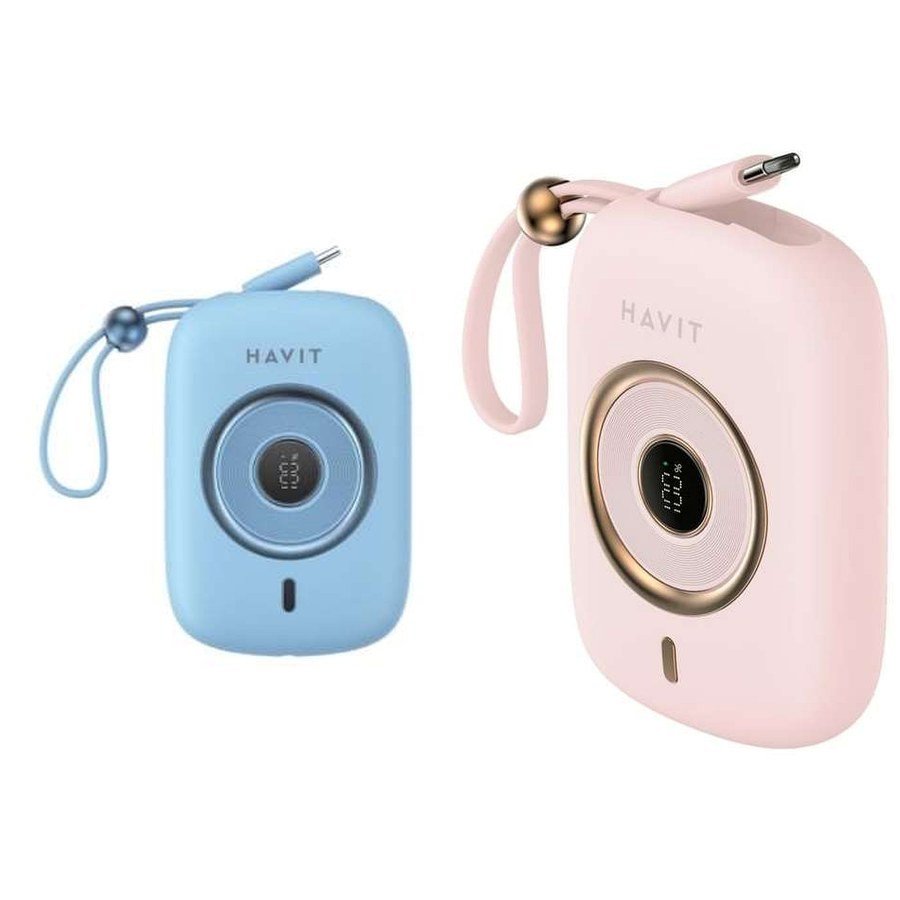
A HAVIT power bank is charged but your phone is not charging, or charging starts and stops? Before replacing the power bank, check the cable, connector, selected output and device charging requirements. A normal USB-C connection can fail even when both devices appear undamaged: the cable may be faulty, the phone may have a contaminated charging port, or the power bank may be in a protective state. This troubleshooting checklist covers HAVIT models such as PB5214, PB37 and PB5224, while noting where features differ by model.
First distinguish four symptoms
Nothing happens when connected: start with power, cables and ports. The phone shows charging but the percentage barely rises: inspect power draw and simultaneous device use. Charging repeatedly cuts out: consider loose connectors, protection against heat, or power-management negotiation. Wireless charging does not start: check alignment, receiver compatibility, case thickness and wireless-standard support. Recording the exact symptom helps avoid unnecessary resetting or returns.
Step 1: Confirm the power bank itself has charge
Read its indicator lights or numeric display using the exact model’s manual. Some power banks enter a low-power or sleep state when no compatible load is detected; their indicators do not always show charge continuously. If the bank has been stored for months, recharge it with the manufacturer-approved input and a suitable wall charger before troubleshooting the phone connection. If the unit is swollen, leaking, unusually hot or smells of chemicals, stop using and charging it immediately. Do not puncture, open or attempt to revive a damaged lithium battery.
Step 2: Try a known-good charging cable
Use a short, undamaged cable known to charge the same phone from another compatible power supply. A USB-C connector can look intact but have broken conductors or worn contacts. Swap the cable before assuming the power bank is defective. Check whether the phone’s port is packed with lint or has bent pins. If cleaning seems needed, follow the device maker’s instructions; do not use sharp metal tools, liquids or compressed air directly into sensitive connectors.
Step 3: Match the right output with the right device
Do not assume all USB-A and USB-C sockets on a power bank work identically. For example, the HAVIT PB5214 supplier sheet names a USB-C PD35W/PPS output, while the PB37 lists USB-C PD up to 65W as part of a different charger/power-bank design. The PB5224 provides a wireless charging option as well as a wired USB-C output. These are different products: your phone must support an appropriate input profile to negotiate fast charging, and a particular port may be intended for input, output or both. Verify labels or the model manual before testing.
Step 4: Understand why a phone can charge slowly
A phone actively running games, navigation or a hotspot can consume much of the electricity supplied to it. The battery percentage may rise very slowly even while the device displays a charging icon. If safe, turn off high-power tasks, lock the screen and allow a few minutes to see whether charging stabilizes. Warm batteries often reduce charging rate to protect themselves; wait for the devices to cool in a dry shaded place. Avoid placing a power bank and phone beneath blankets, inside a hot parked car or in direct sunlight.
Step 5: If wireless charging does not work
Wireless charging requires a compatible receiver and correct alignment, not simply a magnetic attachment. The PB5224 supplier sheet advertises up to 15W wireless output under supported conditions, but it does not prove every phone, case or magnetic accessory supports that maximum. Check the phone actually has wireless charging hardware. Remove thick, metal-containing or unsuitable cases where the manufacturer instructs. Reposition the phone gently so the coils align. If a magnetic alignment ring or adapter is required, confirm that it is intended for the particular model.
Step 6: Test one device at a time
Multiple connected accessories may share the same output budget. A power bank’s headline watts are not necessarily available from each port simultaneously. Disconnect the other devices and test the affected phone alone. If a second compatible phone charges normally on the same cable and port, the issue may be with the original phone or its settings. If neither phone charges from a known-good output but the bank takes a charge, that points more strongly to an output-side problem, subject to testing.
Step 7: Use a careful service threshold
Stop troubleshooting if there is visible damage, unusual battery heat, repeated electrical arcing or a burning smell. Do not use USB test rigs of unknown safety or short output pins. Record the exact HAVIT model/SKU, the port tested, phone model, charging cable, indicator behavior and any error message. The shop or authorized service team can then assess the unit. Do not claim a particular warranty or replacement eligibility without checking the sale terms.
Frequently asked questions
Why is my 65W power bank not charging my phone at 65W?
A phone must request and support the applicable PD profile; many phones do not accept 65W, and high-speed charging often tapers as the battery fills.
Is a magnetic power bank compatible with every iPhone and Android?
No. Wireless charging and magnetic alignment are separate compatibility questions; check both against the phone and accessories.
Can I leave a damaged power bank charging overnight to recover it?
No. Stop using any visibly damaged, swollen or abnormally overheating lithium battery and seek safe handling or recycling advice.
Check the correct HAVIT accessory
Compare PB5214, PB37 and PB5224, or see the HAVIT power-bank buying guide and HAVIT Kenya hub. Infinite Tech is at Rehema House, Standard Street, 1st Floor Shop 2, Nairobi CBD. Call 0720 450 148 with the model code and symptom.
Basis: General safe USB-C charging diagnostics. Exact model types and output distinctions are from the HAVIT November 2026 supplier catalogue, pages 2–3; no hands-on fault diagnosis or guaranteed fix is claimed.
