
HAVIT Bluetooth Headphones Keep Disconnecting from Laptop? Fixes

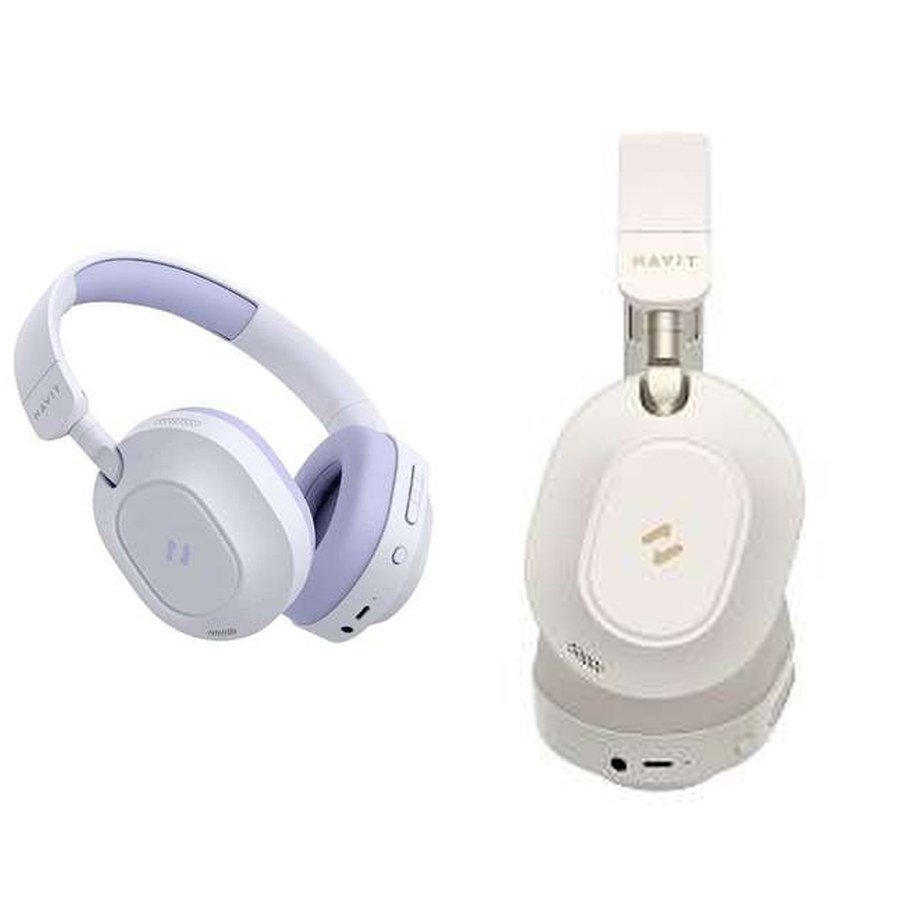
HAVIT Bluetooth headphones can connect to a laptop but repeatedly disconnect, pause or move audio back to the built-in speakers. Sometimes the issue is the laptop’s Bluetooth adapter or power saving; sometimes the headphones reconnect to a nearby phone, or the meeting app changes its audio route. HAVIT H602BT, H612BT, H668BT and H670BT are examples of different Bluetooth headphone models from the November 2026 supplier catalogue. Only some explicitly advertise dual-device use. This guide helps isolate the cause without making up model-specific reset-button combinations.
1. Confirm the actual HAVIT model and how it handles multiple devices
The H602BT is described as Bluetooth 5.4 with AUX, while H668BT specifically lists dual-device connection. These feature descriptions are not interchangeable. A headphone without documented multipoint support may automatically reconnect to the most recently paired phone instead of the laptop. Disconnect or turn off Bluetooth on other trusted paired devices for a controlled test. If the laptop becomes stable, automatic reconnection was likely contributing to the problem.
2. Use the operating system’s selected audio output
On Windows, select the actual HAVIT Bluetooth headphones as the media playback device. In a video-call application, confirm both output and microphone settings separately; the app may default to the laptop microphone while the speakers use the headset. Bluetooth stereo music and Bluetooth hands-free calling can involve different audio profiles with different quality. An apparent “drop” when a call starts may reflect switching modes rather than loss of the entire pairing. Test music and a call separately to identify the pattern.
3. Check Bluetooth range and interference
Bring the laptop and headphones close together, avoiding walls, a crowded USB hub or large metal obstacles. Dense Wi-Fi equipment and several other 2.4GHz peripherals can create intermittent radio conditions. Try another ordinary room and reduce nonessential pairing activity temporarily. The supplier’s Bluetooth-version label is not a guarantee of a particular range through walls, so don’t assume a 5.4 headset must outperform a 5.3 headset under every laptop adapter condition.
4. Review legitimate laptop power settings
Some laptops save energy by suspending idle radio devices. If disconnections occur after sleep, screen-off periods or battery-saver activation, examine the operating system’s relevant power management settings and Bluetooth adapter updates. Avoid disabling broad computer security or downloading driver packages from unknown websites. Use the computer maker’s or operating system vendor’s official driver source, and note that menus vary by Windows version.
5. Check battery charge and physical controls
A nearly depleted headphone battery may shut the unit down or disconnect when the radio/audio amplifier is active. Recharge with a suitable cable and power source according to the manual. Also check whether accidental touches on a power or mode key are turning Bluetooth off or switching to AUX. The supplier lists different batteries and advertised runtimes across H602BT, H612BT, H668BT and H670BT, but those numbers do not establish the actual condition of a particular ageing battery.
6. Remove a stale pairing only when needed
If the device repeatedly connects and fails, remove only its saved Bluetooth entry from the laptop, then pair again through the model’s documented procedure. Don’t delete unrelated headphones or reset every Bluetooth device. If the headset has separate audio or call profiles, verify the correct one is active. Manufacturer reset instructions differ by model, and the November price catalogue does not provide a universal sequence such as “hold for 15 seconds.” Avoid random reset recipes.
7. Test with another trusted device
If the headphones stay connected to a phone but drop only on one laptop, the computer’s adapter, software or network conditions become more likely causes. If the same headset drops across multiple compatible devices at close range and after normal charging, the headset may have a hardware or firmware problem. Document the exact model, laptop operating system, whether drops occur during calls or music, and any error message before seeking service.
8. When Bluetooth isn’t the right connection
Some HAVIT models such as H602BT include an AUX audio connection. For devices supporting a compatible analog headset output, AUX can be an option to test sound playback without Bluetooth. However, a cable may not transmit microphone audio unless the model and plug wiring support it. Don’t assume a particular headphone will work as a wired gaming headset or console microphone simply because it has a 3.5mm socket.
Frequently asked questions
Why does my headset work for music but drop during Teams or Zoom calls?
Bluetooth calling profiles, app audio selection and microphone routing may differ from stereo media playback.
Will changing Bluetooth 5.3 to 5.4 fix the issue?
Version labels alone cannot establish the cause or a guaranteed solution.
Does H668BT allow two simultaneous connections?
The source advertises dual-device connection; verify exact behavior and phone/laptop compatibility in the manual.
Read the HAVIT advanced headphone comparison, the headphone buying guide and the HAVIT hub. Infinite Tech: Rehema House, Standard Street, First Floor Shop 2, Nairobi CBD. Call 0720 450 148.
Source: HAVIT November 2026 supplier catalogue, headphone pages, for product features. Connection troubleshooting is general Windows/Bluetooth guidance, not an independent model-compatibility test.
