
Surface Pro 7+ SSD Upgrade vs Surface Pro 7: Removable Storage Explained

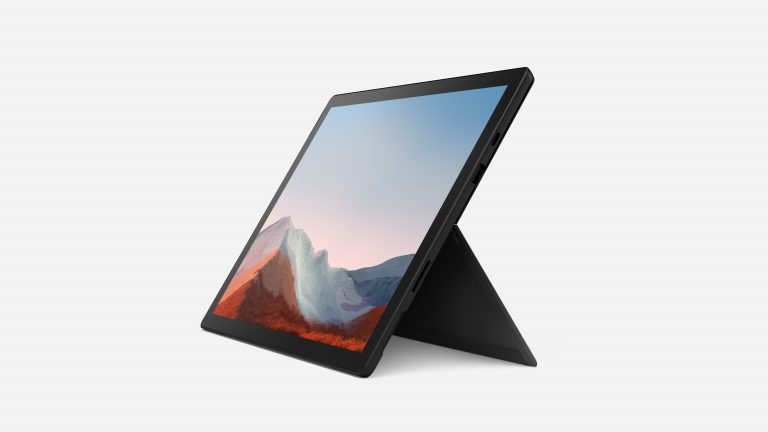
Surface Pro 7+ SSD Upgrade vs Surface Pro 7: Removable Storage Explained addresses a practical buying question for Kenyan customers. The model name alone rarely identifies every useful detail: exact RAM, SSD size, Windows support, charger, battery health and included keyboard or pen must be verified before deciding.
Relevant Microsoft Surface products at Infinite Tech
| Listing and configuration | Advertised price |
|---|---|
| Surface Pro 7+ Core i5 8GB/128GB | KSh 45,995 |
| Surface Pro 7 Core i5 8GB/128GB | KSh 42,995 |
Prices are the store listings as checked on 9 November 2026, subject to current stock and exact condition.
Product model photographs
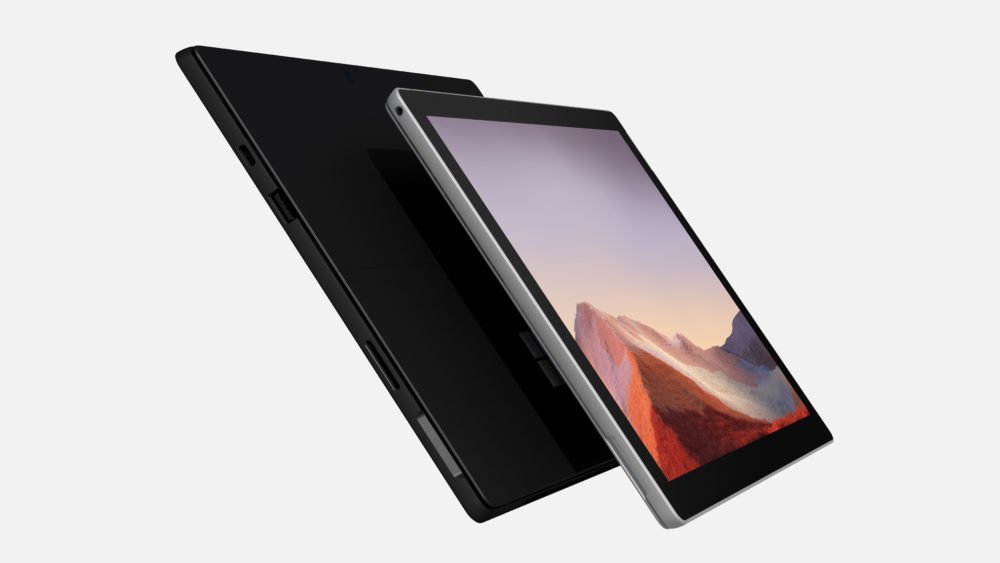
What is physically different?
Surface Pro 7+ has a removable SSD access arrangement, whereas the standard Surface Pro 7 is not designed around the same simple removable SSD access. That does not mean every replacement SSD will fit or work. Identify the precise Pro 7+ SKU and compatible M.2 form factor before buying components. Avoid opening a device without suitable tools or a trained technician.
Prepare before any storage work
Back up important documents to separate storage or encrypted cloud space. Verify that BitLocker recovery keys are accessible and that the installed operating system is activated. On a work-managed device, consult the organisation’s IT administrator first. Disconnect power; service guidance and electrostatic precautions matter.
Which configuration should you buy?
A Pro 7 i5 8GB/128GB is advertised at KSh 42,995; the Pro 7+ i5 8GB/128GB is KSh 45,995. The extra KSh 3,000 also buys an 11th-generation Intel platform. If your storage needs exceed 128GB, factor the price of replacement components and labour, not just the removable SSD label.
Additional technical checks before purchase
Check Windows Device Manager and Disk Management before assuming a storage fault. A slower computer is not necessarily suffering from a failed SSD; excessive background activity, low remaining free space and limited RAM can look similar.
Confirm the precise model in Windows System Information, run a battery health check where appropriate, inspect the display and touch response, and test the supplied charger. Check with the software publisher for any specialized Windows/driver support instead of relying only on retailer descriptions. Refurbished devices may have replacement components, wear and variable battery capacity; each unit should be evaluated individually.
Common questions from Nairobi shoppers
Do these Surface configurations include a keyboard or pen?
Not necessarily. Surface Type Covers and Pens differ between product generations, and a reference image showing an accessory does not confirm that it is included.
Is the price a complete working package?
Confirm charger, keyboard, pen, warranty, device grade and any additional delivery costs. Compare the complete purchase price with other laptops on the market.
How can I confirm Windows 11 eligibility?
Consult Microsoft’s official list of compatible Surface models and Windows 11 PC Health Check on the specific device. Installing unsupported software is not equivalent to an officially supported upgrade.
Can Infinite Tech help verify the hardware?
Ask for the precise processor, RAM, SSD, battery report, screen and keyboard test, charging status and warranty details before delivery.
More useful comparisons and buying links
See our Surface price and accessory guide, Surface battery health checklist, keyboard and pen compatibility guide and Microsoft Surface buying guide centre. Compare other laptops for ergonomics and value.
Visit Infinite Tech at Rehema House, Standard Street, Nairobi CBD, first floor Shop 2; call 0720450148 to discuss available configurations.
Manufacturer specifications and support policies: Microsoft Surface Support. Verify current guidance and the actual unit before purchase.
Safe preparation for a Surface Pro 7+ SSD upgrade
- Verify the product generation: Check Windows System Information and the physical model identifier; regular Pro 7 and Pro 7+ have different service designs.
- Back up before opening: Copy the important personal and business files to a separate verified backup destination. Record or safely store BitLocker recovery information.
- Check the compatible part: Ask a qualified Surface technician for the precise removable SSD type and capacity supported by the individual machine. Do not order a generic M.2 SSD by appearance alone.
- Protect system and data: Switch the device off and disconnect charging. Handling batteries, storage and electrostatic-sensitive components requires suitable tools and training.
- Verify after service: Check BIOS/UEFI recognition, Windows activation, drive size, system health and recovery. Request a written service warranty and ensure removed storage is handled securely.
Example buyer decision
If you only need occasional external document storage, a compatible USB drive or cloud storage may be cheaper than an internal SSD replacement. Compare long-term backup and security needs before paying for a technician.