
Core i7 10th vs 11th vs 12th Generation for Office Work and Coding in Kenya

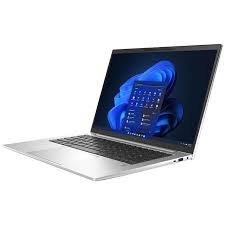
Quick answer: Compare the full processor model and complete laptop, not only the Core i7 generation. A newer platform can offer useful changes, but performance also depends on processor class, cooling, memory and software. Choose the configuration that handles your work at a sensible total price; no generation is the automatic winner for every task.
Put generation in the full buying decision: The existing programming laptop guide and computer science and Python laptop guide compare the rest of the working setup, including RAM, storage and application needs.
Why the full processor code matters
Core i7 is a product tier used across many processor families. Generation helps identify the period and architecture, but it does not give a complete performance specification. Mobile processors within the same generation can have different core counts and power classes. The laptop’s cooling and power configuration also affect what the processor can sustain.
Ask for a code such as i7-10610U, i7-1165G7 or i7-1265U, then check the manufacturer reference. Those codes below are examples, not a claim that every linked laptop contains that exact CPU. Where a catalogue page states only Core i7 and a generation, confirm the suffix on the offered unit.
Three processor examples: what actually changes
| Processor example | Generation | Cores / threads | Useful distinction |
|---|---|---|---|
| Core i7-10610U | 10th | 4 / 8 | One example of a mobile business processor from this generation |
| Core i7-1165G7 | 11th | 4 / 8 | A newer design does not necessarily mean more CPU cores |
| Core i7-1265U | 12th | 10 / 12 | Two performance cores plus eight efficient cores |
Lenovo’s T14s Gen 1 Intel reference documents the first example, while Intel documents the latter two. Different core types and architectures mean you cannot convert those counts into a simple speed multiplier. These figures describe processor specifications, not measured results from our individual machines.
For office work and finance: identify the constraint
Email, browser applications, presentations and routine spreadsheets may not keep a modern mobile CPU fully occupied. In that situation, sufficient RAM, an SSD, a comfortable display and a healthy battery can improve the working experience more than selecting a generation label in isolation. Test your actual application mix.
Large spreadsheet calculations or analytical refreshes can be more demanding. Whether they benefit most from a newer CPU or more memory depends on the workbook, data model and software. Use the Power BI and large Excel guide and bring a representative non-sensitive task when comparing offers. Avoid assuming every accounting package needs the same hardware.
For coding: distinguish local work from remote work
Editing code, browsing documentation and connecting to a remote environment can place different demands on a laptop from compiling a large project locally. Containers, databases and virtual machines can compete for both CPU and memory. Record the services you need running simultaneously and measure your present bottleneck if possible.
If local compilation is the priority, compare a representative build under similar power conditions. If memory pressure causes slowdowns, 32GB may matter more than a modest CPU change. The 16GB versus 32GB RAM guide helps with that choice, while Developer Pro connects it to the current shortlist.
Three catalogue examples from different generations
| Exact configuration | Listed price |
|---|---|
| ThinkPad T14s i7 10th Gen, 32GB/512GB, Touch | KSh 53,500 |
| Dell XPS 13 9310 i7 11th Gen, 32GB/512GB, Non-Touch | KSh 59,000 |
| HP EliteBook 840 G9 i7 12th Gen, 32GB/512GB | KSh 70,000 |
Website price snapshot checked 21 October 2026. These pages were marked in stock at the check; confirm the available unit and current price before ordering.
The linked T14s 10th Gen, XPS 13 9310 11th Gen and EliteBook 840 G9 12th Gen all specify 32GB RAM and 512GB SSDs. Their checked listed prices are KSh 53,500, KSh 59,000 and KSh 70,000. They also differ in screen, ports, format and individual condition. This is a buying shortlist, not a controlled processor benchmark.
Ask for the full CPU code on each available machine. Compare the price difference with the tasks you need to finish, not with the generation number alone. The T14s versus XPS comparison adds the port and display trade-offs that a CPU table cannot capture.
Cooling, graphics and power can change the result
A thin mobile laptop and a larger performance laptop can use different power limits even when both carry Core i7 branding. Sustained work can be affected by cooling condition, fan behaviour, power adapter and performance settings. Compare machines under the conditions you intend to use, including whether they are plugged in.
Graphics requirements are another decision. An integrated GPU and a dedicated workstation GPU are not interchangeable merely because the CPU is an i7. If your software specifies a GPU model, driver or video-memory requirement, verify those details independently. More system RAM does not create a dedicated graphics card.
Supported software and the final buying rule
Confirm Windows 11 eligibility and a supported installed release where your business requires Windows. Processor support is only one part of eligibility; firmware, TPM 2.0 and Secure Boot capability also matter. An operating system being installed does not prove that the device meets all official requirements.
Choose the lowest-cost complete configuration that comfortably covers your current work and reasonable growth, with acceptable condition and written support terms. Pay more for a newer generation when its verified capabilities benefit your workload or ownership plan. Do not pay solely for a higher number, and do not reject a newer processor because an older machine also says i7.
Frequently asked questions
Is a 12th Gen i7 always faster than every 10th Gen i7?
No. Compare full CPU codes, processor class, sustained cooling and the workload.
Do all 10th Gen i7 laptops have four cores?
No. Processor models vary. The i7-10610U example in this guide has four cores and eight threads.
Does the i7-1165G7 have more CPU cores than the i7-10610U?
Both examples have four cores and eight threads, although their designs and other capabilities differ.
How many cores does the i7-1265U example have?
Intel specifies ten cores: two performance cores and eight efficient cores, with twelve threads.
Are these the confirmed processors in all three linked offers?
No. The processor examples explain the generations. Obtain the exact CPU suffix for each offered laptop.
Should a programmer choose more RAM or a newer CPU?
Identify the bottleneck. Memory-heavy local environments and CPU-heavy builds can need different upgrades.
Does 32GB RAM make any i7 suitable for 3D work?
No. GPU, CPU, application requirements and the size of the task still matter.
Can I compare laptops by advertised turbo frequency alone?
No. Architecture, sustained power, core configuration and workload also affect performance.
Does generation prove Windows 11 eligibility?
No. Check official processor eligibility and the machine’s other requirements using the appropriate tools.
Are percentage speed gains claimed here?
No. This guide provides documented specifications and buying advice, not unit-specific benchmark results.
Related professional laptop guides
- Infinite Pro configurations
- RAM for development environments
- Laptops for analytical work
- Premium refurbished versus new budget laptops
Manufacturer and software references
- Lenovo PSREF: ThinkPad T14s Gen 1 Intel specifications
- Intel Core i7-1165G7 specifications
- Intel Core i7-1265U specifications
- Microsoft Windows 11 requirements
This guide compares listed configurations and published model references; it does not report hands-on benchmarks or certify individual units. Read our laptop review methodology.
Compare your shortlist in Nairobi
Visit Infinite Tech, Rehema House, Nairobi, or call 0720450148. Share your software, budget and travel needs for a quotation covering the exact configuration. We are open Monday–Saturday, 8:30 AM–7:30 PM. Check the warranty terms and delivery information before ordering.
2 thoughts on “Core i7 10th vs 11th vs 12th Generation for Office Work and Coding in Kenya”
Comments are closed.