
Premium Refurbished vs New Budget Laptops in Kenya: Buying for Professional Work

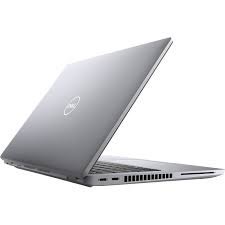
Quick answer: A premium refurbished business laptop can offer strong professional features at an accessible price, while a new budget laptop may offer a simpler ownership history and new-unit warranty. Compare the actual specifications, condition, support terms and total cost. Neither age nor the Core i7 badge alone establishes the better purchase.
Compare two actual offers at the same total budget
Start with the work you need to do: accounting, software development, office applications, presentations or travel. Then compare a specific refurbished or used offer against a specific new machine within the same overall budget. Include RAM and SSD capacity, display, accessories, software licences and the support being sold. A broad category label cannot replace a quotation for an individual unit.
The Infinite Pro collection groups selected business configurations. Confirm the condition of each offered machine; its inclusion in a collection does not certify refurbishment, remaining manufacturer warranty or battery health. For wider market context, use the existing HP new versus refurbished buying guide.
What premium business designs can offer
Business model families such as ThinkPad, Latitude and EliteBook can be worth considering for keyboard layout, desk connections, portability and service documentation. Evaluate those features on the exact model. Some designs have onboard memory, some have replaceable modules, and available screen options differ within a family.
A buyer who types reports all day may value a good keyboard and a comfortable display more than a decorative chassis. Someone connecting a projector and older accessories may save on adapters by choosing appropriate built-in ports. These are practical reasons to consider a professional model; they do not establish that every used business laptop is better than every new entry-level laptop.
When a new budget laptop is the better fit
A new machine can make sense when its specifications already cover your workload and its documented new-unit warranty matches your expectations. Buyers who want a predictable cosmetic condition or a particular current model may prefer this route. Check the written terms and the responsible service provider rather than assuming all retailers offer the same coverage.
Read the actual CPU model, installed memory and storage technology. An entry-level processor with a limited configuration should not be compared only by manufacture date with a more capable older machine. Conversely, a newer efficient processor may be an excellent fit for office work. Evaluate the specific pair of offers rather than using age as the deciding rule.
Check RAM and storage before looking at the badge
For professional multitasking, 16GB can be a sensible starting point; larger local development environments or analytical workloads may justify 32GB. Actual requirements depend on your applications and project sizes. Read the programming RAM guide and Power BI and Excel guide to see which constraint you are trying to solve.
For storage, verify that the offered capacity is an SSD and check its condition. A 512GB SSD can be sufficient for documents and moderate project storage; multiple VMs and local datasets can justify 1TB. A RAM upgrade and an SSD upgrade are different operations, with different compatibility requirements. Budget for a verified upgrade rather than a verbal assumption.
The inspection that makes a used offer credible
Inspect the display for defects, test every keyboard key and check the hinges, camera, microphone, wireless connection and charging ports. Review battery capacity and SSD health, and ensure the charger is appropriate. Confirm that firmware passwords and previous organisation management do not prevent legitimate use of the machine.
Ask what refurbishment work was actually completed and what the condition grade means. Cosmetic labels do not establish battery runtime or internal service history. Keep the agreed configuration, serial or asset identification, accessories and commercial terms on the quotation. A request for evidence is more useful than accepting an unsupported all-day-battery or workstation-performance claim.
Operating-system support and software costs
Microsoft ended standard Windows 10 support on 14 October 2025. For a professional purchase, plan for a supported operating system and confirm the machine meets the relevant requirements. Windows 11 eligibility involves more than RAM: processor support, TPM 2.0 and Secure Boot capability also matter. Extended support arrangements are separate from a normal hardware purchase.
An installed application is not evidence of a valid licence. Check whether Windows, Office, accounting software or business subscriptions are included and licensed for your use. Finance teams should also confirm their exact QuickBooks, Sage or other application version and deployment method before selecting hardware.
Real catalogue examples and a buying decision
| Exact configuration | Listed price |
|---|---|
| Dell Latitude 5420 i7-1185G7, 16GB/512GB, 14-inch HD | KSh 42,500 |
| ThinkPad T14s i7 10th Gen, 32GB/512GB, Touch | KSh 53,500 |
| Dell XPS 13 9310 i7 11th Gen, 32GB/512GB, Non-Touch | KSh 59,000 |
Website price snapshot checked 21 October 2026. These pages were marked in stock at the check; confirm the available unit and current price before ordering.
These examples were listed at KSh 42,500, KSh 53,500 and KSh 59,000 respectively. They are configuration and price references, not proof of identical unit condition. Compare any new alternative against the same checklist. Choose refurbished or used when the verified specification, condition and support provide the better overall fit. Choose new when the quoted configuration and ownership terms better match your priorities.
For a company buying several machines, the corporate procurement checklist adds quantity, acceptance and support questions. The aim is a laptop that works well for your actual job at a cost you can justify.
A condition-specific price comparison
These two catalogue entries make the ownership choice more concrete. Their prices were checked on 21 October 2026; follow the links for current prices and confirm the exact supplied unit.
| Offer | Listed configuration | Condition evidence | Price checked |
|---|---|---|---|
| HP EliteBook x360 1030 G7 | Core i7, 16GB RAM, 512GB SSD | Listed in the refurbished range; grade to confirm | KSh 54,995 |
| HP 14s-dq5001nia | Core i3-1215U, 4GB RAM, 256GB SSD, 14-inch HD | Listed in the Brand New category | KSh 62,000 |
These are different models and configurations, so the KSh 7,005 price gap is not a same-model refurbishment discount or a CPU speed comparison. The EliteBook offers more listed RAM and storage, while the HP 14s may appeal when new condition is a priority. Compare actual battery evidence and written support terms.
The HP 14s specification lists FreeDOS; confirm the operating system and application costs for your intended setup. Its current title and specification table state 256GB, although the older product URL contains “512GB”. Obtain written capacity confirmation before payment.
From condition checks to a confident purchase
Combine this ownership comparison with business features worth paying for, the professional shortlist under KSh 60,000 and the first-professional-laptop guide. Confirm the specific unit and the complete price before choosing.
Frequently asked questions
Is a refurbished laptop always cheaper than a new laptop?
No. Compare exact configurations and current prices, including upgrades, accessories and support.
Does refurbished mean the battery is new?
No. Ask for the refurbishment details and the actual battery condition; replacement is not implied.
Is every Infinite Pro laptop refurbished?
No blanket condition claim is made. Confirm whether the exact offered unit is new, used or refurbished.
Is an older Core i7 always better than a new Core i3 or i5?
No. Full CPU model, generation, power class and workload matter more than the badge alone.
Should an accountant choose 16GB or 32GB?
Choose by the software, workbook size and applications used together. Ordinary tasks and larger analytical models have different needs.
Can all business laptops be upgraded?
No. Some have soldered memory and storage options vary. Check the service documentation for the exact machine.
Does installing Windows 11 prove a laptop is supported?
No. Verify official eligibility and the installed supported version; installation alone does not establish compatibility.
Are software licences included with the purchase?
Only if the product description or quotation explicitly includes valid licences for the intended use.
Which warranty should I expect?
Use the written terms for the specific offer. A factory warranty listed in a model brochure may have expired.
What is the most useful final check?
Try a representative task on the offered unit and confirm its configuration, condition, accessories and support in writing.
Related professional laptop guides
- Infinite Pro business collection
- Understanding Core i7 generations
- 512GB versus 1TB SSD
- Corporate laptop buying checklist
Manufacturer and software references
This guide compares listed configurations and published model references; it does not report hands-on benchmarks or certify individual units. Read our laptop review methodology.
Compare your shortlist in Nairobi
Visit Infinite Tech, Rehema House, Nairobi, or call 0720450148. Share your software, budget and travel needs for a quotation covering the exact configuration. We are open Monday–Saturday, 8:30 AM–7:30 PM. Check the warranty terms and delivery information before ordering.
4 thoughts on “Premium Refurbished vs New Budget Laptops in Kenya: Buying for Professional Work”
Comments are closed.