
Microsoft Surface for University: Notes, PDFs, Assignments and Online Classes

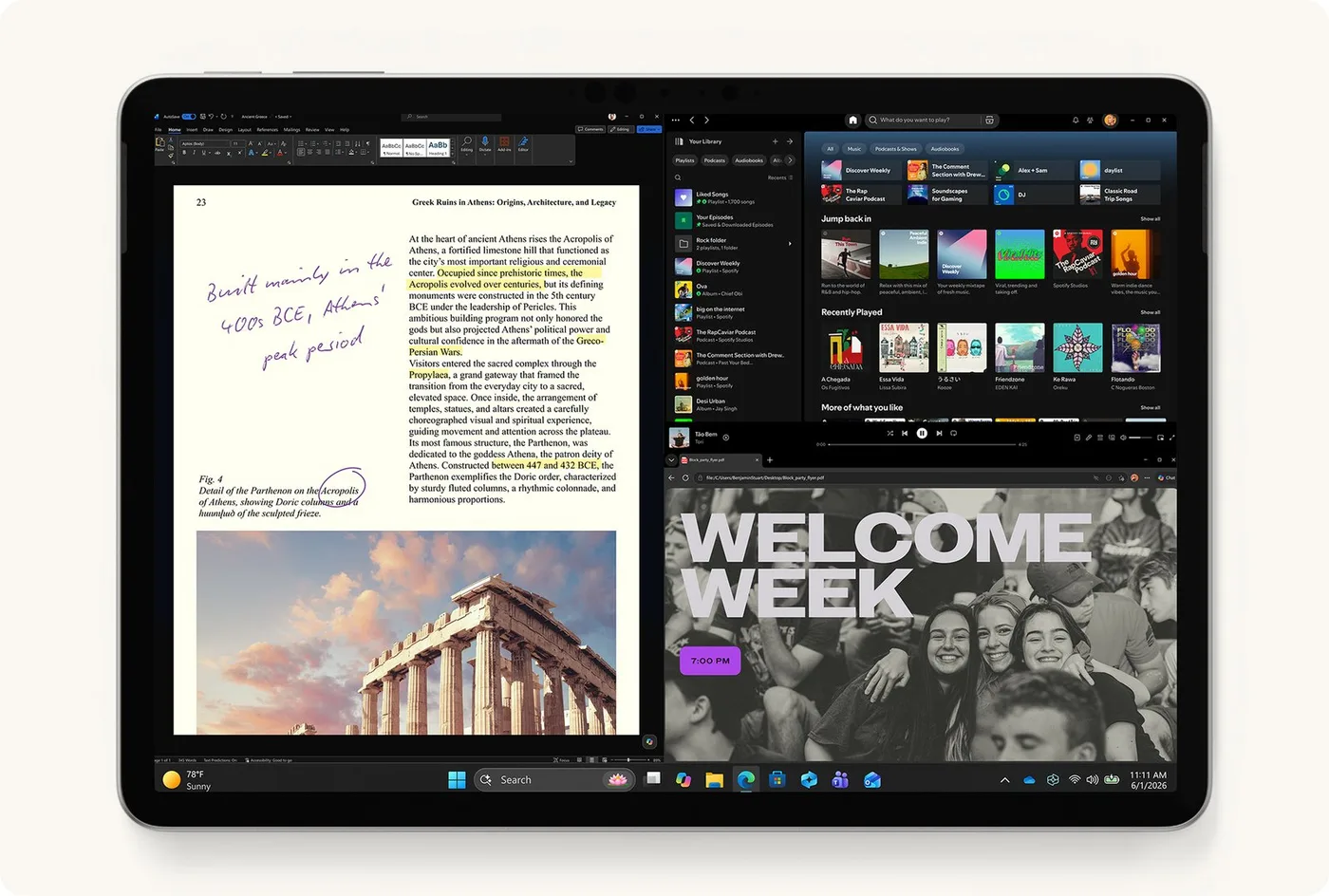
A Microsoft Surface can be useful at university when its actual configuration supports the course applications, online classes and preferred note-taking method. Pen, keyboard and processor compatibility should be checked before buying in Kenya. A device-only price or a general claim that Surface is good for students does not establish that the complete academic setup is ready.
Catalogue and references checked: 20 October 2026. Prices below are Infinite Tech catalogue asking prices for the stated configuration. Confirm the actual unit, availability, accessories and written warranty before payment.
Use the university laptop buying guide to identify course-specific requirements. The Surface Pro vs Surface Laptop guide compares the two different form factors.
For research workflows, consult the postgraduate laptop guide. Check the Surface keyboard and pen compatibility guide before planning a note-taking setup.
Microsoft Surface for university: course and accessory needs
| Choice | What to compare | Buying implication |
|---|---|---|
| Notes and PDFs | Compatible pen, supported app and comfortable screen positions | Test the actual writing workflow |
| Assignments and calls | Keyboard, webcam, microphone, memory and software | Check the course and examination requirements |
| Budget | Device plus only the accessories actually needed | Confirm package contents and compatibility |
Start with the course and examination software
Ask the department for the current required applications, operating systems and hardware guidance. Include examination or proctoring tools, VPNs, specialist plugins and laboratory peripherals. A Surface that handles lecture documents well is not automatically suitable for every technical course.
Identify whether the proposed unit is Intel-based or runs Windows on Arm, then check the exact publisher-supported arrangement. Emulated application support does not settle every driver requirement. If an essential component has no practical supported route, compare another verified laptop before payment. The course requirements should filter the shortlist before the appeal of handwriting or tablet mode.
Try handwriting and PDF annotation with the correct pen
Microsoft’s pen compatibility table lists supported devices and features. Ask which exact pen works with the proposed Surface and whether it is included. Pen attachment, storage, charging and writing support are separate details, so do not infer a complete package from a photograph.
Open the note-taking or PDF application you intend to use. Try a page of notes, palm placement and the screen positions used in class. Also consider file organisation and backup. A handwriting demonstration is most useful when it resembles the actual lecture workflow, not merely a few marks on an empty canvas.
Give typing and online classes equal attention
Try a real assignment with the compatible keyboard and touchpad. Test the Surface on the kind of desk or lap arrangement used in lectures or hostel study. A detachable setup can be flexible but should still be comfortable for longer typing sessions.
Join a short call to check webcam, microphone, speakers and wireless behaviour. Consider the supported display or projector connection and the adapter required for presentations. Screen size, memory and available storage should be chosen for the actual coursework and normal multitasking. A pen-capable device with an unsuitable keyboard or unsupported application is not a complete university solution.
Budget for the whole academic setup
Confirm the device, compatible keyboard, pen where needed, suitable charger and any case or display adapter in one written quote. Do not add a separate accessory if it is already included, and do not assume a generic Surface keyboard fits every generation. The 12-inch model has its own compatibility requirements.
For a used unit, inspect battery capacity information, charging, screen, kickstand and keyboard condition. Verify normal personal setup and written warranty. Include required software and dependable backup storage in the budget. If handwriting is optional and funds are tight, compare a conventional laptop with the required performance instead of sacrificing course compatibility for a feature that will see little use.
Real Infinite Tech catalogue examples
These links lead to individual listings, not a promise that every model in the wider family is available. Compare the complete configuration rather than the processor badge alone.
| Exact listing | Listed price | Next check |
|---|---|---|
| Microsoft Surface Pro 12-inch Copilot+ PC Snapdragon X Plus 16GB RAM 512GB SSD | KSh 187,500 | Confirm unit condition, exact components and what is included |
| Microsoft Surface Pro Keyboard 12-inch | KSh 30,500 | Confirm unit condition, exact components and what is included |
| Microsoft Surface Pro Keyboard 12-inch with Pen | KSh 54,500 | Confirm unit condition, exact components and what is included |
| Microsoft Surface Pro 9 (QIY-00007) Intel Core i7 12th Gen 16GB RAM 512GB SSD 13 Inches Multi-Touch Windows 11 Pro Platinum | KSh 250,000 | Confirm unit condition, exact components and what is included |
A practical buying decision
Choose Surface for university when the verified applications, pen workflow, typing comfort and complete price fit the course. Keep exam software and processor architecture checks ahead of optional accessories, and test the actual setup before ordering.
Frequently asked questions
Does every course work with every Surface?
No. Check the department’s exact software and platform requirements.
Is the pen required for ordinary assignments?
Not always. Buy it when the supported handwriting or annotation workflow is useful.
Is a pen holder proof that a pen is included?
No. Confirm the written package.
Can I ignore the keyboard cost when comparing a Surface Pro with a laptop?
No. Include the compatible keyboard if typing is part of the intended use.
Related Infinite Tech buying pages
More Microsoft Surface buying guides
- Microsoft Surface Prices in Kenya: Include the Keyboard, Pen and Charger
- Surface Pro vs Surface Laptop: Which Fits Your Daily Work?
- Surface Keyboard and Pen Compatibility: A Guide by Exact Model
Manufacturer references and research method
This is a research-based buying guide, not a hands-on test or a benchmark report. Manufacturer references describe supported options; the linked catalogue identifies the configuration being offered. Model-specific details should be matched to the full product code or service tag.
- Microsoft: Surface Pro 9 features and specifications
- Microsoft: Surface Pen compatibility
- Microsoft: Surface keyboards and Type Covers
- Microsoft Surface Pro 12-inch first-edition features
- Microsoft Windows Arm-based PCs FAQ
Confirm your laptop with Infinite Tech
Contact Infinite Tech at Rehema House, Nairobi, on 0720450148. Ask for the full model code, a written specification and the applicable warranty. Read warranty information, delivery information and contact Infinite Tech before placing an order.