
MacBook Air M1 vs M2 vs M3 vs M4: Comparing the Upgrade Options

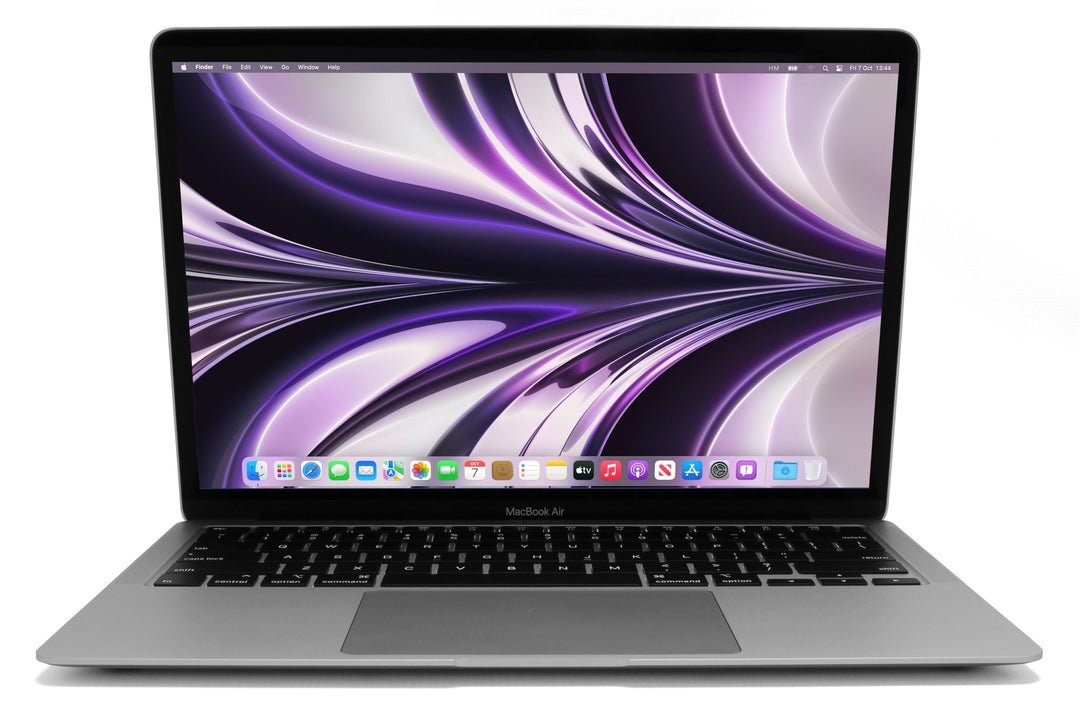
Comparing MacBook Air M1, M2, M3 and M4 in Kenya should begin with memory, storage, screen size and the exact price of each offer. These four generations are not the complete current Apple lineup, and a newer chip alone does not decide the best-value purchase. This guide focuses on the named generations using manufacturer specifications and real catalogue links.
Catalogue and references checked: 20 October 2026. Prices below are Infinite Tech catalogue asking prices for the stated configuration. Confirm the actual unit, availability, accessories and written warranty before payment.
Start with the university laptop guide to set your course requirements. The MacBook memory comparison helps separate a chip-generation change from the RAM capacity you actually need.
For media work, use the video-editing laptop guide to define the project requirements. Compare 13-inch and 15-inch Air designs separately when working space and portability matter.
MacBook Air M1, M2, M3 and M4 at a glance
| Choice | What to compare | Buying implication |
|---|---|---|
| M1 Air | Older design; identify installed memory and storage | Useful to assess against a lower budget and current app support |
| M2 / M3 Air | Different display-size and configuration options | Compare equal capacity and the exact supported connections |
| M4 Air | Check the specific size, memory and display requirements | Assess the premium using your actual workflow |
Compare equal capacity before interpreting the generation step
The examples below are not identical configurations. The M1 example lists 16GB/256GB, the linked M2 example is an 8GB/512GB configuration, and the M3 listing needs its full memory and storage confirmed. A direct price ranking that hides those differences would be misleading.
Ask for the complete chip, memory, SSD and model identification on the quotation. If an older generation has more memory or a larger drive, decide whether that difference matters more to the work than the newer chip. The colour or model-year label does not create an equivalent configuration. Confirm the actual unit condition as well, particularly when comparing used and newer offers.
Choose the screen and connection arrangement you need
Air sizes and display specifications changed across the generations and variants. Apple’s technical references describe the options, but the catalogue offer must still identify the exact model. Test normal text scaling, spreadsheet space and the physical size you will carry.
External-display support is also model-specific. Check the exact number, resolution and operating conditions supported by the Mac, together with the adapter or dock required. Do not transfer a connection claim from an M4 to an M1 or from a different screen size without checking the specification. Include the needed accessory cost before deciding that a newer model’s premium is justified.
Use a realistic workload instead of an invented speed ranking
List the applications and tasks that actually matter: study documents, calls, development tools, photo work or larger creative projects. Then check current publisher support and capacity requirements. A newer generation can offer useful changes, but this guide does not claim measured battery, export or rendering results for the listed units.
Try a representative file or project where possible. Keep power conditions, application version and hardware configuration visible when comparing demonstrations. A result from a differently configured review machine is not a measurement of the laptop being sold. Focus on whether the candidate is comfortable for the normal workload and expected near-term needs.
Inspect used condition and compare the complete price
Review battery health and cycle information together, test charging and inspect keyboard, trackpad, screen and ports. Ask about known repairs and confirm legitimate normal setup, including ownership and organisational restrictions where applicable. For a unit sold as new, match the actual box code and specification to the invoice.
Add the suitable charger, display accessories, software and backup storage to the total. Choose unified memory deliberately because it is not an ordinary later socketed upgrade. Recheck the live product prices before payment. Older listings can have surprising price differences, so request a current written quote rather than assuming a higher catalogue figure proves a better or newer configuration.
Real Infinite Tech catalogue examples
These links lead to individual listings, not a promise that every model in the wider family is available. Compare the complete configuration rather than the processor badge alone.
| Exact listing | Listed price | Next check |
|---|---|---|
| Apple MacBook Air M1 2020 16GB Unified Memory 256GB SSD | KSh 77,500 | Confirm unit condition, exact components and what is included |
| Apple MacBook Air M2 13.6-inch 8GB 512GB 10-Core GPU Starlight (MLY23) | KSh 99,995 | Confirm unit condition, exact components and what is included |
| Apple MacBook Air 15-inch (M3, 2024) | KSh 172,000 | Confirm unit condition, exact components and what is included |
| Apple MacBook Air M4 Chip 16/256GB | KSh 175,000 | Confirm unit condition, exact components and what is included |
A practical buying decision
Choose among M1, M2, M3 and M4 after normalising capacity, screen size, supported connections and condition. Pay for a generation change when its verified advantages help your work. This comparison does not label M4 as the newest available Apple model.
Frequently asked questions
Is this a list of every current MacBook Air generation?
No. It compares the four generations named in the title.
Can an 8GB M2 and a 16GB M1 be treated as the same capacity?
No. Memory and storage differences must remain part of the comparison.
Are external-display capabilities identical across M1 to M4?
Do not assume it. Read the exact model’s specification.
Does a higher catalogue price prove a faster laptop?
No. Confirm the configuration, condition and a current written quotation.
Related Infinite Tech buying pages
- Laptop Knowledge Centre
- Compare all laptops
- MacBook catalogue
- Best Laptops for Video Editing in Kenya 2026
More MacBook buying guides
- MacBook Prices in Kenya: New vs Used Buying Guide
- 8GB vs 16GB vs 24GB MacBook Memory: What Does Your Work Require?
- 13-Inch vs 15-Inch MacBook Air: Portability or More Screen Space?
Manufacturer references and research method
This is a research-based buying guide, not a hands-on test or a benchmark report. Manufacturer references describe supported options; the linked catalogue identifies the configuration being offered. Model-specific details should be matched to the full product code or service tag.
- Apple MacBook Air M1 specifications
- Apple MacBook Air M2 specifications
- Apple MacBook Air M3 specifications
- Apple MacBook Air 13-inch M4 specifications
Confirm your laptop with Infinite Tech
Contact Infinite Tech at Rehema House, Nairobi, on 0720450148. Ask for the full model code, a written specification and the applicable warranty. Read warranty information, delivery information and contact Infinite Tech before placing an order.
One thought on “MacBook Air M1 vs M2 vs M3 vs M4: Comparing the Upgrade Options”
Comments are closed.