
MacBook Air vs MacBook Pro for Students and Professionals

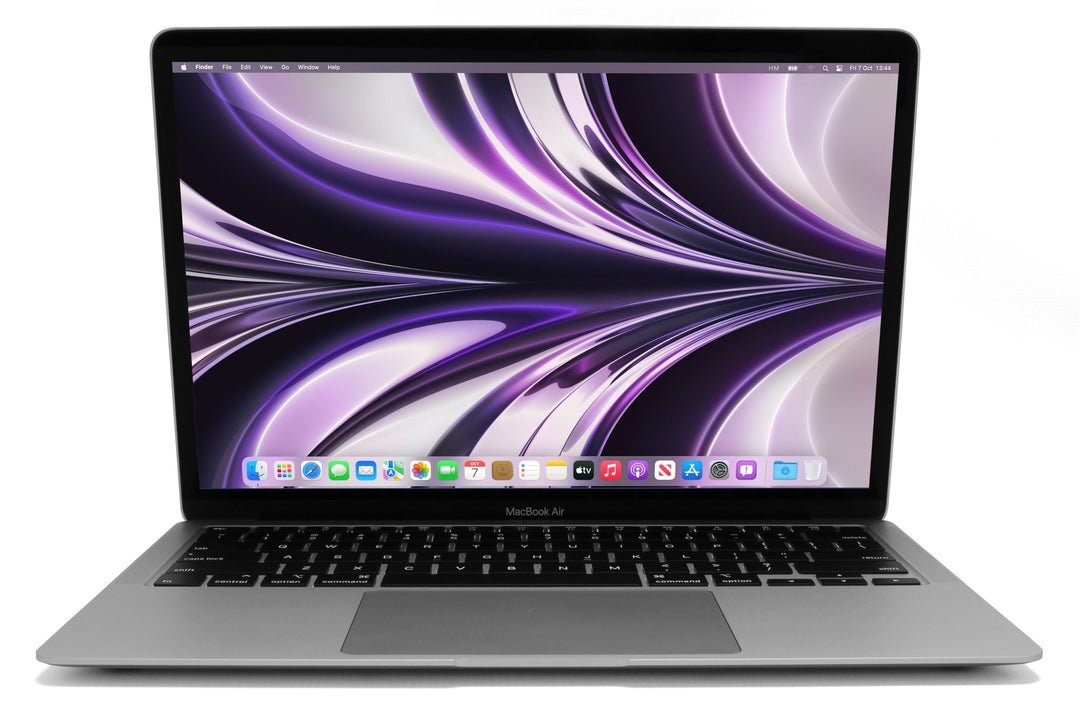
MacBook Air versus MacBook Pro is a useful comparison only when the generation and configuration stay visible. For students and professionals in Kenya, the right choice depends on the application workload, memory, display needs, portability and complete price. A Pro label alone does not establish that an older machine is a better purchase than a newer Air.
Catalogue and references checked: 20 October 2026. Prices below are Infinite Tech catalogue asking prices for the stated configuration. Confirm the actual unit, availability, accessories and written warranty before payment.
The university laptop guide helps define your course requirements. Compare 13-inch and 15-inch MacBook Air models if screen size and carrying comfort are central to the choice.
The video-editing laptop guide provides a separate workload checklist. Use the 8GB, 16GB and 24GB memory comparison before assuming the Air or Pro name establishes enough memory.
MacBook Air vs Pro: compare your workload
| Choice | What to compare | Buying implication |
|---|---|---|
| Ordinary study and office work | Test the actual documents, calls and applications | A suitable Air can be enough; confirm capacity and software |
| Longer demanding tasks | Compare the exact CPU/GPU configuration and project behaviour | Different Pro generations are not interchangeable |
| External displays and peripherals | Check the specific model’s supported connections | Do not assume every Pro has the same ports |
Use a matched comparison where one is available
The linked 2020 M1 Air and 13-inch M1 Pro examples both list 16GB unified memory and a 256GB SSD. Their checked catalogue prices are KSh 77,500 and KSh 87,500 respectively. That provides a clearer starting point than comparing a low-memory older Pro with a much newer Air.
Even here, inspect the actual units and complete package before deciding. Battery health, display condition, charger and warranty can change the value. The M4 Air example below belongs to a different generation, so it should be considered as another option rather than treated as an identical machine with a different name.
Decide whether the professional workload justifies the premium
Write down the applications, project sizes and tasks that take time during your normal day. For lectures, documents, research and ordinary calls, a suitable configuration may not require a higher-tier model. For sustained technical or creative work, compare the exact hardware with the software publisher’s requirements.
Where possible, try a representative project on the candidate unit. This guide does not claim a measured export-time or rendering advantage for the stock examples. Different Pro sizes and generations can have very different chips and graphics capabilities, so avoid transferring a review result from one model to another. Pay for the verified capability your work needs.
Check memory, storage and display support separately
Unified memory capacity affects the working room available to applications; it is not the same as SSD capacity. A large external drive can store files but does not make an insufficient-memory configuration equivalent to a larger one. Choose the installed memory deliberately, particularly when your work includes heavier multitasking or professional tools.
Also check the specific model’s external-display support, resolution options and ports. Air and Pro are not complete connection specifications. Include any compatible adapter or dock in the comparison, and test the intended arrangement if it is important for work. Do not infer the ports of a modern larger Pro from a different 13-inch Pro.
Inspect the used unit and the ownership transfer
Check the keyboard, trackpad, display, webcam, wireless and charging, then review battery health and cycle information together. Try ordinary unplugged use and ask about any known repairs. For a machine sold as new, match the actual model and configuration to the quotation and the applicable warranty.
Confirm normal personal setup and resolve Activation Lock or organisational management through the legitimate owner where necessary. Check the supported macOS release and required application versions. Add software licences, backup storage and missing accessories to the total, then compare the Air and Pro on the same ready-to-use basis.
Real Infinite Tech catalogue examples
These links lead to individual listings, not a promise that every model in the wider family is available. Compare the complete configuration rather than the processor badge alone.
| Exact listing | Listed price | Next check |
|---|---|---|
| Apple MacBook Air M1 2020 16GB Unified Memory 256GB SSD | KSh 77,500 | Confirm unit condition, exact components and what is included |
| Apple MacBook Pro M1 13-inch 2020 16GB Unified Memory 256GB SSD | KSh 87,500 | Confirm unit condition, exact components and what is included |
| Apple MacBook Air M4 Chip 16/256GB | KSh 175,000 | Confirm unit condition, exact components and what is included |
A practical buying decision
Choose the Air when its verified configuration meets the work and carrying needs. Pay more for a particular Pro when the exact hardware, supported display setup or realistic project behaviour justifies it. Compare generations, capacity and unit condition before interpreting the family name.
Frequently asked questions
Is every Pro faster than every Air?
No. Model year, chip and configuration matter.
Is the M1 price difference a permanent offer?
No. It is a dated comparison of the specific linked listings.
Do all Pro models have identical ports?
No. Check the exact model’s specification and supported peripherals.
Should ordinary students automatically buy Pro?
No. Start with the course applications, capacity, condition and complete budget.
Related Infinite Tech buying pages
- Laptop Knowledge Centre
- Compare all laptops
- MacBook catalogue
- Best Laptops for Video Editing in Kenya 2026
More MacBook buying guides
- MacBook Prices in Kenya: New vs Used Buying Guide
- MacBook Air M1 vs M2 vs M3 vs M4: Comparing the Upgrade Options
- 8GB vs 16GB vs 24GB MacBook Memory: What Does Your Work Require?
- 13-Inch vs 15-Inch MacBook Air: Portability or More Screen Space?
Manufacturer references and research method
This is a research-based buying guide, not a hands-on test or a benchmark report. Manufacturer references describe supported options; the linked catalogue identifies the configuration being offered. Model-specific details should be matched to the full product code or service tag.
Confirm your laptop with Infinite Tech
Contact Infinite Tech at Rehema House, Nairobi, on 0720450148. Ask for the full model code, a written specification and the applicable warranty. Read warranty information, delivery information and contact Infinite Tech before placing an order.
2 thoughts on “MacBook Air vs MacBook Pro for Students and Professionals”
Comments are closed.