
PS VR2 on PS5 vs PC: Kenya Adapter and Requirements Guide

Checked 20 October 2026. Prices below are Infinite Tech catalogue snapshots in Kenyan shillings. Confirm the exact model, physical availability, package and warranty before ordering. This is a research-based buying guide using manufacturer documentation, rather than a hands-on laboratory review.
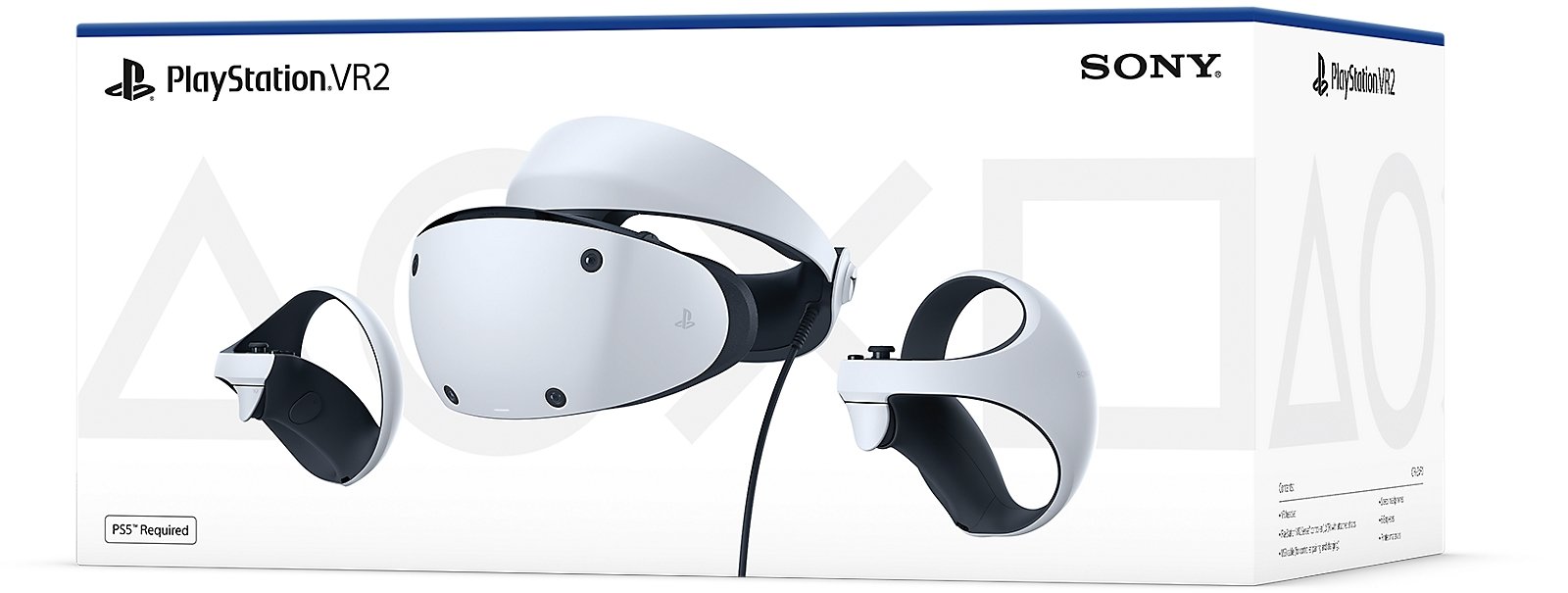
PS VR2 on PS5 and PC uses the same headset with different requirements and features. The catalogue lists the PS VR2 headset at KSh 53,500 and PC adapter at KSh 9,495. A PC purchase needs more than adding the adapter: verify ports, graphics hardware, Bluetooth, software and a DisplayPort cable first.
PS5 is the direct console route for supported PS VR2 games. PC uses compatible Steam VR software and does not retain every PS5 feature. Buying the headset is not a guarantee that an ordinary laptop, a PS4 or an older PS VR game will work.
| Model | Listed price | Main buying consideration |
|---|---|---|
| Sony PlayStation VR2 Headset | KSh 53,500 | Headset package; confirm included Sense controllers and accessories |
| Sony PlayStation VR2 PC Adapter | KSh 9,495 | PC adapter; DisplayPort cable is a separate requirement |
| Check | PS5 route | PC route |
|---|---|---|
| Connection | Supported PS5 setup | PC adapter, direct compatible ports and DisplayPort 1.4 cable |
| Game selection | Supported PS VR2 games | Compatible Steam VR games |
| HDR and eye tracking | Available where supported | Not supported by the official PC route |
| Headset feedback and adaptive triggers | Available where supported | Not supported on PC |
| Sense controller feedback | Supported features depend on game | Basic vibration; advanced haptics not supported |
PS5 is the direct console setup
Use the supported PS5 connection and setup instructions, update the system and headset, and confirm the game specifically supports PS VR2. The original PS VR and PS VR2 are different platforms. An older VR disc or headset accessory is not automatically compatible with the newer headset.
Fit the headset carefully, set the lens position and establish the play area. A seated game and a room-scale game can have different space requirements. Read the game and hardware instructions, clear obstacles and let each user adjust the fit rather than sharing one person’s settings.
PC minimum requirements need exact checking
PlayStation’s current minimum table lists an Intel Core i5-7600 or AMD Ryzen 3 3100, at least 8GB RAM, supported dedicated graphics hardware, DisplayPort 1.4, USB 3.0 and Bluetooth 4.0 or later. Check the full table, including GPU architecture conditions, rather than relying only on a familiar graphics-family name.
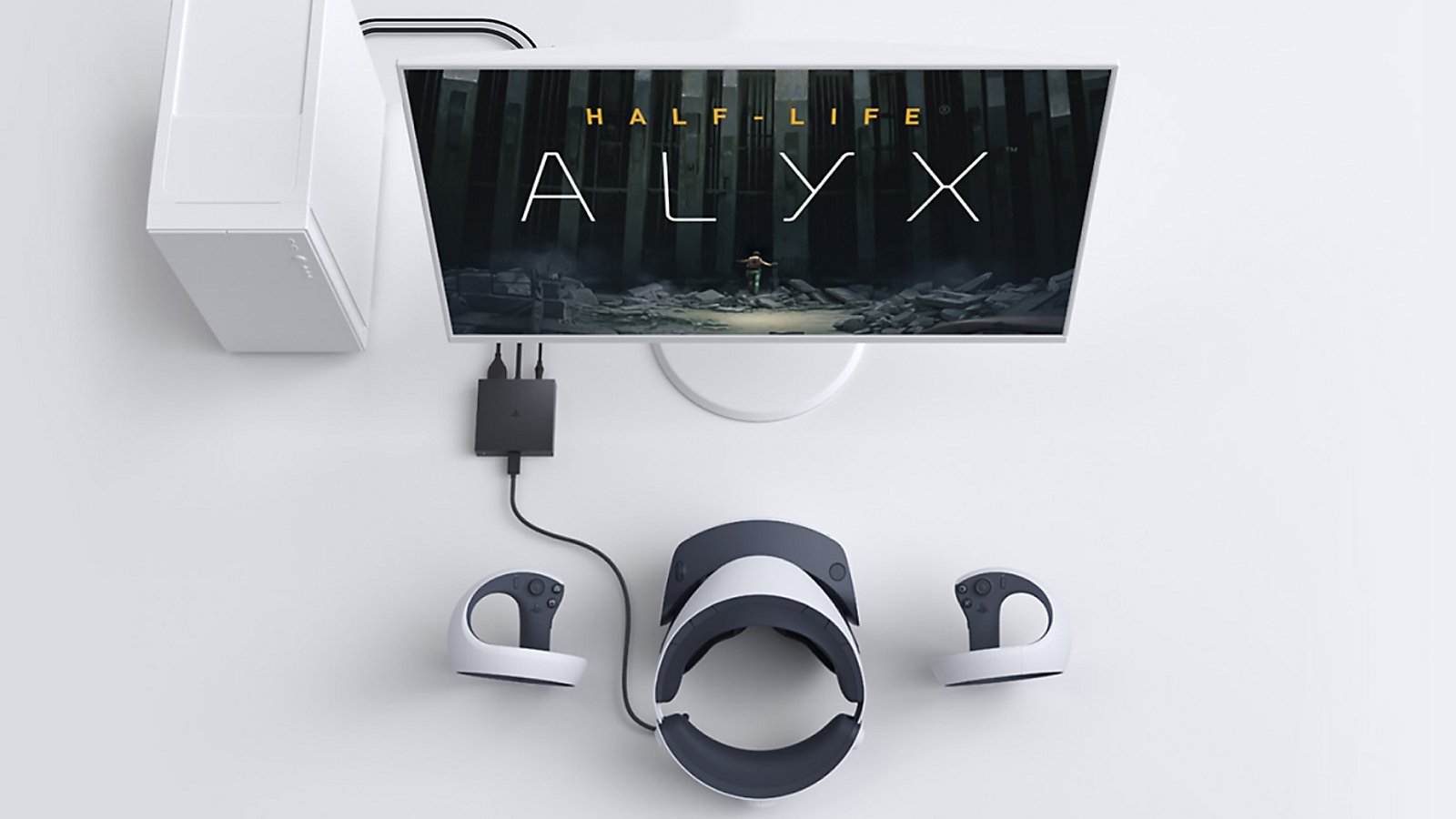
The adapter requires a dedicated supported DisplayPort or Mini DisplayPort output connected directly as documented. Sony states that DisplayPort over USB-C is not compatible with the adapter. A laptop having USB-C, HDMI or a fast GPU alone is therefore insufficient evidence of compatibility.
Software, Bluetooth and total cost
PlayStation lists Steam, SteamVR and the PlayStation VR2 app for PC setup. Sense controllers also need a working supported Bluetooth arrangement. Some adapters have compatibility limitations; check Sony’s current list and instructions before buying another dongle.
The headset and adapter total KSh 62,995 at this catalogue snapshot, before the DisplayPort cable, compatible PC, any Bluetooth hardware and games. An HDMI-to-USB shortcut should not be presented as an equivalent supported installation. Ask for a complete PC compatibility assessment before placing an order.
Understand the PC feature limits
PlayStation states that HDR, eye tracking, headset feedback, adaptive triggers and advanced Sense haptics are not supported on its PC route; basic controller vibration remains available. The PC library is also separate from the PS5 PS VR2 library. A purchase on one store does not automatically grant another platform’s licence.
Minimum specifications establish a starting requirement, rather than a guarantee of smooth performance in every game. Check the title’s requirements as well. Sony’s compatibility table includes operating-system information, but use an actively maintained and appropriately licensed system for a current PC build.
Frequently asked questions
Does PS VR2 work on PS4?
No. PS4 is not the supported console route for PS VR2. Do not confuse the headset with original PS VR.
Can I connect it directly to any PC USB-C port?
No. The official PC route requires the adapter and documented PC connections, including a compatible direct DisplayPort output.
Does DisplayPort over USB-C satisfy Sony’s adapter requirement?
Sony states that it is not compatible. Check the dedicated DisplayPort or Mini DisplayPort arrangement in the official requirements.
Is the DisplayPort cable included in the adapter price?
Do not assume so. PlayStation specifies a commercially available DisplayPort 1.4 cable sold separately.
What is the headset-plus-adapter catalogue total?
KSh 53,500 plus KSh 9,495 equals KSh 62,995 at this snapshot, before the PC, cable, games and any other hardware.
Which apps does PlayStation list for PC?
Steam, SteamVR and the PlayStation VR2 app. Follow their current setup and firmware instructions.
Does PC retain HDR and eye tracking?
No. PlayStation lists those among the features unsupported on its PC route, along with several feedback features.
Does any controller vibration remain on PC?
Basic vibration remains supported according to PlayStation’s comparison. Advanced Sense haptics and adaptive triggers are not supported there.
Do I need the PS5 HD Camera for tracking?
No. PS VR2 has built-in tracking cameras. An external HD Camera has separate broadcasting uses.
Do PS5 VR purchases automatically transfer to Steam?
No. Treat the game libraries and licences separately and verify the PC title’s VR compatibility and requirements.
Related buying guides
PS5 Accessories Buying Guide Kenya: What to Buy First
Sources and buying support
PlayStation complete PC requirements and port restrictions
PlayStation feature and library differences
PlayStation PS VR2 setup, tracking and game FAQ
Manufacturer pages describe the specified regional models; local packages can differ. For a written quotation and model confirmation, contact Infinite Tech at Rehema House, Standard Street, Nairobi, or call 0720 450 148. Read the warranty terms and delivery information before payment.