
Only One HAVIT Earbud Working? Safe Pairing and Charging Fixes

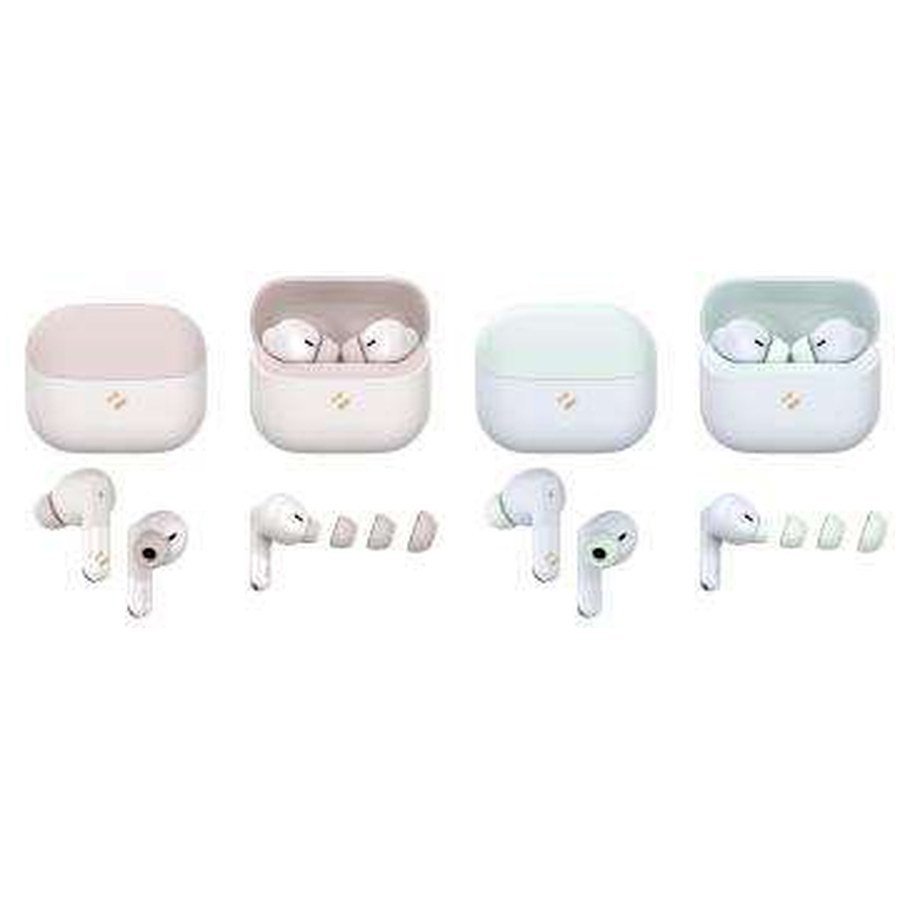
Only the left or right HAVIT earbud is producing sound? Before replacing the earbuds, determine whether the problem is a drained earbud, dirty charging contact, phone audio-balance setting, two separate Bluetooth pairing records, or a model-specific left/right synchronization issue. This guide offers reversible checks that apply to many HAVIT true wireless earbuds, including the TW982, TW991 and TW974. It does not invent a universal HAVIT reset-button sequence: reset methods differ across exact models, firmware and charging cases.
First identify exactly what is failing
The phrase “one earbud not working” describes several different faults. If one earbud will not power on or connect at all, start with charging. If both connect but sound reaches only one ear, check phone balance and source audio. If the phone shows two similarly named Bluetooth devices, the earbuds may not have paired as a stereo set. If one bud makes music but does not pick up calls, the issue could be an audio-routing or microphone profile setting rather than the speaker itself. Start with the simplest observable symptom.
Step 1: Check charging on both sides
- Place both earbuds in their own compartments and verify the charging case has power.
- Inspect the gold-coloured contacts on the earbuds and inside the case for visible dust, film, debris or protective shipping stickers.
- If the manufacturer allows it, gently wipe dry contacts with a soft lint-free cloth. Do not insert metal tools, apply liquid into ports or scrape pins.
- Check that each earbud seats properly and any charging indicator behaves according to that model’s instructions.
- Recharge the case and both buds using a compatible USB-C cable and suitable power source, then retest.
For reference, the HAVIT November 2026 supplier sheet lists TW982 and TW991 with 40mAh batteries per earbud, whereas TW974 lists 25mAh. Those are capacity ratings, not diagnostics of a particular failing unit. An earbud may fail to charge because the case’s spring contact is stuck or because its battery is degraded; neither should be forced or dismantled at home.
Step 2: Test with a second audio source
Try a song known to have sound on both stereo channels, not an app recording that contains audio in only one channel. Then test a video and a phone call. If the earbud problem appears only in one app, inspect that app’s audio outputs and permissions before deleting the Bluetooth pairing. A phone can occasionally route call audio to the speaker while music still uses the earbuds, or vice versa. The same Bluetooth device may be used differently for media and phone calls.
Step 3: Check accessibility audio balance
Android and iPhone accessibility menus can contain a left/right balance slider and mono-audio setting. If the balance is moved all the way to one side, an otherwise healthy stereo earbud can seem silent. Check the balance is centred; use mono audio only if it solves an accessibility requirement. If your handset has per-app sound routing or Bluetooth media-device selection, confirm both earbuds are treated as one selected stereo output rather than separate left/right devices.
Step 4: Clear a stale Bluetooth connection carefully
With your earbuds charged and nearby, open the phone’s saved Bluetooth-device list. If you see old entries corresponding to the same exact HAVIT model and you recognize them as your devices, remove the stale pairing entries. Switch off Bluetooth briefly and restart it, then follow the model’s own instructions for pairing the two earbuds as a set before pairing the set to the phone. Do not delete unrelated Bluetooth peripherals or assume that every entry with “TW” belongs to your earbuds. If both earbuds have separate pairing names, consult the exact model instructions for how they should synchronize.
Step 5: Reset only with the exact manufacturer’s instructions
Some HAVIT earbuds reset with a touch-control hold; others may require both buds in the case or use a case button. The November 2026 price catalogue does not state reset timing or key combinations for TW982, TW991 or TW974. Therefore an instruction such as “tap five times” or “hold for 15 seconds” would be speculative and could trigger an unrelated mode. Read the user manual, use the manufacturer’s support resources or ask Infinite Tech to verify the correct steps for the exact product. A reset may clear stored pairings and personal settings.
Step 6: Look for hardware clues
After completing charging, balance and pairing checks, test the earbuds on a second compatible phone. If the same side remains silent on both devices, especially after a verified model-specific reset, suspect a hardware or charging fault. Stop if you notice swelling, unusual heat, a burnt smell or a physically damaged battery; do not attempt home battery repair. Retain your purchase evidence and contact the seller about the applicable warranty or service terms, without assuming an unverified warranty length.
Frequently asked questions
Why does my phone show two HAVIT Bluetooth names?
It could be stale pairing records, a call-audio profile or earbuds that have not synchronized as a set. Consult the actual model’s instructions before deleting entries.
Will pairing the earbuds again erase music on my phone?
Removing a Bluetooth pairing normally removes the saved device connection, not the music files stored on the phone. Resetting an earbud can clear its internal settings.
Does this mean the left or right earbud battery is dead?
Not necessarily. Cleaning contacts, charging and routing checks should come before diagnosing a battery fault.
Find the exact model at Infinite Tech
Compare the official store records for HAVIT TW982, HAVIT TW991 and HAVIT TW974. Use the HAVIT earbud guide and HAVIT Kenya hub to identify other models. Infinite Tech is at Rehema House, Standard Street, First Floor Shop 2, Nairobi CBD. Call 0720 450 148 with the exact model number and the failed step.
Basis: General Bluetooth audio and battery troubleshooting; model identifiers and charging features checked against the HAVIT November 2026 supplier catalogue, page 5. No model-specific reset sequence was established from that document.
