
Motorola Edge 70 on Safaricom and Airtel in Kenya: 5G and SIM Compatibility Checks

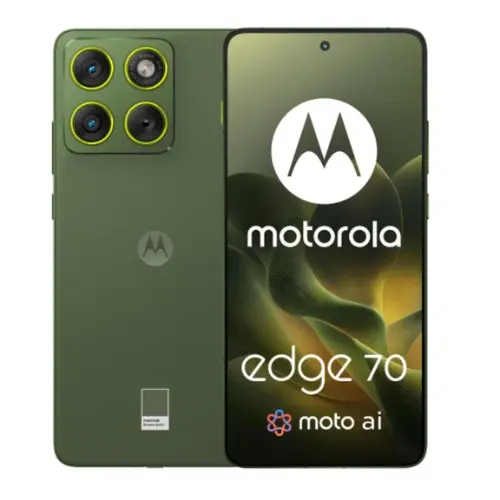
Before ordering an imported Motorola Edge 70 for use with Safaricom or Airtel in Kenya, confirm the exact manufacturer variant and supported radio bands. A ‘5G’ label alone does not promise 5G on every local network, and regional Motorola units can have different SIM arrangements and network support.
Practical buying guide updated 16 November 2026. This page does not claim to have independently measured signal strength or verified every operator’s live band deployment.
Step 1: Identify the exact Edge 70 model variant
Open Settings, then About phone, and record the manufacturer model number. If you have only a product page, ask the seller for a photo of the model label on the sealed box. A commercial name such as ‘Motorola Edge 70 12GB/512GB’ is not enough on its own to identify every supported network band. The Infinite Tech Edge 70 product page records the listed memory and storage configuration, but the physical device is the best reference for a regional radio variant.
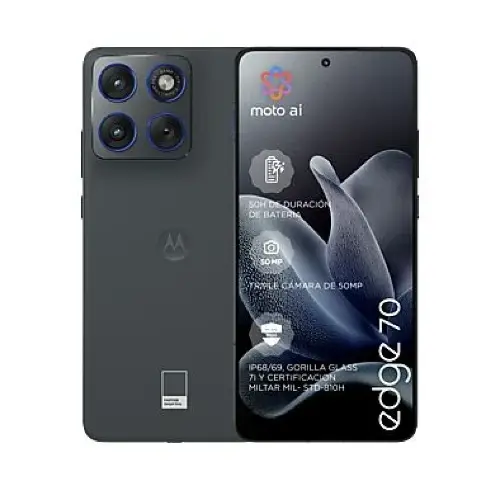
Step 2: Compare supported bands with your Kenyan carrier
Find the model-specific technical specifications in Motorola’s official regional support materials and compare the listed LTE and NR bands with the frequencies your operator actually deploys at your location. A 5G-capable chip and compatible SIM are both necessary but not sufficient for 5G service. Operator network coverage, plan eligibility, firmware, provisioned features and local tower configuration can affect what appears in the status bar. Ask Safaricom or Airtel for their current supported-device and coverage information instead of assuming that any imported Edge 70 will attach to 5G automatically.
Step 3: Check your physical SIM and eSIM arrangement
Some phone families have regional physical-SIM and eSIM differences. Ask the shop to specify exactly how many physical SIM slots the unit has and whether eSIM is enabled for that market. Do not assume ‘dual SIM’ means two physical SIM cards. For a business phone that must receive calls on two Kenyan numbers, clarify whether both profiles can be active simultaneously under the model’s software.
Step 4: Check calls, data, SMS and M-Pesa in practice
Before leaving the store, make a call, send an SMS, load a website on mobile data and confirm that your required M-Pesa and banking apps work. Where permitted and available, test 5G in an area with confirmed network coverage. A 4G connection during a short test is not conclusive evidence of incompatibility because coverage and network conditions vary by location. Also check Wi-Fi calling and VoLTE only if your operator explicitly supports those services on that model.
Should you select Edge 70 or Edge 70 Fusion for Kenyan networks?
These are distinct products. The Edge 70 Fusion 12GB/256GB can have regional hardware differences and should be checked using the same method. The Edge 70 unit listed by Infinite Tech has 12GB/512GB and a different price. Your carrier requirements should override a generic claim that one name is more internationally compatible than the other.
Where to confirm before ordering
Visit Infinite Tech at Rehema House, Standard Street off Kimathi Street, Nairobi CBD, first floor Shop 2. Call 0720450148 first and ask for the exact Edge 70 model code, SIM configuration, return terms and whether the unit can be tested on your carrier. Read the Motorola buying guide for other configurations.
Frequently asked questions
Does a 5G logo guarantee Safaricom 5G?
No. Band support, SIM and plan provisioning, firmware and actual coverage all affect connection.
Can I determine the exact band list from the storage size?
No. Memory capacity does not uniquely identify a phone’s radio variant.
What should I ask the retailer to send me?
The official model code, supported SIM types, warranty information and a photo of the variant label if available.
Editorial note: compatibility guidance is a buyer verification process, not a claim of certified or lab-tested network performance on any Kenyan operator.
