
Moto G75 First-Day Setup: Transfer Data, Secure Apps and Check Accessories

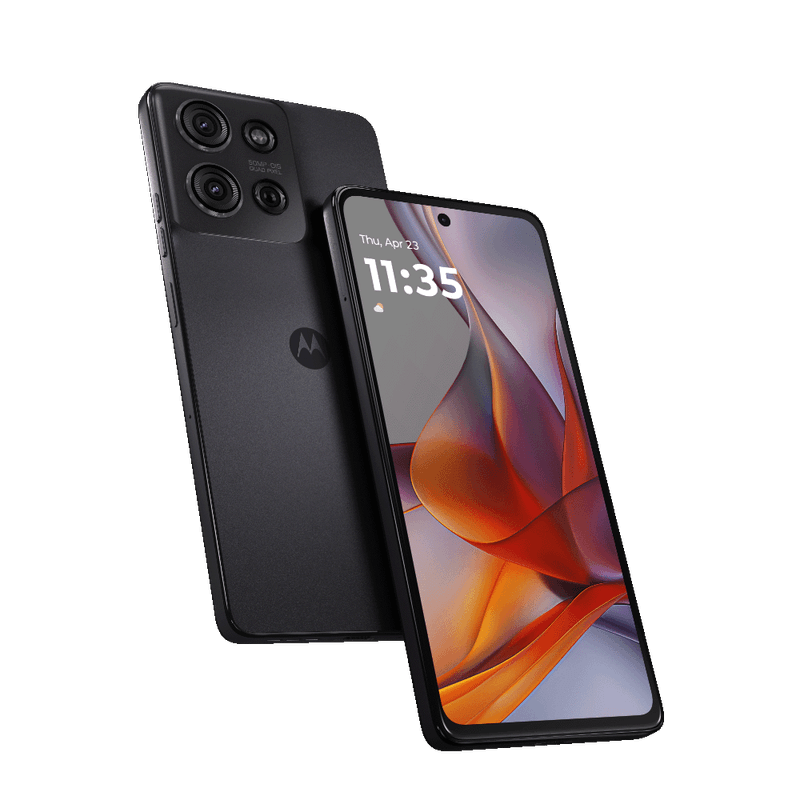
After buying the Moto G75, a disciplined setup prevents lost photos, account lockouts and weak security. Use this first-day checklist before relying on it for business or travel.
Before changing phones
Back up important messages, photos, authentication recovery codes and contact lists. Confirm that you can sign in to your Google account and any banking apps without depending solely on the old device.
Inspect the unit
Compare model code, physical RAM and storage against your invoice. Check screen, microphones, charging port and camera lenses; confirm charger, cable, case and warranty paperwork actually included with your regional package.
Move data carefully
Use Android’s supported setup transfer options with stable connections. Not every app transfers sessions, protected files or account tokens; reauthenticate sensitive apps and verify the transfer before resetting an old handset.
Secure and update
Set a strong lock method, configure device-finding and backups, apply official software updates and review app permissions. Do not use unknown firmware files or share verification OTPs during store setup.
Test the essentials
Call your own number, test mobile data and Wi-Fi, take a main-camera photograph, check audio, and verify charging. Keep a copy of receipt and original model information for warranty service.
Kenya purchasing checklist
Before paying, verify the exact Moto G75 regional model number, RAM and storage on the handset and invoice. Check connectivity on the SIM you use, inspect the screen and cameras, confirm accessories and written warranty coverage, and compare the current Infinite Tech Moto G75 price and stock. Features and upgrade schedules can depend on country or carrier; avoid assuming all imported stock is identical.
If you are comparing alternatives, review the Motorola phone collection in Kenya. Consider total ownership cost, compatible charging accessories, replacement cases, local service arrangements and the number of years you plan to keep your device. For software or hardware limitations, use the official Motorola model page rather than unsourced advertisements.
Handover and privacy checklist
Before removing the old phone’s accounts, confirm contacts, original photos, messages and authentication recovery codes are backed up and accessible on the new Moto G75. Data-transfer tools do not always bring app sessions or financial credentials across automatically.
Check the new device’s model identifier, physical RAM, storage, camera and charging. Apply official security updates, create a strong lock and test calls, mobile data and Wi-Fi. Do not reveal OTPs, passwords or mobile-money PINs to a shop assistant, even when requesting help with setup.
Continue researching: moto g75 android updates security support kenya · moto g75 5g safaricom airtel network setup kenya
Frequently asked questions
Should I wipe my old phone immediately?
No. Verify essential data and account access first.
Can a shop set up banking PINs for me?
Keep PINs, passwords and OTPs private.
Related Moto G75 guides
- moto g75 5g safaricom airtel network setup in Kenya
- moto g75 android updates security support in Kenya
- Buy the Moto G75 5G 8GB/256GB at Infinite Tech
Infinite Tech — Rehema House, Standard Street, off Kimathi Street, 1st Floor Shop 2, Nairobi CBD. Call 0720 450 148 for an exact-stock confirmation.
