
Moto G75 on Safaricom and Airtel: 5G, SIM and Network Setup in Kenya

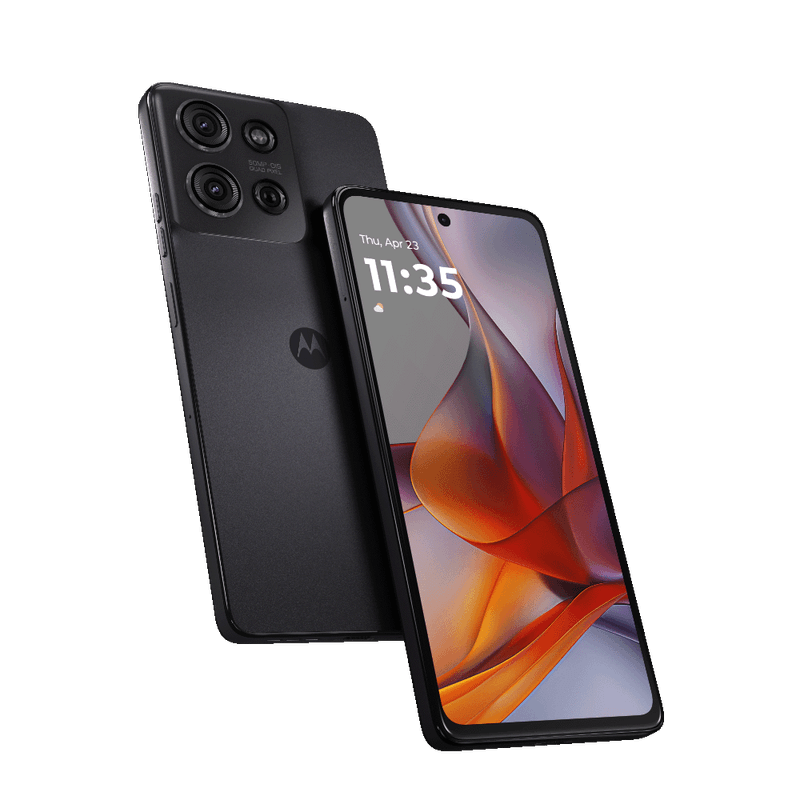
A 5G-capable phone does not guarantee 5G on every network or at every address. This checklist helps shoppers validate the Moto G75’s exact regional variant for Safaricom and Airtel usage.
Check the exact imported SKU
Inspect the model identifier in Settings, on the box and on the supplier label. Regional hardware can support different 5G bands; a generic international specifications page cannot establish compatibility for the actual handset in stock.
Confirm service requirements
A compatible active SIM, account provisioning, plan and 5G-capable coverage are needed. Seeing 4G in one neighbourhood does not prove the handset is defective; location and congestion can change connection modes.
Practical first-time setup
Install the SIM, update the operating system, choose the preferred network mode and restart if advised by the network. Avoid third-party secret dial codes as an initial troubleshooting step; first check official carrier settings.
Testing at the shop
Where authorised, test voice calls, mobile data, SMS and hotspot. Ask for a 5G demonstration only in an area where the provider confirms coverage, and record the SIM network and location before drawing conclusions.
Dual-SIM and eSIM caution
Physical SIM slots and eSIM support can vary across market versions. Never describe every Moto G75 import as dual SIM or eSIM-capable without inspecting the actual stock model.
Kenya purchasing checklist
Before paying, verify the exact Moto G75 regional model number, RAM and storage on the handset and invoice. Check connectivity on the SIM you use, inspect the screen and cameras, confirm accessories and written warranty coverage, and compare the current Infinite Tech Moto G75 price and stock. Features and upgrade schedules can depend on country or carrier; avoid assuming all imported stock is identical.
If you are comparing alternatives, review the Motorola phone collection in Kenya. Consider total ownership cost, compatible charging accessories, replacement cases, local service arrangements and the number of years you plan to keep your device. For software or hardware limitations, use the official Motorola model page rather than unsourced advertisements.
Network-verification checklist before checkout
Read the exact model number from the device Settings screen and packaging; note that handset names may cover regional radio differences. Ask the mobile provider whether your SIM and plan support 5G, and test in an area where the provider confirms coverage rather than assuming every location in Nairobi has identical service.
If the phone remains on 4G, inspect mobile-data settings, software updates and SIM provisioning before assuming hardware failure. A controlled comparison should use the same provider and approximate location. Business buyers should also confirm voice calls, SMS, M-Pesa verification messages and reliable 4G fallback.
Continue researching: safaricom airtel 5g moto g75 g56 galaxy a36 checklist · moto g75 vs moto g56 5g durability processor kenya
Frequently asked questions
Does the G75 support 5G?
Yes, but frequency band and provider compatibility need variant checks.
Why does a 5G phone show 4G?
Coverage, provisioning and network configuration can be responsible.
Related Moto G75 guides
- moto g75 android updates security support in Kenya
- moto g75 review in Kenya 8gb 256gb
- Buy the Moto G75 5G 8GB/256GB at Infinite Tech
Infinite Tech — Rehema House, Standard Street, off Kimathi Street, 1st Floor Shop 2, Nairobi CBD. Call 0720 450 148 for an exact-stock confirmation.

3 thoughts on “Moto G75 on Safaricom and Airtel: 5G, SIM and Network Setup in Kenya”
Comments are closed.