
MacBook Pro 15-inch 2018 Core i7 in Kenya: Used Buying Checklist

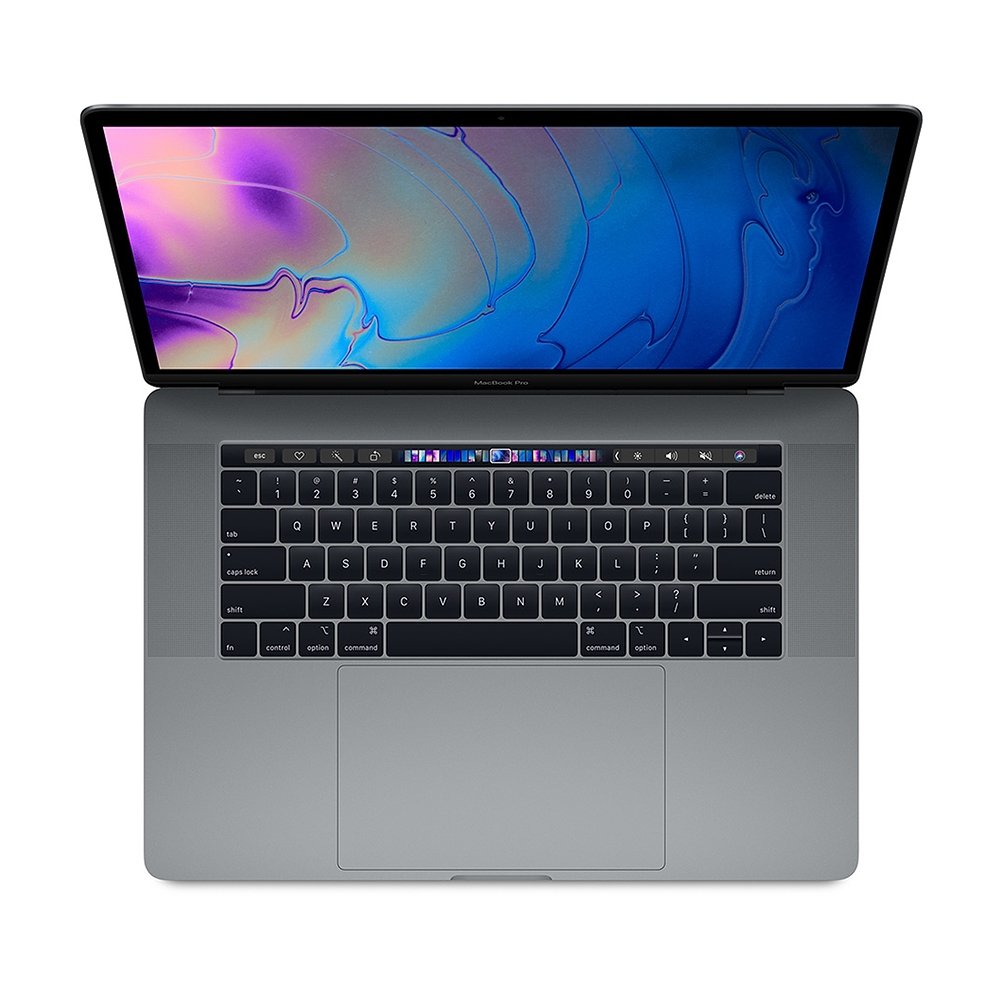
MacBook Pro 2018 Core i7 used buying guide Kenya: A manufacturer-aware buying guide for Nairobi and Kenya. Specs below explain real model families and what prospective buyers should confirm; they are not claims of independently tested supplier units.
Updated Kenya purchasing guidance for MacBook Pro 15-inch 2018 Core i7 in Kenya: Used Buying Checklist
Technical checks: For used Macs, confirm macOS upgrade limits, serial/model identity, battery cycles, keyboard and display condition, activation lock and Remote Management status. A low-price Intel system may be unable to run apps required by a current university course. Set the maximum total budget including charger and possible repairs. Check whether your courses require Windows-only applications or dedicated GPU acceleration.
When comparing Infinite Tech listings, examine the exact processor generation, RAM/SSD, condition and warranty; do not compare a refurbished Intel Mac with a sealed Apple silicon Mac as identical products. Confirm physical stock and your preferred configuration directly with the shop before travelling to Nairobi CBD.
Matching store options: Compare a relevant MacBook · Another MacBook choice. The displayed price and condition of each configuration must be checked separately.
Frequently asked: Will this Mac support the software I need?
Compatibility depends on the exact chip, macOS version, memory, drivers and developer requirements. Ask your institution or software provider for supported versions, then check Apple’s Mac support documentation.
Is a used MacBook cheaper overall?
Not necessarily. Factor in battery servicing, charger, warranty length, update support and the risk of incompatible applications before deciding.
Key differences and manufacturer-accurate facts
Apple’s documented configuration options
Apple specifies the 15-inch 2018 MacBook Pro with 15.4-inch 2880×1800 Retina display, 6-core Intel i7 processors, 16GB onboard DDR4 memory and Radeon Pro 555X or 560X graphics among its options. The exact GPU and installed SSD must be verified on the unit.
Keyboard and Touch Bar checks
This generation uses an Apple butterfly-mechanism keyboard associated with reliability concerns. Test all keys for repeated characters or missed presses, Touch Bar, Touch ID and keyboard backlighting. Ask about repairs or replacements and obtain a written condition report.
Battery, screen and ports
Request battery cycle count and health, check Retina screen for damaged areas, display coating, flicker or uneven illumination, and test all four Thunderbolt 3 USB-C ports with a suitable charger. Check thermal operation under normal load.
Account and software compatibility
Verify that the prior owner’s account is removed and any activation/security restrictions are resolved. An Intel MacBook may not support the latest macOS releases or current applications indefinitely; check the exact versions you need, and compare modern Apple Silicon alternatives when relevant.
MacBook Pro 2018 inspection checklist
| Inspect | What to verify |
|---|---|
| Retina panel | 2880 × 1800 native resolution, True Tone operation, damage and illumination |
| Graphics | Exact Radeon Pro 555X / 560X or configured option, not only a 4GB figure |
| Keyboard and Touch Bar | Every key registers consistently, Touch ID and Touch Bar respond |
| Battery | Cycle count, maximum capacity, condition and genuine charger |
| Security | Previous owner signed out, activation restrictions resolved and usable macOS version |
Which type of buyer does this suit?
Students and school administrators should prioritise a working battery, RAM, SSD and screen usability. Office users need reliable keyboards, cameras, connectivity and the right security-support expectations. Graphics professionals need the precise GPU model, dedicated memory if any, and compatibility with the actual professional software version. Price only makes sense alongside the condition of the real unit.
Five essential checks before buying used or ex-UK laptops
- Inspect BIOS / System Information to establish the exact manufacturer model and complete CPU suffix.
- Confirm installed RAM, SSD capacity, GPU model and display/touch options on the physical unit; many model families have several legitimate variants.
- Check screen, charger, battery, storage health, keyboard, webcam, Wi-Fi, ports and the hinge before committing to a used laptop.
- Confirm Windows/macOS compatibility, genuine licence where relevant, current price, actual stock, warranty and return policy.
- Use product page links for current WooCommerce prices. A blog should not preserve an old supplier quotation as today’s selling price.
Check exact model listings and today’s Infinite Tech prices
- MacBook Pro 15-inch 2018 i7 16GB/512GB — check current price and configuration
- Used MacBook purchase checklist — check current price and configuration
Please verify the exact stock, physical-unit condition and warranty with the retailer before visiting or paying a deposit; manufacturer model support does not prove what a given used machine contains.
Frequently asked questions
Is 16GB RAM user-upgradable on MacBook Pro 2018?
No; Apple documents onboard memory. Do not assume a simple upgrade.
Does every 2018 15-inch Pro use the same Radeon GPU?
No. Apple lists Radeon Pro 555X and 560X options and other configuration upgrades.
Where can I buy or inspect these laptops in Nairobi?
Contact Infinite Tech on 0720450148 or visit Rehema House, Standard Street, off Kimathi Street, first floor Shop No. 2, Nairobi CBD. Call to confirm availability and the exact laptop configuration.
Related Infinite Tech laptop buying guides
Manufacturer source
Manufacturer technical documentation and device support. Manufacturer-supported platforms may have many CPU, graphics, screen and memory variants.
Reviewed 31 October 2026. Any performance guidance is based on documented specifications and general hardware knowledge, not a claimed hands-on benchmark of the user’s individual laptop.