

Lenovo Yoga 11e Celeron vs Pentium in Kenya: Student Buying Guide

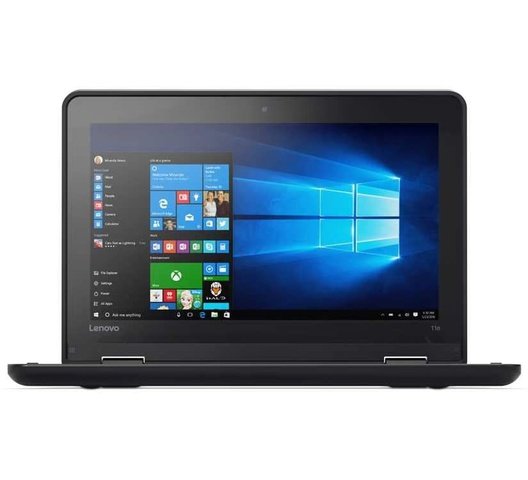
Lenovo Yoga 11e Celeron vs Pentium Kenya: A manufacturer-aware buying guide for Nairobi and Kenya. Specs below explain real model families and what prospective buyers should confirm; they are not claims of independently tested supplier units.
Key differences and manufacturer-accurate facts
Different generations exist
Lenovo Yoga 11e models span multiple generations. Lenovo PSREF for Yoga 11e 5th Gen lists the Celeron N4120 and Pentium Silver N5030, but a supplier’s unspecified-generation machine cannot be assigned those exact CPU codes without checking the Lenovo machine type.
Why RAM can change the buying verdict
Infinite Tech’s Celeron supplier configuration is advertised with 8GB RAM and 128GB SSD, while the Pentium offer has 4GB RAM and 128GB SSD. Extra RAM can help browser-tab multitasking even when the lower-tier CPU is weaker. Do not assume Pentium always wins.
Who should consider these affordable convertibles
Compact 11.6-inch educational laptops can serve web research, online learning, typing assignments and light office work. Their entry-level processors may struggle with demanding editing, engineering or gaming software. Check exact CPU and display before choosing.
Screen and hinge inspection is essential
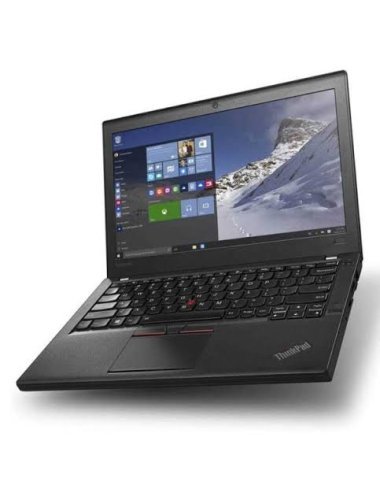
Test the touchscreen across the full surface, 360-degree hinge, keyboard, Wi-Fi, webcam, charger and battery. A Yoga 11e image may depict another generation; photographs do not confirm the installed CPU or RAM.
Which type of buyer does this suit?
Students and school administrators should prioritise a working battery, RAM, SSD and screen usability. Office users need reliable keyboards, cameras, connectivity and the right security-support expectations. Graphics professionals need the precise GPU model, dedicated memory if any, and compatibility with the actual professional software version. Price only makes sense alongside the condition of the real unit.
Five essential checks before buying used or ex-UK laptops
- Inspect BIOS / System Information to establish the exact manufacturer model and complete CPU suffix.
- Confirm installed RAM, SSD capacity, GPU model and display/touch options on the physical unit; many model families have several legitimate variants.
- Check screen, charger, battery, storage health, keyboard, webcam, Wi-Fi, ports and the hinge before committing to a used laptop.
- Confirm Windows/macOS compatibility, genuine licence where relevant, current price, actual stock, warranty and return policy.
- Use product page links for current WooCommerce prices. A blog should not preserve an old supplier quotation as today’s selling price.
Check exact model listings and today’s Infinite Tech prices
- Yoga 11e Celeron 8GB/128GB x360 — check current price and configuration
- Yoga 11e Pentium 4GB/128GB x360 — check current price and configuration
Please verify the exact stock, physical-unit condition and warranty with the retailer before visiting or paying a deposit; manufacturer model support does not prove what a given used machine contains.
Frequently asked questions
Is Pentium always faster than Celeron?
No. Compare precise CPU models and generations as well as RAM.
Is Lenovo Yoga 11e suitable for CAD?
Entry-level versions are not appropriate to assume sufficient for demanding CAD workloads.
Where can I buy or inspect these laptops in Nairobi?
Contact Infinite Tech on 0720450148 or visit Rehema House, Standard Street, off Kimathi Street, first floor Shop No. 2, Nairobi CBD. Call to confirm availability and the exact laptop configuration.
Related Infinite Tech laptop buying guides
Manufacturer source
Manufacturer technical documentation and device support. Manufacturer-supported platforms may have many CPU, graphics, screen and memory variants.
Reviewed 31 October 2026. Any performance guidance is based on documented specifications and general hardware knowledge, not a claimed hands-on benchmark of the user’s individual laptop.
