

AMTEC TV for Gaming: HDMI, Resolution and Input Lag

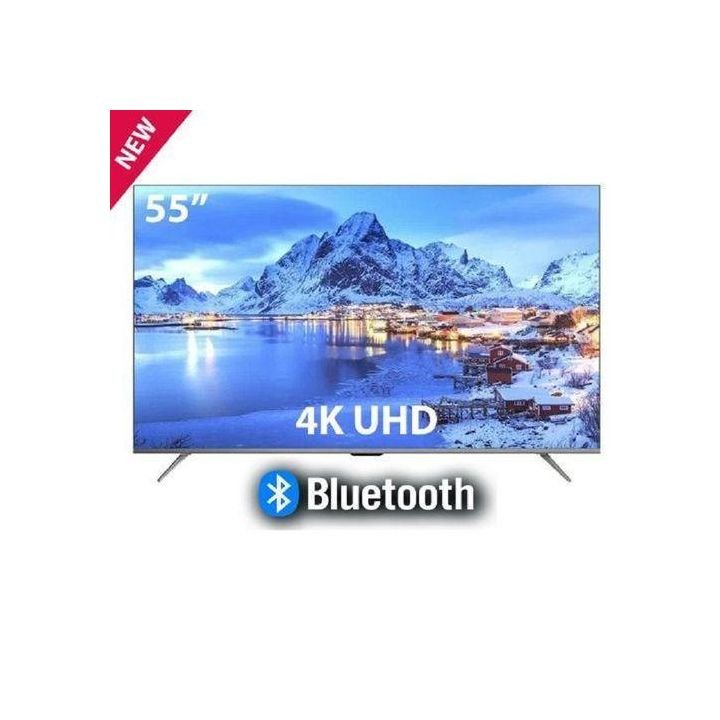
AMTEC TV for Gaming: HDMI, Resolution and Input Lag is a Kenya-focused buying guide for customers comparing real television listings at Infinite Tech. Before choosing a model, establish the room size, expected use, budget and features that matter to you. Confirm the model specification and current availability directly with the retailer.
AMTEC TVs for Gaming: HDMI, Resolution and Response: Supplier-Verified Buyer Update
A budget 4K television may display 4K content but does not automatically provide HDMI 2.1, 120Hz gaming, ALLM or variable refresh rate. AMTEC has different Full HD and 4K variants, which should not be conflated in a gaming recommendation.
Practical purchasing advice
For PS5 or Xbox, confirm native panel refresh rate, supported resolution and HDMI ports on the exact supplied model. Input latency is meaningful but cannot be claimed without testing or verifiable specifications. Audio output and console placement also matter.
See the related specialist buying guide and TV Knowledge Centre for additional comparisons. Pricing and supplier availability can change; the exact model code and current WooCommerce product page take priority over generic listings.
FAQs
Are all AMTEC televisions Smart or 4K?
No. AMTEC includes digital-only, Full HD Smart, AC/DC, VIDAA and Google TV variants. Screen size is not proof of resolution or software.
How can I avoid buying the wrong variant?
Confirm the manufacturer model on the carton and device label and request an accurate photo before dispatch. Verify warranty, included accessories and charges.
Compare two relevant televisions
Start with the AMTEC 65-inch 4K Google TV (listed at KSh 53,000) and the AMTEC 55-inch VIDAA TV (KSh 31,500). The exact product configuration matters more than the brand name alone.
Buying advice specific to this guide
For screen-size and cost differences, read the AMTEC TV price and model comparison. If you also watch live sport, our football and sports TV buying guide explains motion and picture considerations. Verify exact model specifications because gaming mode alone does not confirm 120 Hz or HDMI 2.1 support.
Gaming buyers should verify native refresh rate, supported HDMI standards and game mode. Do not assume a 4K TV supports 120Hz or low input lag.
Picture, sound and connections
Check whether the panel is HD, Full HD or 4K. Higher resolution can improve clarity when the source and seating distance make the difference visible, but not all televisions in a brand’s range use the same panel. Check the number and type of HDMI and USB ports, the sound output options and whether you will use a decoder, gaming console or laptop.
Smart TV or digital TV?
Smart TV software enables supported apps and internet features; a digital-only TV may need a separate streaming device. Android, Google TV, VIDAA and other platforms have different app compatibility. Do not assume that every model supports every app. Ask for confirmation for the exact television.
Choosing the right size
For small bedrooms and bedsitters, compact screens are often easier to position and more affordable. A 32- or 43-inch television can be a balanced choice for an apartment, while 50- and 55-inch televisions suit larger shared spaces. Measure the width of your stand and the distance to your sofa before purchasing.
Installation and ownership costs
Budget for delivery, mounting brackets, surge protection and possible installation charges. Review warranty terms, returns policy and repair support. If wall mounting, verify VESA compatibility and safe wall anchoring.
Buying checklist
- Confirm exact model number and live stock.
- Measure the room and furniture.
- Check native resolution and smart operating system.
- Verify streaming app and Wi-Fi compatibility.
- Check HDMI, USB and audio connections.
- Confirm warranty, delivery and total checkout cost.
Frequently asked questions
Are all AMTEC TVs smart?
No. Read each product listing; digital and smart models are different.
Can I watch Netflix or YouTube?
Only if the model supports the app or an external compatible streaming device, with an internet connection.
Can I connect a decoder?
Check the available inputs and your decoder’s output.
Which TV size is best for a bedsitter?
Often a compact or 32-inch model, depending on actual room dimensions.
Are prices fixed?
No. Product prices and stock can change.
Does the price include wall mounting?
Confirm the included services before paying.
Other shopping ideas
For celebrations or housewarming gifts beyond electronics, browse perfumes at Urbanglam Scents, watches at Urbanglam Scents, beauty gifts at Urbanglam Scents. These are independent lifestyle products, not TV accessories.
Browse the Infinite Tech television catalogue to compare other options.

One thought on “AMTEC TV for Gaming: HDMI, Resolution and Input Lag”
Comments are closed.