

Intel MacBook vs Apple Silicon in Kenya: Used Mac Buying Guide 2026

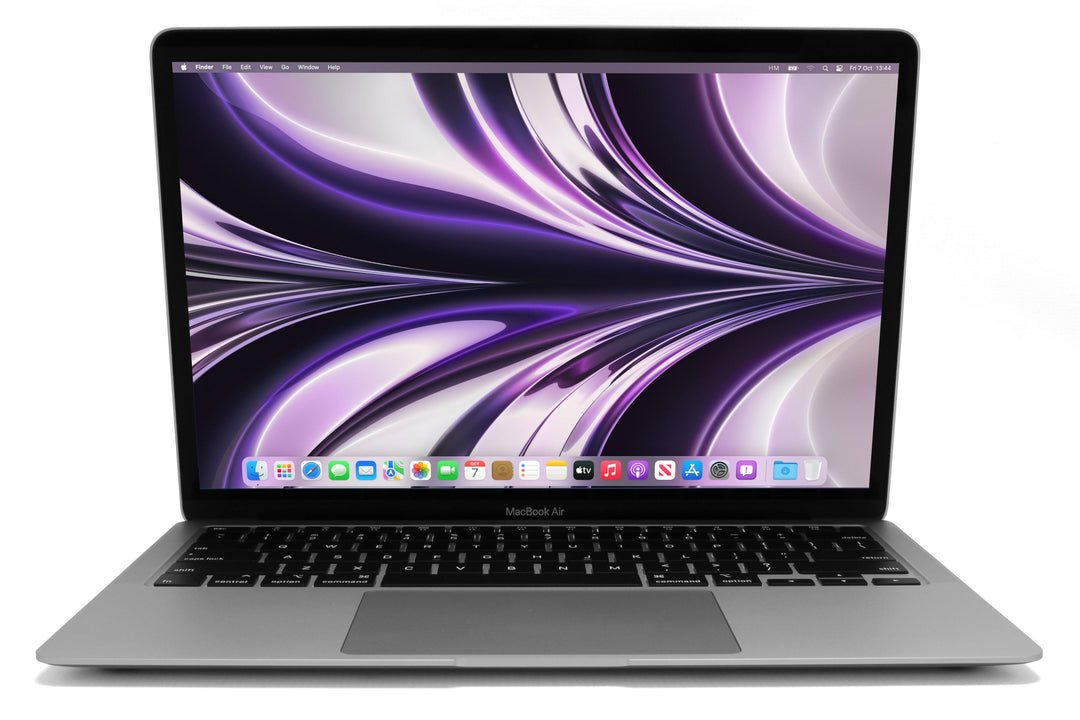
Infinite Tech Kenya | 28 October 2026. Refurbished Intel Macs can cost less than Apple silicon models, but the real comparison includes software support, speed, battery life and repair economics.
Buyer verification and current Kenya purchasing considerations
Key answer for Intel MacBook vs Apple Silicon in Kenya: Used Mac Buying Guide 2026: Verify macOS support, chip/RAM/SSD, condition, accessories and software required for work. Compare equivalent configurations and actual current offers, not storage or condition mismatches.
Ask for manufacturer model identification, stated warranty/returns, included accessories and current stock. For used equipment inspect repair records and security locks. Some software or cellular features depend on the country and carrier, so check before payment or delivery in Kenya.
Store reference: View a relevant Infinite Tech product, then confirm its model/condition and live availability. Never assume a reference product is identical to another generation discussed here.
FAQ: Does product availability on a web page guarantee a unit in the shop?
No. Infinite Tech’s WooCommerce listings can be marked in stock without managed physical quantities. Confirm the exact device with staff before travelling or paying.
Is a published comparison a hands-on test?
Not unless the author actually handled and measured the listed units. Use Apple’s manufacturer support documentation for stated specifications and verify user-facing claims separately.
Do a software and lifecycle check before saving money
A cheaper Intel MacBook may be adequate for word processing, browser work and some existing Intel-compatible software, but future macOS support and battery efficiency are major purchase considerations. Apple silicon laptops can offer strong power efficiency and native ARM software, although very old or specialized Intel apps may require compatibility assessment.
Before buying any used Mac, check the exact model identifier, processor, RAM, storage, battery cycle count, Activation Lock or MDM, keyboard, ports and charger. Do not promise the newest macOS version on a 2015 MacBook Air. Compare the listed Intel MacBook Air 2015 with an M1 MacBook only after reviewing both devices’ physical condition and repair history.
See the Infinite Tech Apple hub and Apple’s official information. Shop: Rehema House, Standard Street, Nairobi CBD, 0720450148.
What changed with Apple silicon?
Apple silicon MacBooks use Apple-designed M-series processors rather than Intel chips. Their performance per watt and battery efficiency can be a major advantage for typical work, though exact results vary by Mac model. Don’t assume every M-series device is faster than every older high-end Intel configuration for every task; compare specific benchmarks and software compatibility.
macOS updates and longevity
An older Intel Mac may run some useful software today but not receive the newest operating system features or Apple Intelligence functions. Verify Apple’s official compatibility list for the exact model year, not just the product name. A cheaper computer with limited security-update lifespan can be expensive over several years.
Windows and specialized software
Some users rely on Intel-native programs, legacy plugins or x86 virtual machines. Apple silicon supports many Mac apps, but not every older workflow behaves identically. If your university course or business requires a special Windows-only program, test it on the exact model and virtualization setup before paying.
Battery, heat and fan noise
Many Apple silicon MacBooks run everyday tasks efficiently, while aging Intel machines can have worn batteries and noisy cooling systems. Measure battery runtime, temperature and throttling under your real workload, not a seller’s statement that the computer is ‘very clean.’ A worn battery replacement may change total ownership cost.
RAM and SSD choices
Check actual unified memory or Intel RAM, SSD capacity, ports and screen condition. A used 8GB machine might suit office work but struggle with demanding graphics, development or editing. Internal upgrades are limited on many modern Macs, so select a configuration that will remain useful.
Used Mac verification in Kenya
Ask for the serial and exact model ID, confirm Activation Lock and Find My are removed, test USB-C, keyboard and display, verify charger and battery health, and get written warranty terms. Corporate-owned devices may have management restrictions that reappear after reinstalling macOS.
Which should you buy?
For most buyers who want a Mac to keep several more years, a supported M-series system is an attractive starting point. A lower-cost Intel Mac may still fit a limited task or a specialized legacy workflow. Compare total lifetime value rather than choosing by processor generation alone.
Frequently asked questions
Is Apple silicon always faster?
Not in every workload; compare exact configurations.
Can an Intel Mac run recent macOS?
Some can, depending on Apple model compatibility.
Can M-series Macs run Windows?
Some Windows-on-Arm virtualization options exist; check required apps.
Are 8GB Macs enough?
For basic use perhaps, but more demanding tasks benefit from more memory.
Should I trust a cheap used Mac?
Only after tests, documented condition and warranty.
Compare options at Infinite Tech
Read the M5 MacBook Air comparison, browse our Apple buying hub or request a model-specific quote at 0720450148. Source: Apple Mac support.

3 thoughts on “Intel MacBook vs Apple Silicon in Kenya: Used Mac Buying Guide 2026”
Comments are closed.