

Latest News & Articles
How to Enable TCL Game Mode for PS5 and Xbox in Kenya: Setup Checklist

The fastest path to a better gaming experience is to confirm the TV’s real capabilities and then set the console, cable, HDMI port and picture mode consistently.
This practical TCL TV guide supports informed buying and troubleshooting in Kenya. All model links reference actual Infinite Tech listings as verified on 11 October 2026; availability and live selling prices may change. Manufacturer performance statements can vary by panel size, source and region, so check the specific Kenya-market variant before making a purchase.
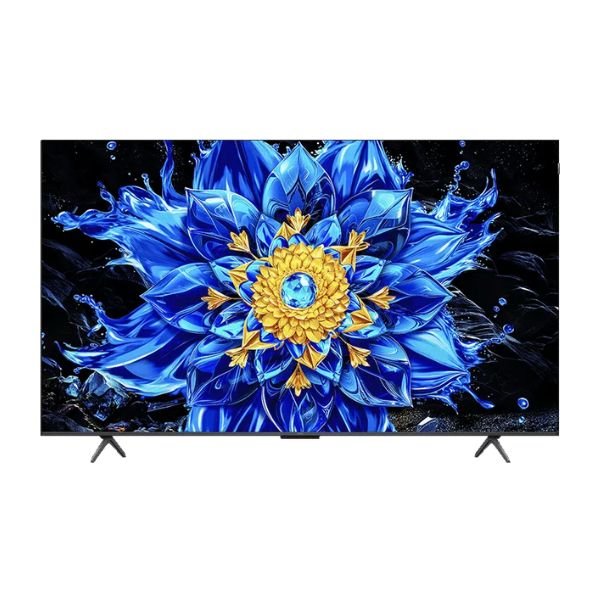
TCL models to compare or check
- TCL 55P8L – 55-inch QLED/Mini LED (catalogue price as checked on 11 October 2026: KSh 59,450)
- TCL 65P8L – 65-inch QLED/Mini LED (catalogue price as checked on 11 October 2026: KSh 87,450)
- TCL 55C6K – 55-inch QD-Mini LED (catalogue price as checked on 11 October 2026: KSh 68,450)
- TCL 65C7L – 65-inch SQD-Mini LED (catalogue price as checked on 11 October 2026: KSh 125,450)
Before changing settings
Identify the exact TCL model code and review its official manual. Confirm your console and TV are updated, and use the appropriate HDMI lead and input. Different TCL Google TV software builds may use different menu labels, so no universal tap-by-tap sequence applies to every model.
Find the correct game picture settings
With the console powered on and displaying an image, use the TCL picture settings to select Game mode or Game Master where supported. Enable automatic low-latency mode if both devices support it. Avoid motion interpolation for responsive games because it can add processing delay. Adjust HDR according to the TV’s actual capabilities and the game’s calibration screen.
Check VRR and 120Hz at the source
On the console, look at video output information and supported modes rather than assuming the television is at 120Hz. Select a compatible 120fps game mode to test 120Hz output. If the mode is absent, inspect the input port, enhanced HDMI setting, cable, device firmware and the regional manufacturer’s specifications.
Troubleshooting without misleading promises
If you see intermittent black screens or audio dropout, test a shorter certified cable and disable experimental modes one at a time. If VRR is missing on a 60Hz-only variant, no software setting can create the absent hardware feature. Ask TCL’s official support for model-specific instructions instead of changing undocumented service-menu settings.
Practical shopper’s checklist
- Write down the full TCL TV model and diagonal size; don’t use screen size as the only identifier.
- Match the TV features to the intended room, real content sources, game console or soundbar.
- Verify native refresh rate and HDMI formats instead of assuming every Game Accelerator headline equals 4K/120Hz.
- Compare the delivered cost, wall mount compatibility and warranty in addition to the listed TV price.
- Use official TCL regional support pages to confirm technical specifications and after-sales routes.
- Call the retailer if a model’s live WooCommerce stock status is unclear before ordering or traveling.
Frequently asked questions
What is the exact TV price today?
Open the individual TCL product page. Blog references are time-stamped and stock or pricing can change.
Can I use a PS5 on any TCL TV?
Yes, consoles can connect by HDMI on compatible TVs, but 4K/120Hz, VRR and other advanced modes require hardware-specific support.
Do all TCL gaming TVs have HDMI 2.1 on every port?
No. Consult the exact model’s manufacturer specifications and HDMI port labels rather than assuming identical input capabilities.
Does a QLED television automatically mean 144Hz?
No. QLED describes a colour technology; native refresh capability varies by model.
Is 144Hz useful for console gaming?
A compatible panel can handle 120Hz console signals, but game and console output dictate actual frame rates; PS5 does not output 144fps.
Can I install TCL TVs myself?
Follow the manufacturer instructions and use appropriately rated hardware. Professional help is prudent for large, heavy wall-mounted displays.
Does TCL offer manufacturer support in Kenya?
TCL’s official East Africa support website lists a Kenya customer-service hotline +254 709 698 888.
Where can I find Infinite Tech in Nairobi?
Rehema House, 1st Floor, Shop No. 2, Standard Street off Kimathi Street, behind Sarova Stanley Hotel.
Can I get delivery outside Nairobi?
Ask Infinite Tech for current destination-specific delivery and handling conditions before purchasing.
Are 2027 TCL TVs and prices confirmed?
No unannounced products or 2027 retail prices are claimed here. Any future models require official TCL documentation and an actual Kenya listing.
Further TCL buying advice and support
Read our TCL TV price list Kenya 2026–2027, best TCL gaming TVs for PS5, TCL Mini LED comparison, model-family buying guide, and TCL buying contact and warranty guide. For current prices, browse TCL TV products at Infinite Tech.
Sales and delivery: Infinite Tech, Rehema House, 1st Floor, Shop No. 2, Standard Street, Nairobi. Call or WhatsApp +254 720 450 148. Manufacturer service: TCL East Africa lists +254 709 698 888 at its official support page. See the official P8L and C7L specifications for manufacturer feature information.