
Apple HomeView Display Explained: 7-Inch Screen, Readability and Viewing Distance

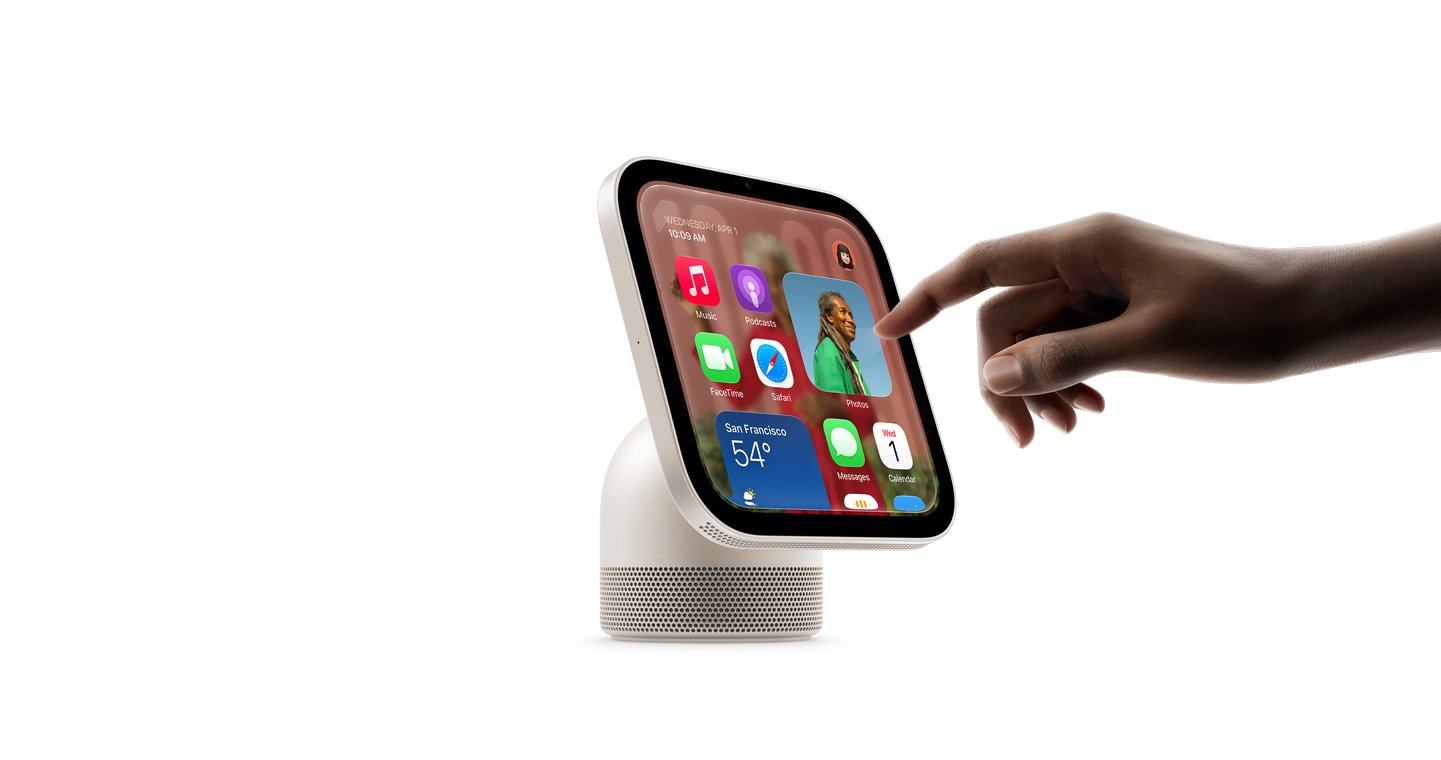
HomeView uses a small, square touchscreen rather than a widescreen entertainment panel. Apple’s listed resolution is 1088 by 1088 pixels. Its value depends on the type of information you want to read and how far away you normally stand.
Match screen size to the task
A compact square display suits glanceable controls, album art or personal information. Long documents, spreadsheets and extended video viewing may be more comfortable on a tablet or television. The device is not a replacement for every larger screen.
Consider light and placement
Apple lists a wide brightness adjustment range and True Tone. A bright window behind the display can still cause difficult viewing conditions. Test the intended counter or shelf in morning and evening light before choosing a permanent position.
Accessibility checks
If a household member has reduced vision, check the available text and accessibility settings in the actual device software. Confirm they can reach the display and read their most-used controls. Do not assume every iPad accessibility feature is also available on HomeView.
Purchase decision
If the primary task is reading information from across a large living room, compare a larger screen. If the goal is quick controls at arm’s reach, HomeView’s size may suit the job. Confirm the exact variant and its setup requirements.
Related product and guidance
See Apple HomePod mini, Apple HomeView and the complete HomeView buying guide. Reference: Apple documentation. This article is based on published information, not hands-on testing. Confirm the exact variant and availability with Infinite Tech (0720450148).
