
How to Test Stabilisation on an Ex-UK iPhone While Walking

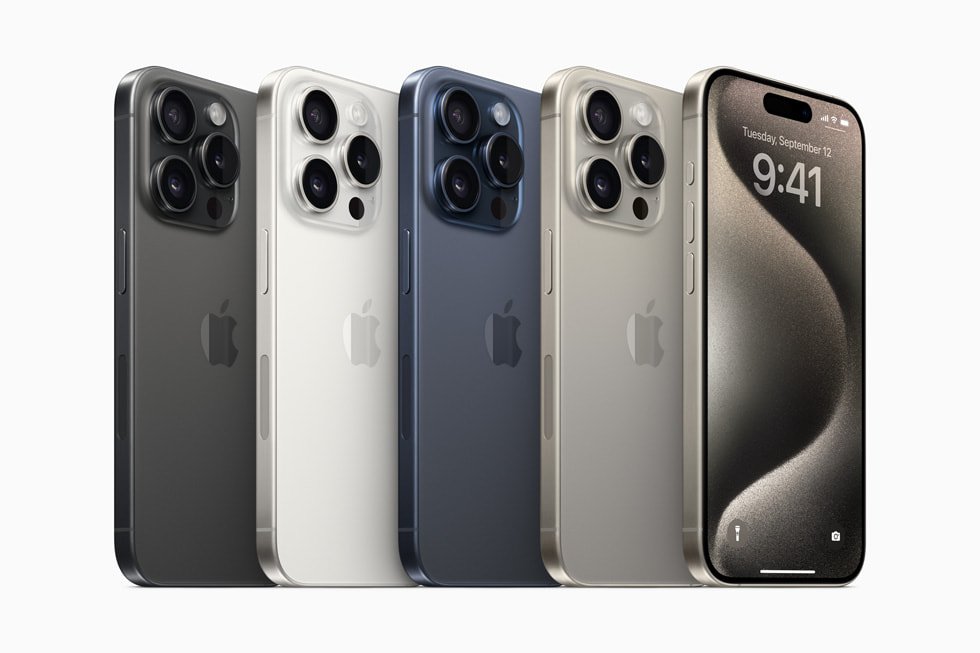
Video stabilisation depends on the iPhone model, selected lens, video mode and lighting. Not every feature advertised for a new Pro model applies to an older or standard iPhone. A camera can look fine while stationary yet produce erratic movement or abnormal clicking after a past impact. This is a practical buying guide for Kenyan customers evaluating a pre-owned device, not a report that a particular phone in stock passed inspection.
Check the feature on the actual device
With the owner’s consent, record a short original walking clip on a safe, level path at normal pace. Keep hands steady without running into pedestrians. Repeat while panning slowly across a fixed sign. Inspect footage at the recorded frame rate and look for sudden jumps, unusual jitter or focus transitions.
Interpret the results correctly
Compare the main and ultra-wide lens only when both support the selected recording option. Action mode, optical stabilisation and electronic cropping are not interchangeable. A heavily cropped stabilised video may sacrifice framing, and poorer light can make stabilisation less effective. Check Apple’s exact-model feature list.
Use case, limitations and buyer value
Test cameras while holding the phone in the normal way you would film. Ask about previous rear-camera repair and whether the handset was dropped. A single smooth clip is useful evidence but cannot guarantee future performance; include warranty and repair terms in the buying decision.
Five checks to record in the shop
- Walking footage: record exactly what the authorised seller demonstrated, noting any limitation or fault.
- slow pan: record exactly what the authorised seller demonstrated, noting any limitation or fault.
- recorded mode and metadata: record exactly what the authorised seller demonstrated, noting any limitation or fault.
- repair disclosure: record exactly what the authorised seller demonstrated, noting any limitation or fault.
- Confirm the displayed model code, storage, repairs and consent to transfer ownership before paying.
Compare available Ex-UK phones in Nairobi
Start with the real WooCommerce listing for iPhone 15 Pro 256GB Ex-UK and explore other Infinite Tech Ex-UK options. Verify current availability, the exact model and variant, local SIM compatibility, working condition, included accessories and written warranty. Pricing or trade-in credit must be confirmed for the specific handset; do not assume that original factory specifications show present battery health or repair history. Infinite Tech is at Rehema House, Standard Street off Kimathi Street, First Floor Shop 2, Nairobi CBD; telephone 0720 450 148. Consult manufacturer support for exact-model features and safe troubleshooting.
Questions to ask before buying
Can a model reference image certify an Ex-UK phone?
No. Inspect the physical device and request an actual-unit condition description. A catalogue image only identifies the product family.
Does this guide guarantee a trade-in amount or a certain Google ranking?
No. An individual phone needs an ownership and condition inspection, and search visibility depends on Google’s indexing and ranking systems.