
DJI Osmo Pocket Setup and Maintenance: First Recording Checklist

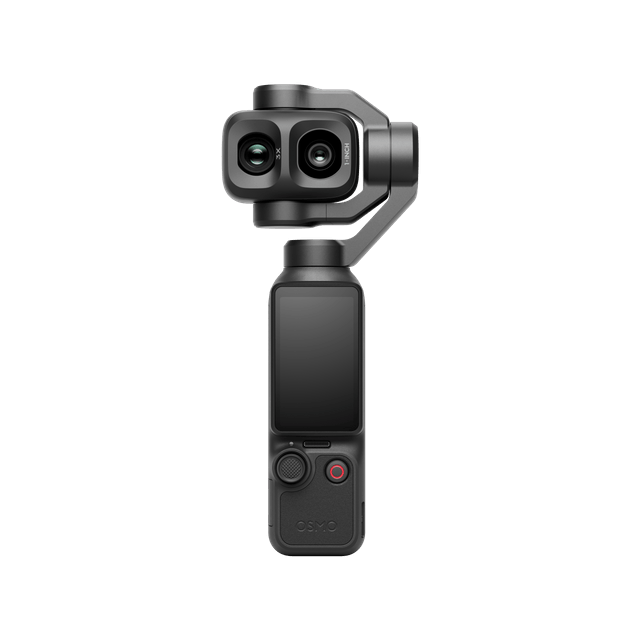
Prepare a Pocket camera for its first reliable recording with activation, firmware, storage and gimbal checks.
Activate before the first assignment
DJI’s beginner guide for Pocket 4P describes connecting the camera to DJI Mimo using phone Bluetooth and Wi-Fi and following the app’s activation prompts. Check exact regional model instructions and firmware requirements. Complete this process before travelling or working at a venue with unreliable internet.
Prepare the recording setup
- Charge the camera using the recommended power supply and cable.
- Inspect the gimbal and remove transport protection according to the instructions.
- Verify supported storage and available recording capacity.
- Choose the required resolution and frame rate.
- Test focus, framing and any compatible microphone.
- Record and play back a sample clip.
Care between shoots
Protect the lens and moving gimbal components from impact, sand and moisture. Do not force the gimbal or restrict its movement while powered. Follow model-specific instructions for cleaning and storage. Back up footage before formatting media or performing maintenance. If a fault persists after normal documented troubleshooting, contact support rather than disassembling the camera.
Compare purchases
See Pocket 3 Creator Combo, Pocket 4 Creator Combo and Pocket 4P Standard Combo. Confirm the supported app, accessories and storage requirements for the selected model. For the Pocket 4P, compare Pocket 4P Vlog Combo if additional filming accessories are useful.
FAQs
Should I update firmware during a paid shoot?
Complete and test updates beforehand when possible.
Does activation guarantee compatibility with every phone?
No. Check DJI’s supported app and operating-system requirements.
Can I force a stuck gimbal by hand?
No; follow official troubleshooting instructions.
Reference: DJI Pocket 4P beginner guide. Related: storage planning.
Infinite Tech, Rehema House, Standard Street, Nairobi CBD. Call 0720450148 to confirm stock and exact model. Research-based guidance, not independent testing.
