

Latest News & Articles
16GB vs 32GB RAM for Engineering, GIS and Data Science in Kenya

16GB vs 32GB RAM for Engineering, GIS and Data Science in Kenya. RAM capacity is one of the most important differences between a student laptop for everyday work and a computer expected to run large models, virtual machines and geospatial datasets.
This buying guide is prepared for Kenyan university students, researchers and professional buyers comparing HP laptops sold by Infinite Tech Kenya in Nairobi. The recommendations distinguish light campus work, CPU and memory-heavy analysis, and specialist 3D tasks.
Where 16GB is enough
Sixteen gigabytes is a practical target for college research, ordinary Python and R work, web development, office applications, moderate GIS layers, and smaller 2D CAD drawings. Faster SSD storage and a competent CPU matter too. A 16GB machine can still struggle if the user runs several virtual machines, containers and large projects concurrently.
What 32GB changes
More RAM permits larger GIS rasters, more simultaneous browser tabs and notebooks, bigger BIM projects and multiple virtual machines with less swapping to SSD. Esri recommends 32GB for ArcGIS Pro, Autodesk’s value configuration for Revit 2026 uses 32GB, and Seequent recommends 32GB for Leapfrog Geo. Higher memory does not increase a laptop’s dedicated GPU VRAM.
Upgrades and soldered memory
Business systems have different upgrade paths. Many thin x360 convertibles and HP Dragonfly designs solder memory to the motherboard; always verify the exact HP product number before promising a 16GB-to-32GB upgrade. A laptop already equipped with 32GB can be worthwhile when future work is unpredictable, provided its CPU, SSD and graphics also fit the task.
Choose a complete configuration, not one headline
Compare a 16GB modern ProBook with the 32GB EliteBook 1040 G8 and ZBook Firefly. If the workload is mainly coding and statistics, CPU generation and SSD can outweigh extra RAM. If it is 3D geoscience modelling, a supported GPU is non-negotiable.
How to evaluate the laptop before buying
Begin with the heaviest application you expect to run during the coming two years, not just the headline processor. Civil 3D 2026 recommends 32GB RAM and an 8GB GPU; ArcGIS Pro recommends 32GB RAM and a discrete GPU with 8GB dedicated memory for better 3D visualization. Leapfrog Geo requires supported dedicated graphics with at least 4GB memory, and its recommended SSD is 1TB. Those applications have different limits, so the correct computer depends on your modules and dataset sizes. University library or computer-lab access can change your personal laptop needs considerably.
For a refurbished or supplier-sourced machine, insist on physical verification. Check BIOS CPU model, installed RAM, usable SSD capacity, driver information, the real display panel, battery report, keyboard, ports, webcam and the charger. The exact-unit condition, warranty and availability must be confirmed before payment. Price data below is a snapshot of Infinite Tech’s catalogue checked on 13 October 2026; prices and stock can change.
Practical purchasing checklist
- Get the exact HP product number, CPU suffix, RAM, SSD and graphics-model screenshots before buying
- Verify Windows and the software required by your institution or employer
- Check physical stock, new/refurbished condition, battery health and charger inclusion
- Confirm touch function, screen resolution, ports and warranty; compare the exact variant rather than model name alone
- Budget for software licenses, external storage, backups and any needed external monitor
HP models to compare at Infinite Tech
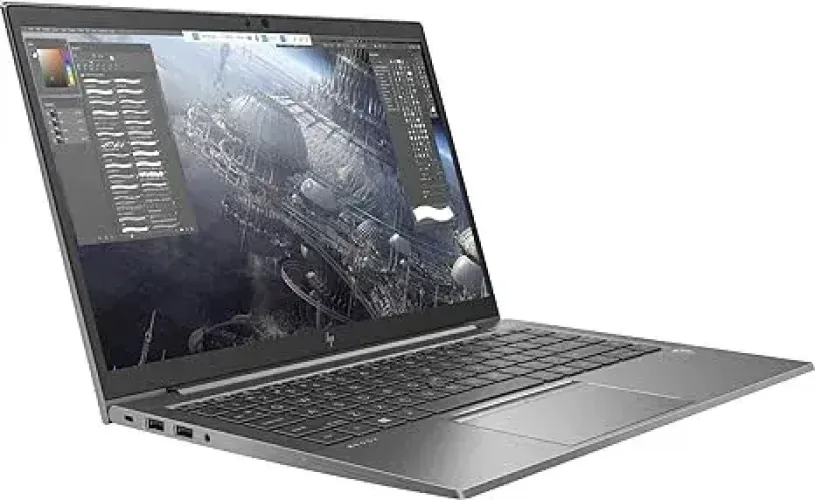
HP ZBook Firefly 14 G7 i7, 32GB/512GB, supplier-listed 4GB NVIDIA
Listed price: KSh 63,500. Workstation candidate; verify NVIDIA GPU and graphics memory. Check product and availability.
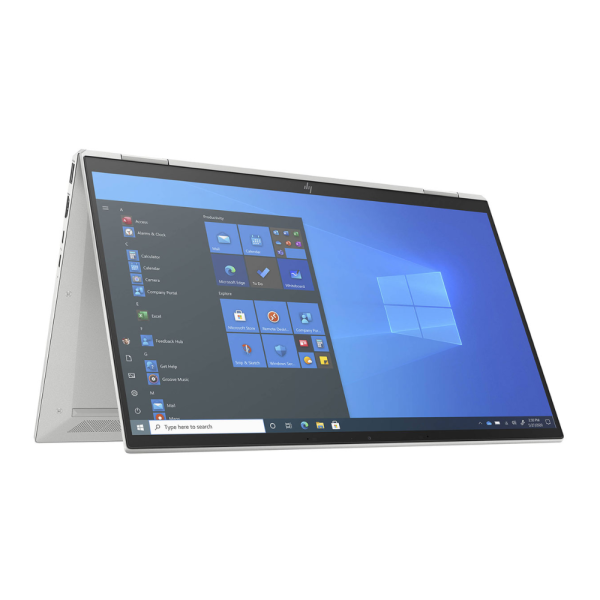
HP EliteBook x360 1040 G8 i7, 32GB/512GB
Listed price: KSh 65,000. Good RAM for analytical work; not a confirmed discrete-GPU system. Check product and availability.
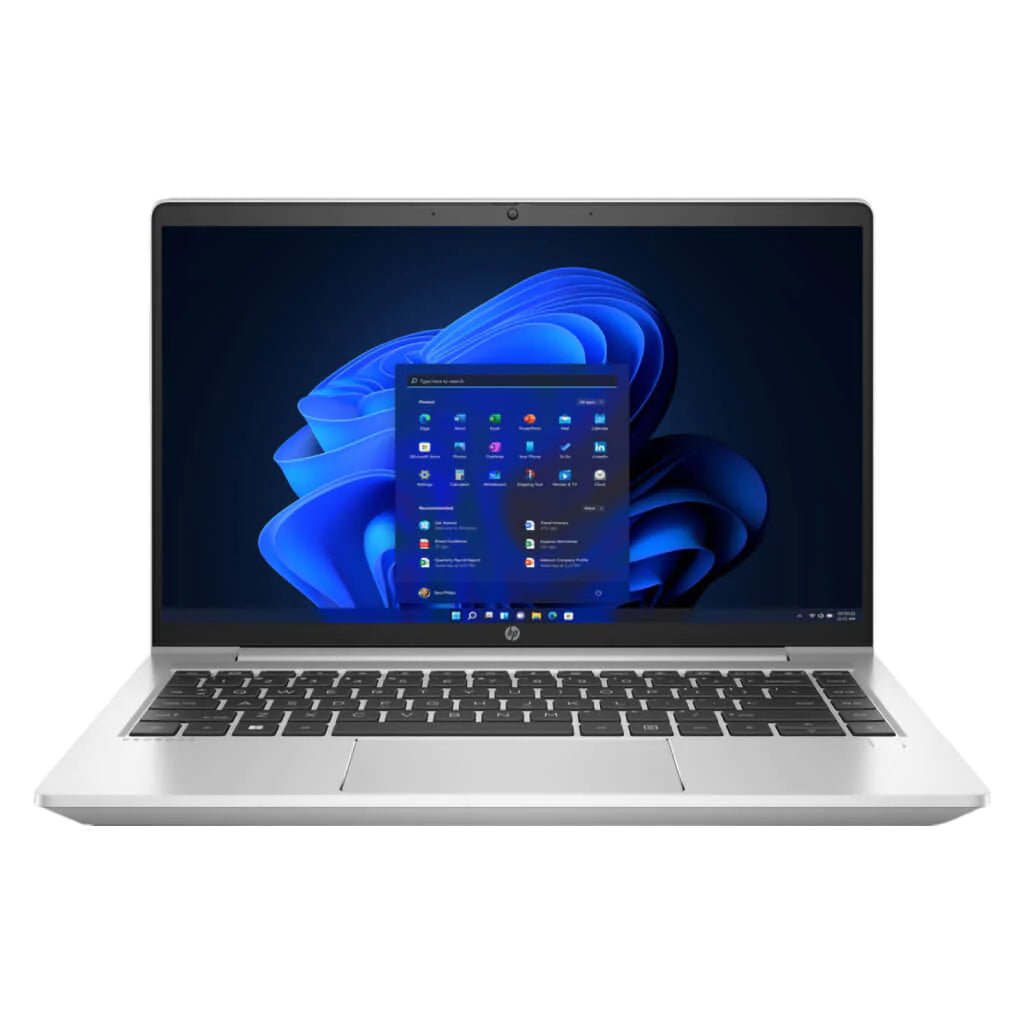
HP ProBook 445 G9 Ryzen 7, 16GB/512GB
Listed price: KSh 55,995. Value option for mapping, programming and university assignments. Check product and availability.
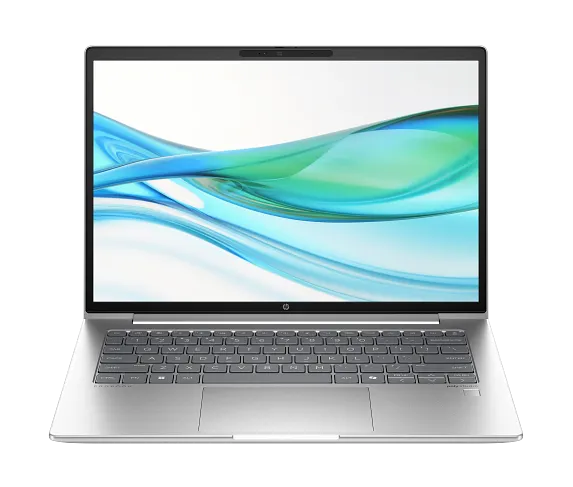
HP ProBook 440 G11 Core Ultra 7 155H, 16GB/512GB
Listed price: KSh 75,995. Modern CPU for code, statistics and general university work. Check product and availability.
These product images show the model family and may not show the exact CPU, memory or touchscreen variation. Check current listings and request photos of the actual machine before checkout.
Frequently asked questions
What is the safest laptop specification for a first-year university student?
For general courses, a reliable 16GB RAM laptop with SSD storage and a supported operating system is comfortable; specialist degree programs can require more. Check the exact course handbook first.
Does Core i7 guarantee better CAD or GIS performance?
No. CPU model/generation, sustained cooling, RAM, GPU and SSD all matter. Some expensive thin laptops have integrated graphics unsuitable for specialist 3D modelling.
Can an integrated-graphics laptop run Leapfrog Geo?
Seequent does not support Intel integrated graphics for Leapfrog Geo. Check exact compatible GPU requirements and the unit’s dedicated graphics memory.
Is 16GB or 32GB RAM better for ArcGIS Pro?
Esri recommends 32GB for ArcGIS Pro, particularly when working with larger datasets and visualization. Lighter QGIS coursework may be workable on 16GB.
What is a practical SSD capacity?
512GB is a sensible student target; 1TB offers better room for large GIS datasets, models, CAD applications and project backups.
Are HP refurbished laptops suitable for studying?
They can be, provided CPU and RAM are correct and battery, SSD, ports, webcam, keyboard, screen, charger and warranty have been checked.
Will these models work with university lockdown exam browsers?
Compatibility is determined by the university’s required exam software and operating system. Always run an institutional test before the examination.
Why should I verify the GPU?
Graphics processors and video memory vary by configuration. A model-family image or generic product title cannot prove dedicated graphics capability.
Does Infinite Tech have these laptops available now?
The article links to listed catalogue products, but physical supplier stock and individual-unit condition should be confirmed directly before payment.
Which model should I ask about for high-end 3D engineering?
Start with a verified dedicated-GPU workstation such as the supplier-listed ZBook, and compare official software specifications; demanding production projects may require a more powerful 8GB+ GPU.
More related university and engineering laptop guides
Use the Engineering, GIS & Geology Laptop Buying Hub to compare software-specific requirements and specialist options.
- Best Laptops for ArcGIS Pro, QGIS and GIS Mapping in Kenya (2026)
- Laptop Requirements for Leapfrog Geo and 3D Geological Modelling in Kenya
- HP ZBook vs EliteBook vs ProBook for Engineering in Kenya
- Best HP Laptops Above KSh 50,000 in Kenya: 2026/2027 Buying Guide
Manufacturer and software documentation
For compatibility checks, use original documentation: Esri ArcGIS Pro system requirements; Autodesk Civil 3D 2026 requirements; Autodesk Revit 2026 requirements; and Seequent Leapfrog Geo requirements. Always cross-check the current version and school-provided software.

7 thoughts on “16GB vs 32GB RAM for Engineering, GIS and Data Science in Kenya”
Comments are closed.