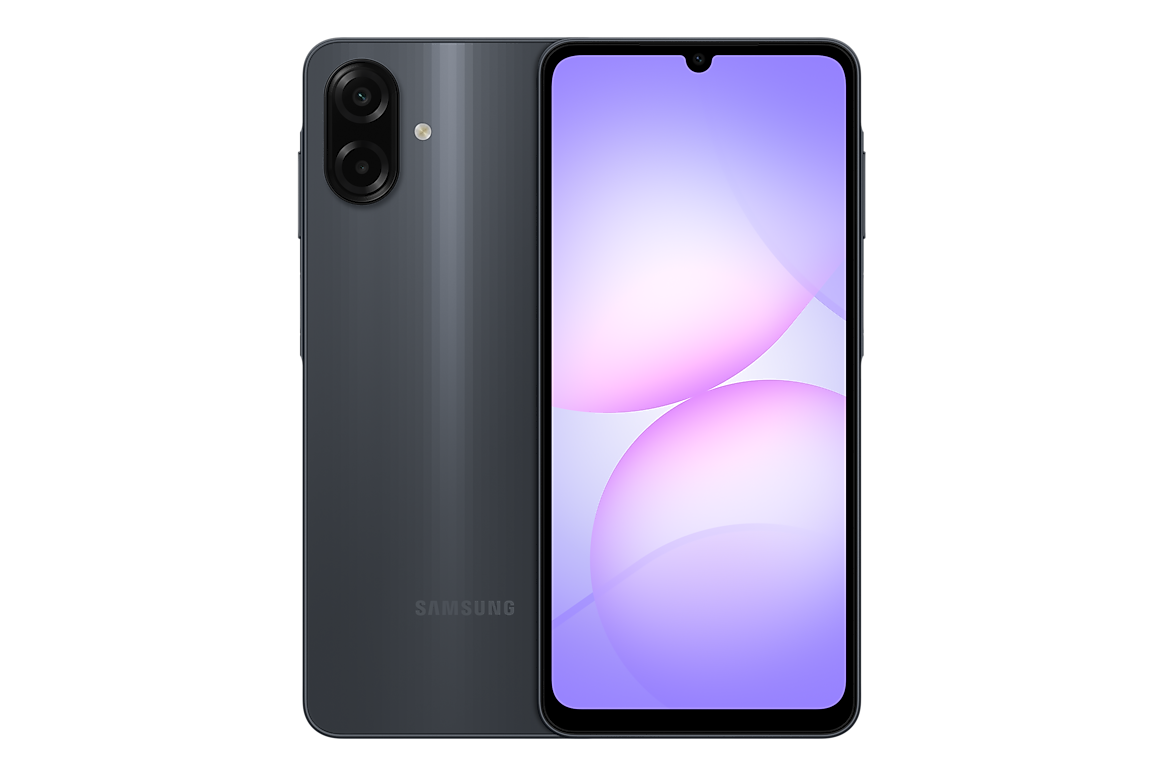
Galaxy A07s 4GB RAM: Everyday Performance and Gaming

Updated 24 November 2026 by Infinite Tech.
The Galaxy A07s 4GB RAM model uses MediaTek’s Helio G99+ platform. It is worth considering for an everyday app routine, but the processor name and a 90Hz screen do not establish a guaranteed gaming frame rate. To decide whether it suits you, separate working memory, app storage and network performance.
What 4GB RAM means in daily use
RAM holds active app data while the phone is working. With several apps open, the system may reload an app when you return to it. That can be noticeable when switching between a browser, messaging, maps and a game, even when each app works normally on its own.
More internal storage and more RAM solve different problems. A microSD card can provide space for supported files, but it does not add physical RAM. If the software offers a virtual-memory feature, do not count its storage allocation as additional physical memory when comparing handset specifications.
Match the phone to your workload
| Your routine | What to check before buying |
|---|---|
| Messages, calls and light browsing | Responsiveness in your usual apps |
| Many browser tabs and work apps | Whether switching causes frequent reloads |
| Large games | Internal space required after downloads and updates |
| Competitive online games | Game settings, stable connection and sustained responsiveness |
| Long video or gaming sessions | Heat, battery usage and comfortable handling |
This is a workload checklist, not a set of measured test results. No benchmark score or specific game frame rate is claimed here. A game update, graphics setting or background download can change the experience even on the same handset.
A useful gaming check
- Check that the game currently supports the phone’s software and hardware.
- Read the game’s download and storage requirements, including extra resource packs.
- Start with modest graphics settings if the game offers them.
- Watch for pauses, delayed controls or app reloads during normal use.
- Check network stability separately from graphics performance.
- Leave room for updates instead of filling internal storage with several large games.
A 90Hz screen is a display capability. A game may render fewer frames, and its own limits can apply. Likewise, a faster data connection cannot fix every graphics slowdown. If online play stutters, distinguish poor connection quality from slow rendering before changing settings or replacing hardware.
Keep everyday use manageable
Install apps you need and review unusually large downloads. Finish first-time restoration and system updates before judging normal responsiveness. Avoid installing multiple unverified ‘booster’ apps that promise to create extra physical memory; such a promise is not how the handset’s hardware works.
If your current phone regularly reloads essential work apps and that interrupts tasks, compare a configuration with more physical RAM. If your issue is simply a full media folder, storage management may be the more relevant fix. The right choice depends on the limitation you are actually encountering.
Performance questions
Is the A07s guaranteed to run every game at 90fps?
No. The display maximum is not a universal game-performance result.
Will buying a memory card increase RAM?
No. A card adds storage for supported files, not physical working memory.
Source: Samsung Newsroom A07s processor and memory specifications. Manufacturer information checked on 24 November 2026.
For the exact configuration and live price, open the Galaxy A07s 64GB product listing. Contact Infinite Tech on 0720450148, or visit Rehema House, Standard Street, first floor Shop 2, Nairobi CBD.
Related reading