
Corporate Laptop Buying Checklist for Kenyan SMEs

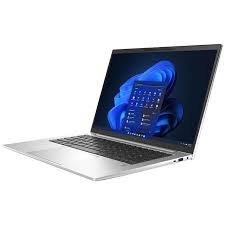
Quick answer: Buy corporate laptops around staff workloads, a written configuration and clear acceptance criteria. Confirm quantities, unit condition, operating-system support, software licences, accessories and after-sales terms before issuing an order. The cheapest laptop price is only one part of the total deployment cost.
A quotation brief you can adapt: “Please quote for [quantity] laptops for [team and applications]. State the complete CPU, RAM, SSD, display, operating system, unit condition, charger, available quantity, taxes, delivery, warranty process, quotation validity and any substitutions.” Use the existing business laptop buying guide to compare the final shortlist.
1. Create staff profiles before choosing a model
Separate everyday office users, finance staff, developers, field workers and managers. List the applications each group uses at the same time and any required peripherals. Record whether the work relies on a browser service, local files, virtual machines or a specialist Windows program. This prevents the entire business receiving one unsuitable configuration.
The Developer Pro, Finance Pro and Executive Pro paths offer a starting structure. They are buying shortlists, not a substitute for your IT policy or software vendor requirements. Pilot one suitable configuration with a representative member of staff before ordering a larger batch.
2. Specify hardware in a form that can be checked
Write the full CPU model, installed RAM, SSD capacity, screen resolution and size, keyboard layout and required connections. Add touch only if it serves a real task. Do not use Core i7, business class or high end as the entire specification. Two machines with similar family names can have different displays, memory designs and processors.
For a typical office profile, assess 16GB RAM and an SSD against the actual workload. Developers with several local environments or analysts working with larger models may justify 32GB. Specify the installed capacity when memory is onboard. The 16GB versus 32GB guide helps explain that decision without assuming every employee needs the same amount.
3. Confirm quantities, condition and substitutions
A website stock label does not guarantee the quantity needed for a company order. Request written confirmation of available quantities, delivery timing and whether the batch matches the stated configuration. For used or refurbished units, ask how cosmetic and battery differences will be handled and which evidence will accompany each machine.
State that substitutions require your approval before dispatch. If the business standardises on one charger, dock or display connection, an apparently similar replacement may create extra support work. Record each received serial or asset identifier against the quotation and staff allocation so future service requests can identify the correct laptop.
4. Budget for the whole working setup
Add chargers, docks, monitors, headsets, keyboard or mouse requirements and any data transfer or configuration work. Then include software licences and the cost of staff time during deployment. Clarify delivery and tax treatment in the quotation rather than inferring either from a product title. Ask for the appropriate invoice details your organisation requires.
For illustration only, ten laptops priced at KSh 53,000 each produce a hardware subtotal of KSh 530,000. That arithmetic excludes any separately quoted accessories, licences or services and does not confirm ten units are available. A complete quotation is more useful than extending a single website price into an assumed bulk offer.
5. Agree a per-unit acceptance checklist
At receipt, compare the machine identifiers and specifications with the order. Test screen, keyboard, camera, microphone, speakers, Wi-Fi, charging and the actual ports your team uses. Review battery and SSD condition where relevant, and check that no previous organisation enrolment or firmware lock prevents legitimate setup.
Run a representative work task, such as opening the finance workbook, connecting the company VPN or building a small project. Set any required battery or cosmetic threshold in the purchase agreement instead of assuming there is an industry-wide standard. Document faults and resolve them under the agreed acceptance process before deploying the whole batch.
6. Plan supported software and secure handover
Microsoft lists TPM 2.0, Secure Boot capability and a supported processor among Windows 11 requirements. Verify eligibility and the supported installed version for each intended configuration. Standard Windows 10 support ended on 14 October 2025, so an older Windows installation needs a deliberate support plan rather than automatic acceptance.
Your IT owner should define account enrolment, updates, access permissions, encryption policy and backup arrangements. Confirm valid licences for Windows, Office and specialist business software. Do not pass company credentials to a seller just to demonstrate compatibility; your team can test authorised access during its own deployment.
7. Put warranty and support responsibilities in writing
Confirm the warranty duration, covered faults, exclusions, service contact and handling of batteries or accessories. Ask whether service requires returning a laptop and how the organisation will cover downtime. Manufacturer brochure coverage is not proof of the remaining warranty on an older machine.
Decide who manages updates, migration and staff support after delivery. A small pool of spare equipment or a staged rollout may be useful when business continuity matters. Those arrangements should be quoted or planned explicitly; they are not included merely because a product is marketed as a corporate laptop.
8. Build a shortlist and request a precise quotation
| Exact configuration | Listed price |
|---|---|
| Dell Latitude 5520 i7-1185G7, 16GB/512GB, 15.6-inch FHD | KSh 53,000 |
| ThinkPad T14s i7 10th Gen, 32GB/512GB, Touch | KSh 53,500 |
| HP EliteBook 840 G9 i7 12th Gen, 32GB/512GB | KSh 70,000 |
Website price snapshot checked 21 October 2026. These pages were marked in stock at the check; confirm the available unit and current price before ordering.
The Latitude 5520 offers a listed 15.6-inch Full HD, 16GB/512GB configuration. The T14s and EliteBook 840 G9 examples offer 32GB/512GB configurations from different generations. Compare them by role and inspect the available units. Use the screen-size guide for desk-versus-travel needs and the SSD capacity guide for local storage planning.
Send your required quantities, software list, configuration, condition expectations, location and deadline when requesting a quotation. A pilot, written agreement and acceptance record turn a catalogue shortlist into a practical procurement decision.
Frequently asked questions
Should all staff receive the same laptop?
Standardisation helps support, but different workloads can justify different configurations. Define staff profiles first.
Does in stock mean enough units for our whole team?
No. Confirm the required quantity, configurations and delivery date in writing.
Is 32GB RAM necessary for every employee?
No. Match RAM to the applications and workload; 32GB is more useful for memory-heavy work.
Should we pilot before buying a batch?
A representative pilot can reveal application, docking or usability problems before a larger deployment.
What identifies the exact CPU?
The full processor model code, not only the Core i7 badge or laptop family name.
What should our quotation specify?
Quantities, configurations, condition, accessories, price and tax treatment, delivery, software and support terms.
Does the laptop include company software licences?
Only where the offer explicitly states that valid licences for the intended use are included.
Can we accept a different model if stock changes?
Agree substitutions before dispatch and check the replacement against your requirements.
What should we record at delivery?
Machine identifiers, received specifications, accessories, inspection results and staff allocation.
Does this checklist guarantee regulatory compliance?
No. It is a procurement guide. Your organisation remains responsible for its own policies and applicable obligations.
Related professional laptop guides
- Infinite Pro collection
- Laptops for accountants
- New versus refurbished for professional work
- Screen sizes for office work
Manufacturer and software references
This guide compares listed configurations and published model references; it does not report hands-on benchmarks or certify individual units. Read our laptop review methodology.
Compare your shortlist in Nairobi
Visit Infinite Tech, Rehema House, Nairobi, or call 0720450148. Share your software, budget and travel needs for a quotation covering the exact configuration. We are open Monday–Saturday, 8:30 AM–7:30 PM. Check the warranty terms and delivery information before ordering.
3 thoughts on “Corporate Laptop Buying Checklist for Kenyan SMEs”
Comments are closed.